1-11
Box PC 820 / PC FI45 V2, Manual
A5E00051531-03
1.3.2 Lowering the PC FI45 V2 Housing Away from the Front Panel
S Close the application you are using.
S Remove the diskette or CD-ROM from the drive.
S Pull out the power supply connector.
S Remove the six screws used to fasten the cover to the front of the housing.
!
Warning
When removing the last screw, hold the housing with one hand.
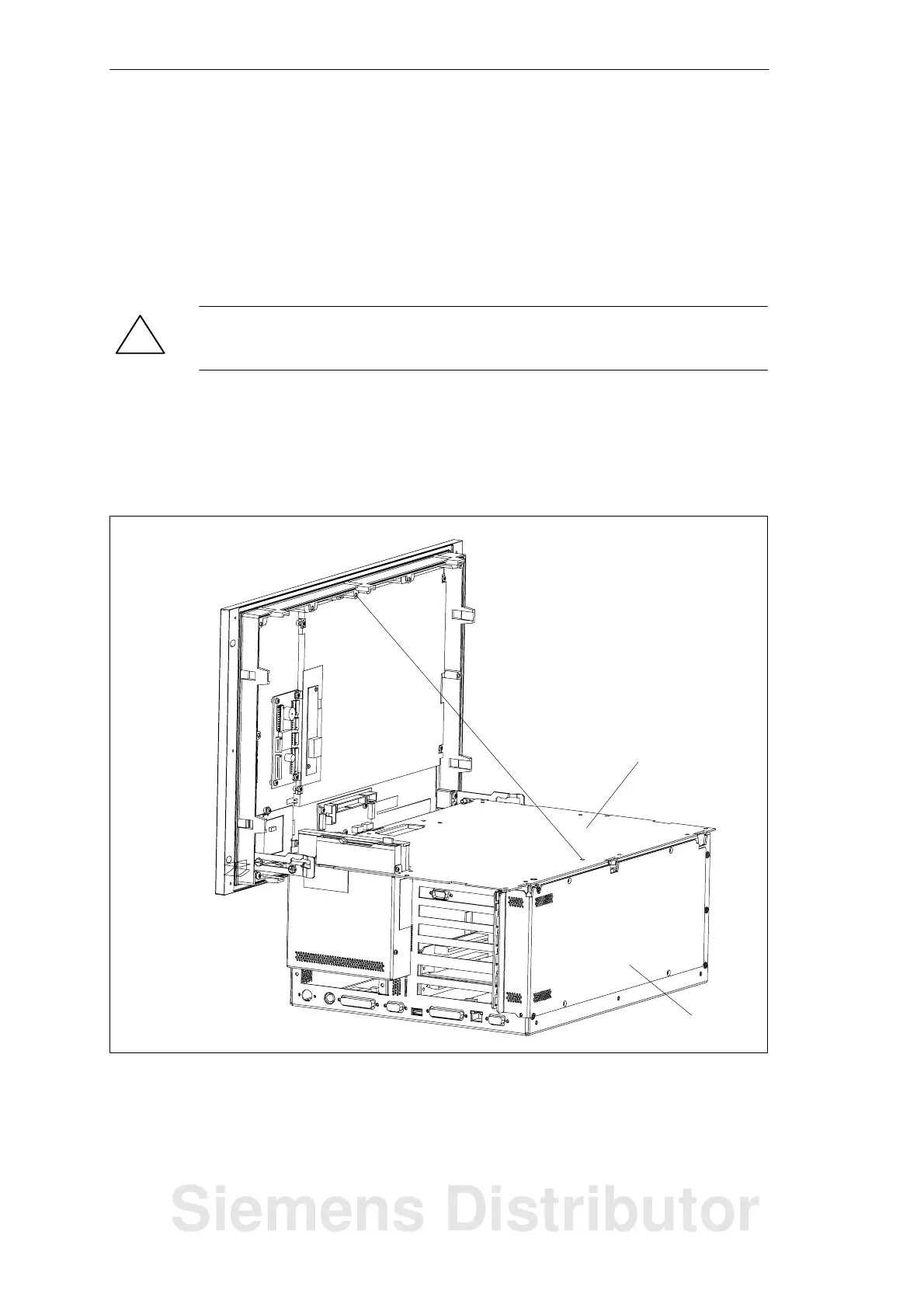
S Tilt the housing about 5_ towards you and then pull it away from the front panel
until it reaches the latched position of the hinge.
S Now lower the housing down completely. A wire holds the housing in place at a
90_ angle.
Partition plate
Housing plate
Figure 1-8 Lowering the Housing of the PC FI45 V2
System Unit
Siemens Distributor













 To Next Page