1-13
Box PC 820 / PC FI45 V2, Manual
A5E00051531-03
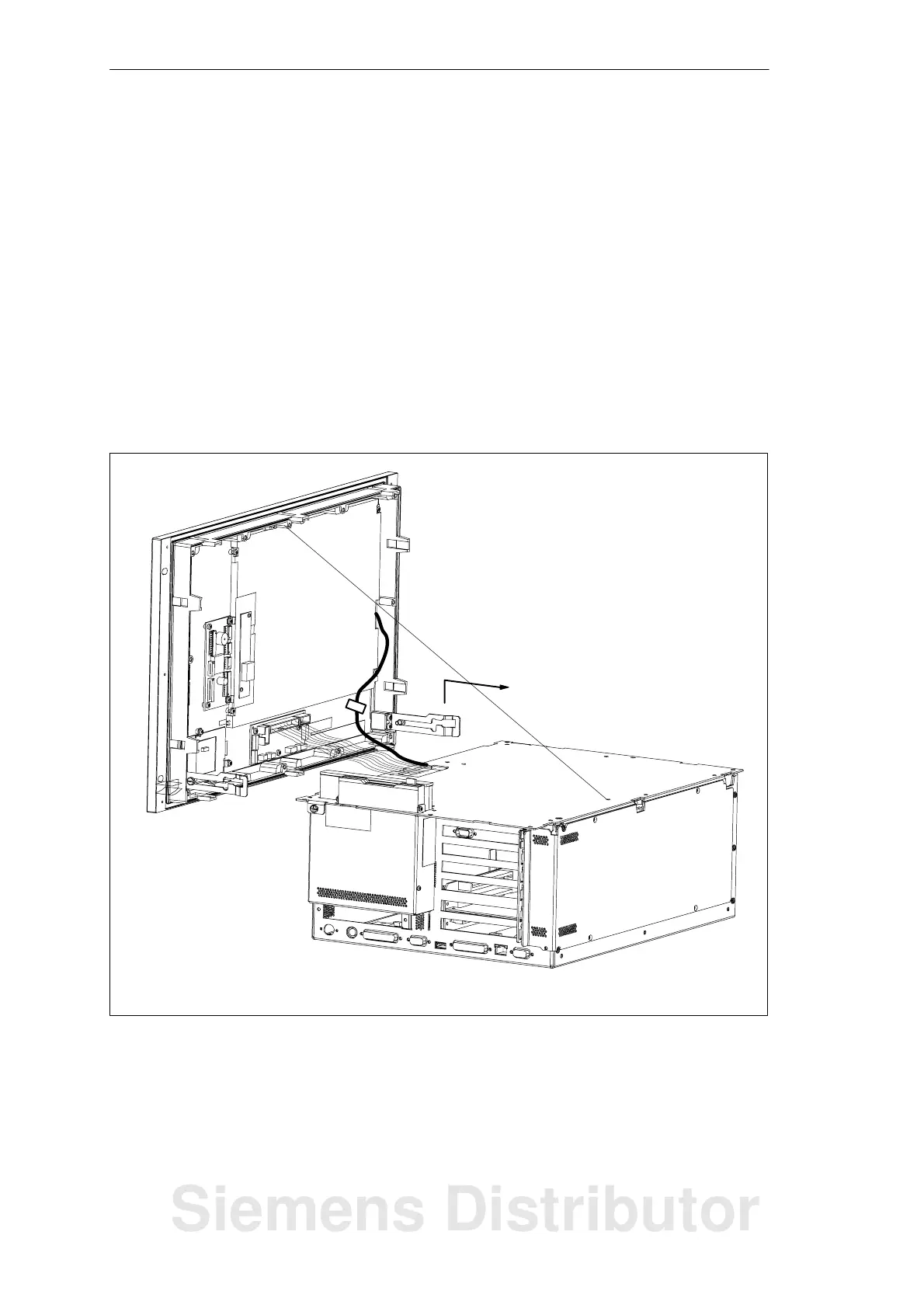
1.3.3 Removing the Housing of the PC FI45 V2 from the Front Panel
S Lower the housing of the PC FI45 V2 away from the front panel as described in
Section 1.3.2.
S Disconnect the mains supply (1) to the LC display by pulling the connector
carefully towards the front frame.
S Disconnect the LCD cable guide (2).
S Disconnect the ribbon cable (3) from the front adapter module.
S Unhook the safety wire (4) from the housing.
S Lift the housing (5) upwards and out so that the hinge is released from its
attached position; then pull the system unit further away from the front.
S The housing is now isolated from the front unit.
(4)
(5)
(1)
(3)
(2)
Figure 1-10 Removing the Housing of the PC FI45 V2
System Unit
Siemens Distributor













 To Next Page