1-21
Box PC 820 / PC FI45 V2, Manual
A5E00051531-03
1.3.9 Removing and Installing a Floppy Disk Drive or CD-ROM Drive
for the Box PC 820
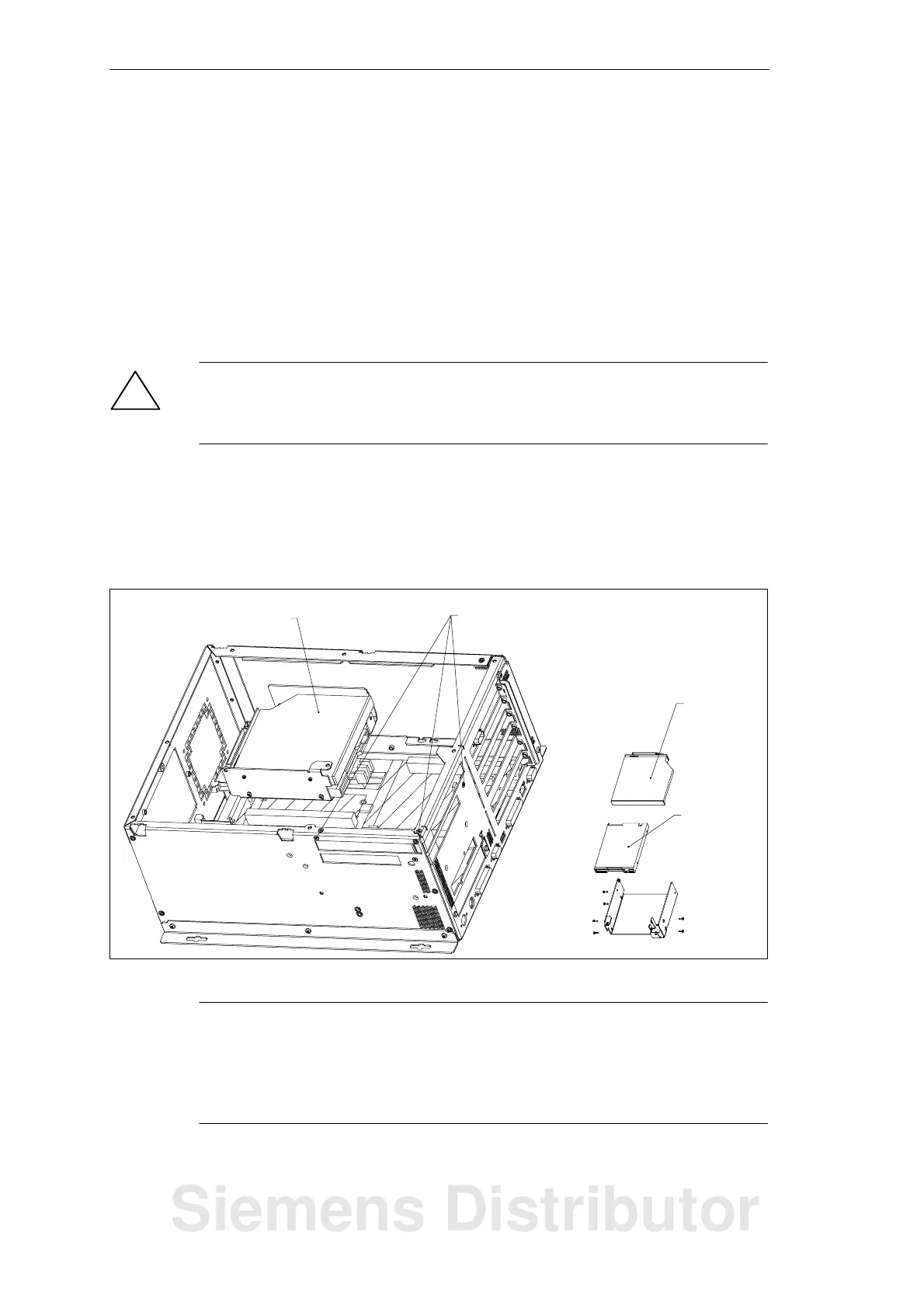
The floppy disk drive and the CD-ROM drive are fitted in a single support in the
housing.
S Open the housing as described in Section 1.3.1.
S Lay the housing face up on a flat surface.
S Remove the three screws with which the support is fastened to the housing.
S Disconnect the disk drive connection cables and lift the support carefully out of
the housing.
!
Caution
Before you remove the flexible cable from the floppy disk drive, you must first
release the interlock on the port.
S The floppy disk drive is fastened to the support with three screws. Remove
these screws and pull the drive out of the support.
S The CD-ROM drive is fastened to the support with three screws. Remove the
screws and pull the drive out of the support.
To install the drives, proceed in reverse order.
Drive support Fastening screws for drive support
CD-ROM
drive
Floppy disk
drive
Figure 1-15 Floppy Disk/CD-ROM Drive Support on the Box PC 820
Note
The floppy disk/CD support can also be installed in the housing at a 90_ angle.
This is necessary if the unit is installed with the network connection at the top. The
floppy disk drive may not be operated with the opening for the diskettes face up or
face down.
System Unit
Siemens Distributor













 To Next Page