Detailed descriptions
16.5 BIOS Setup
SIMATIC Rack PC 840 V2
Operating Instructions, Edition 05/2006, A5E00248055-04
16-25
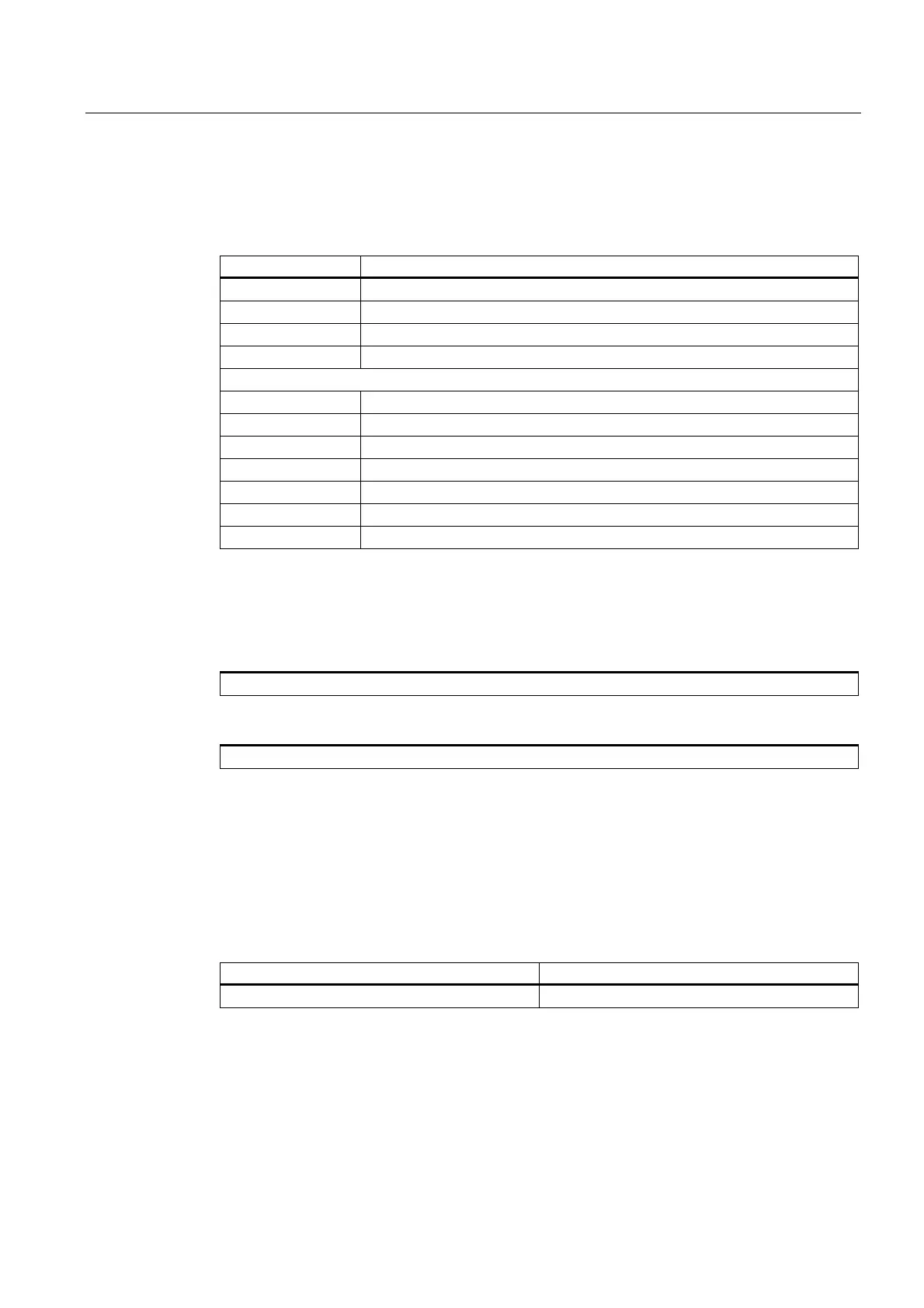
Settings in the main menu
In the main menu, you can move up and down to select the following system configuration
boxes by means of the [↑] up and [↓] down cursor keys:
Field Meaning
System Time For viewing and setting the current time
System Date For viewing and setting the current date
Floppy disk A Type of installed floppy disk drive
Memory Cache Used for setting the cache options
by submenus
Primary Master Type of installed disk drives
Primary Slave Type of installed disk drives
Secondary Master Type of installed disk drives
Secondary slave Type of installed disk drives
Boot options Used for setting the boot options
Keyboard Features For setting the keyboard interface (e.g. number lock, typematic rate)
Hardware Options Used for setting the hardware options
System Time and System Date
System Time and System Date indicate the current values. When the corresponding field
has been selected, you can change the values by means of the [+] and [–] keys
Hour: Minute: Second
and for the date
Month/Day/Year
You can move between the entries in the date and time fields (for example, from hour to
minute) using the tab key.
Floppy disk A (Floppy disk drive)
The type of floppy disk drive installed in the PC is set here. The following entries are
possible:
[Disabled] if no disk drive is available.
[1.44 MB, 3 1/2"] Default setting for an installed disk drive A













 To Next Page