Maintenance and service
11.1 Removing and installing hardware components
SIMATIC Rack PC 840 V2
Operating Instructions, Edition 05/2006, A5E00248055-04
11-7
11.1.5 Removing the motherboard
Preparation
1. Disconnect the device from mains and unplug all cables.
2. Open the device.
Removing the motherboard
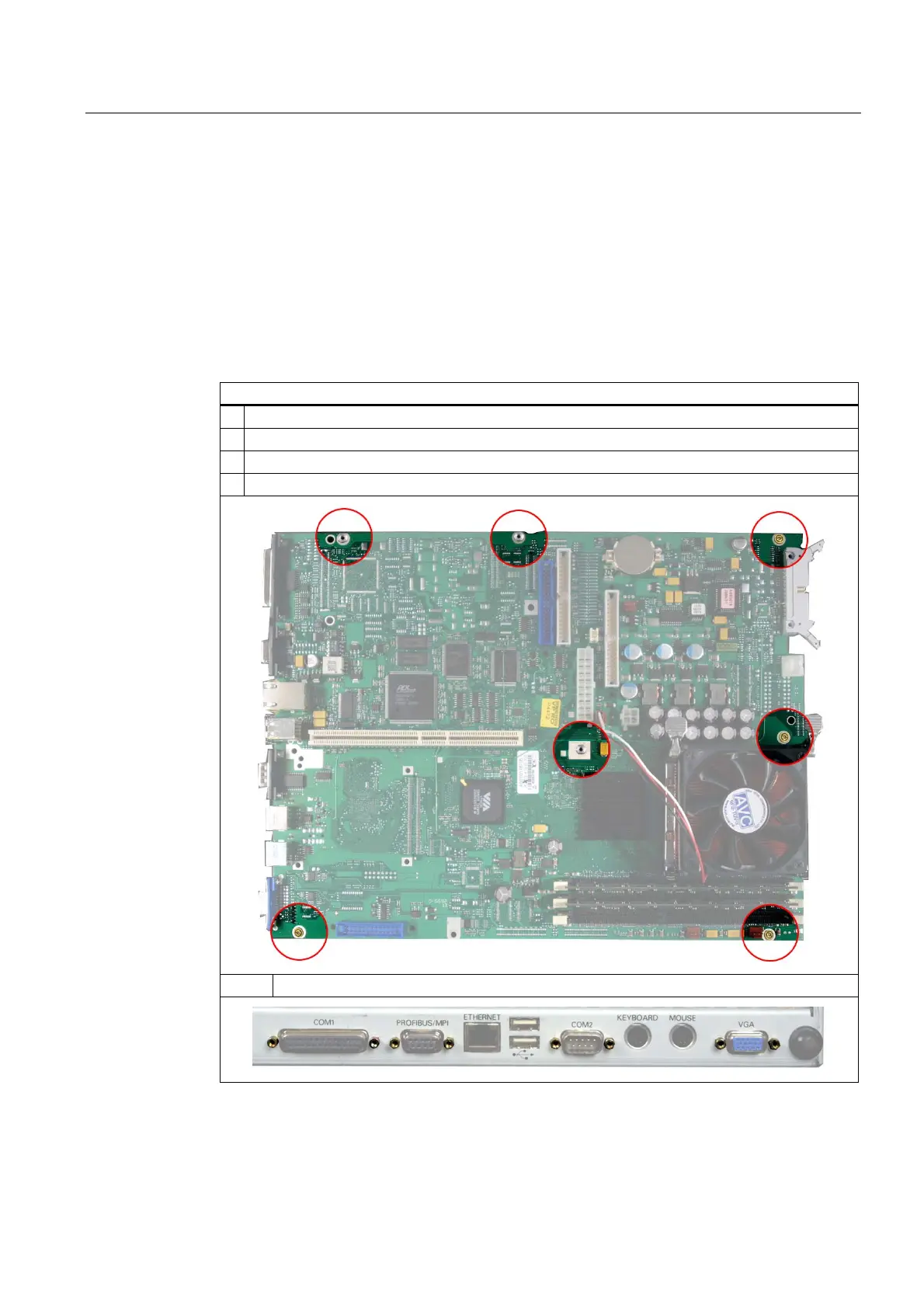
How to remove the motherboard
1. Remove all modules from their slots.
2. Removing the bus board
3. Disconnect all cables off the motherboard, noting down their assignment while doing so.
4. Remove the four screws and three hexagonal bolts from the motherboard.
5. Remove the eight hexagonal bolts at the interfaces.
The motherboard is supplied as spare part without processor, memory modules and bus
board.














 To Next Page