Detailed descriptions
16.5 BIOS Setup
SIMATIC Rack PC 840 V2
Operating Instructions, Edition 05/2006, A5E00248055-04
16-35
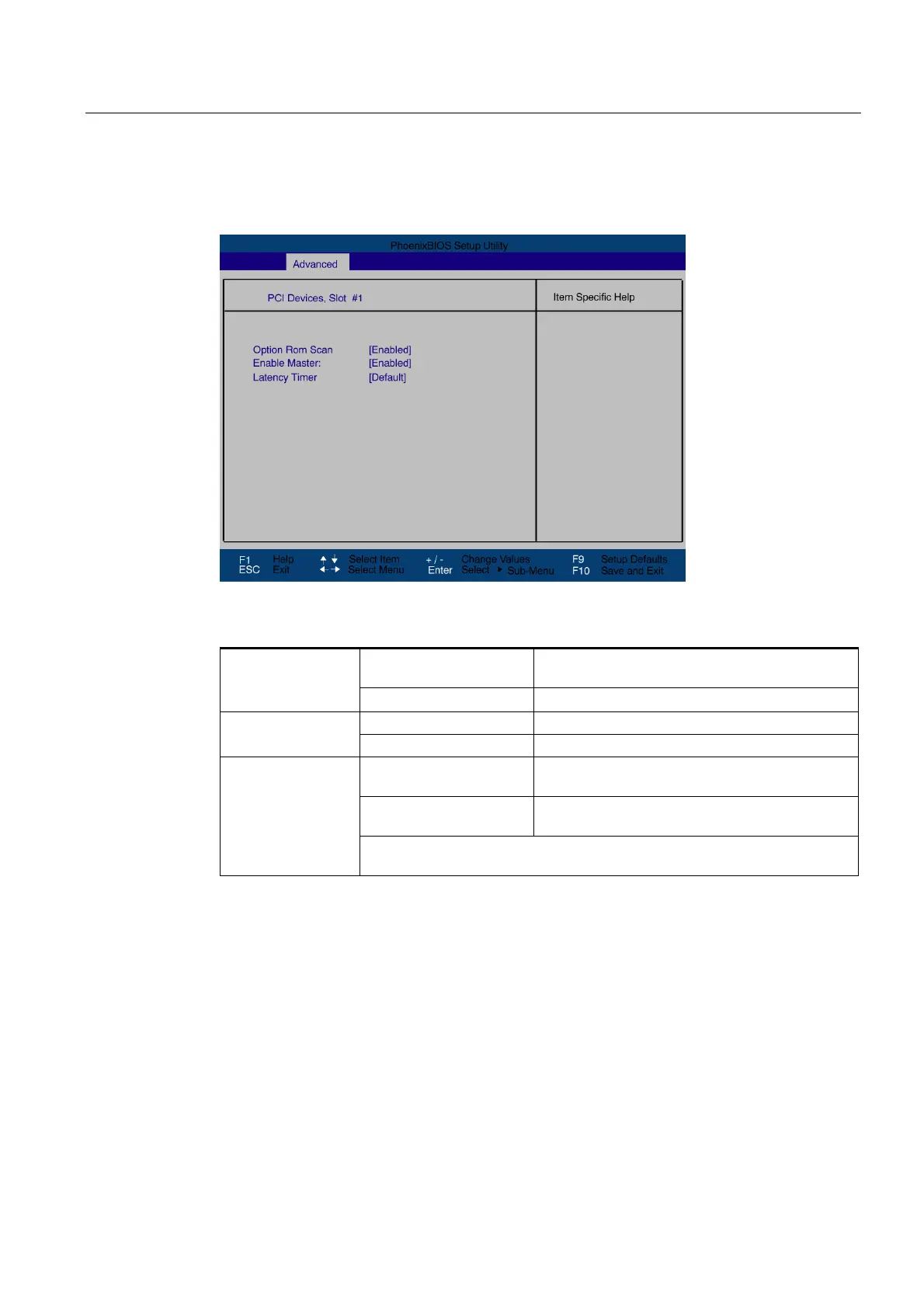
"PCI Devices" field
If the PCI devices field is selected, the following submenu appears:
Figure 16-15 PCI Devices submenu, slot #1
[Enabled] The Option ROM of the PCI module (if present) is
enabled
ROM scan option:
[Disabled] The ROM option of a PCI module is disabled.
[Enabled] This slot can be assigned master functions Enable Master
[Disabled] This slot can only operate as a PCI slave.
[Default] The number of active PCI clock cycles of the
master modules is determined by this module
[0020H to 00E0H] With these settings, you set the maximum number
of active PCI clock cycles to the selected value.
Latency Timer
You should only use a value different from the default if the module or its
application requires it.



 To Next Page