Expansions and configuration
10.2 Memory expansion
SIMATIC Rack PC 840 V2
10-4 Operating Instructions, Edition 05/2006, A5E00248055-04
Installing a Memory Module
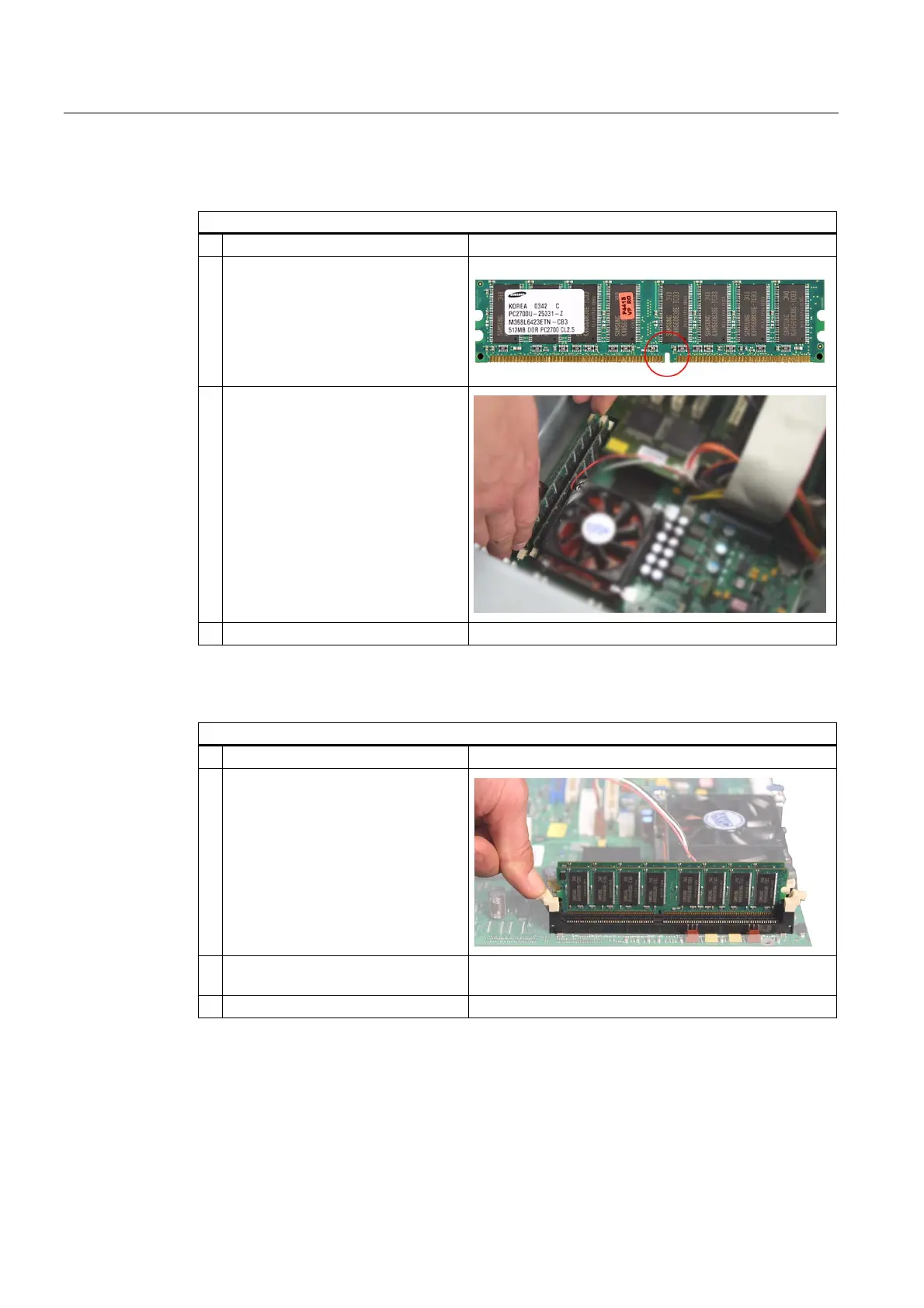
How to install a memory module
1 Open the device.
2 Note the recess (reversal protection)
on the connector side of the RAM
module.
3 Push the module carefully into the
slot until the interlocks engage
4 Close the device.
Removing a Memory Module
How to remove a memory module
1 Open the device.
2 Open the left and right interlocks
3 Pull the memory module out of the
slot
4 Close the device.
Display of the current memory configuration
A new memory module is automatically detected. The allocation of the ”base memory and
extended memory” is automatically displayed when you switch on the device..














 To Next Page