Maintenance and service
11.1 Removing and installing hardware components
SIMATIC Rack PC 840 V2
Operating Instructions, Edition 05/2006, A5E00248055-04
11-13
Notice
When inserting the processor, ensure that the notches on the processor align with the
socket.
2. Apply some heat-conductive
paste to the processor
Caution
The processor may overheat when the system is in operation!
The heat-conductive paste must be applied very evenly as a thin film!
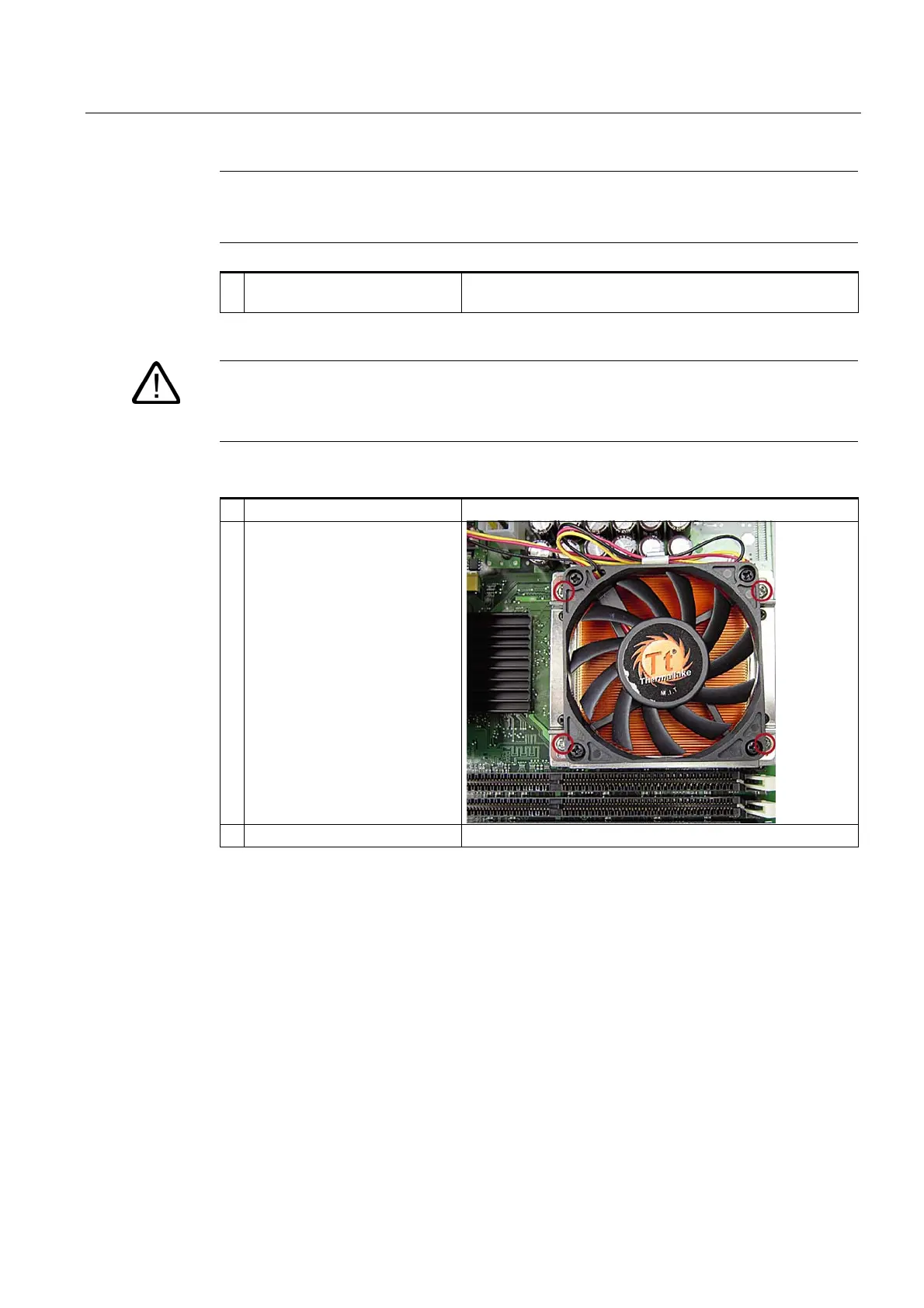
3. Place heat sink on
4. Fix the heat sink into position
with the four screws: Screw the
screws into position diagonally
and tighten evenly, in order to
avoid tilting.
5. Plug in the fan cable














 To Next Page