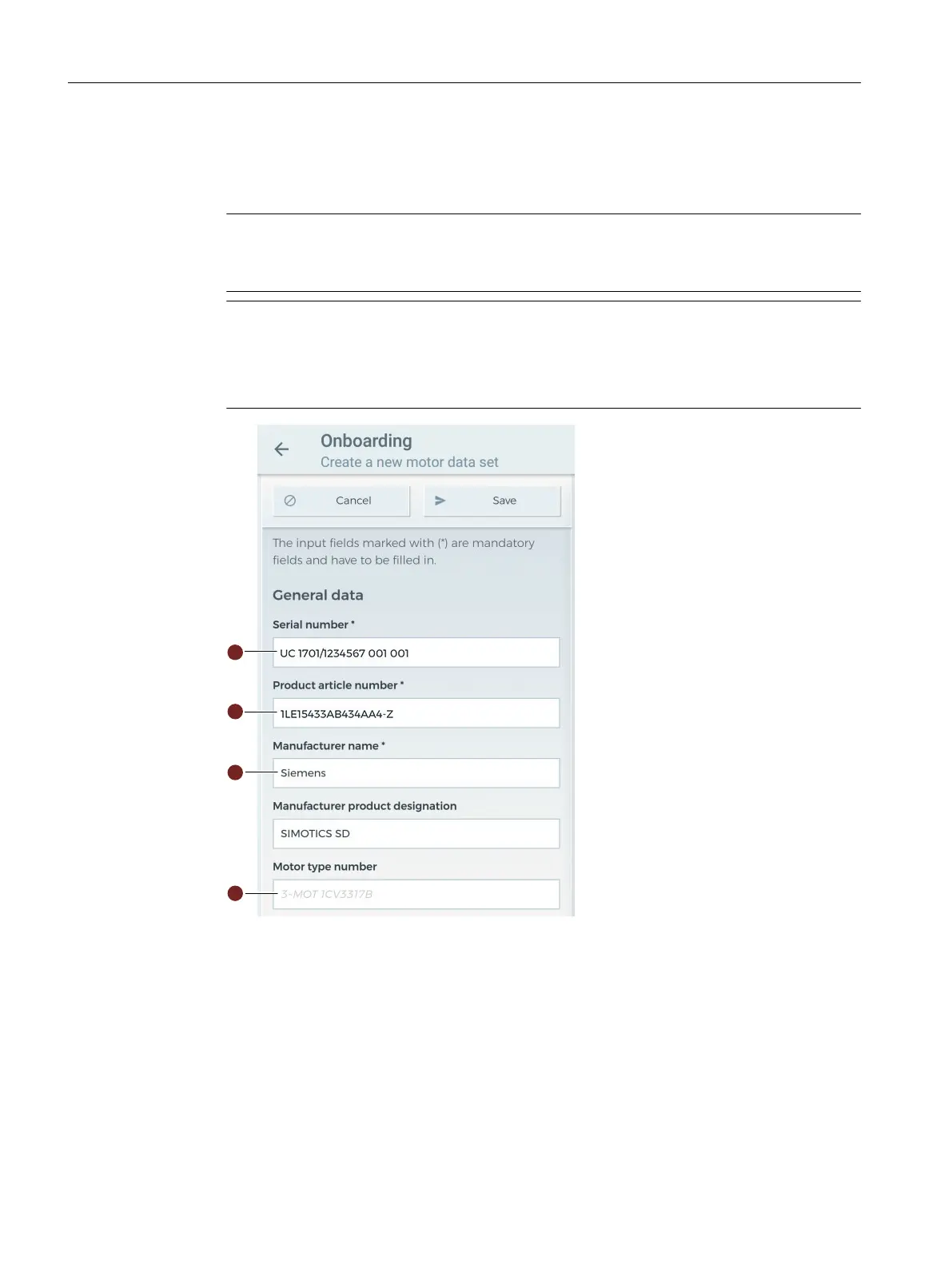
Proceed as follows to enter a new motor data set:
1. Enter the motor data. Depending on how complete the data entered are, you can analyze and
monitor the data via the Mindsphere application "SIDRIVE IQ Fleet".
Note
Mandatory elds
The input elds marked "*" are mandatory elds.
Note
Text color in input elds
black = predened values can be overwritten
gray = expected input format
Commissioning
6.2Commissioning with Android
SIMOTICS CONNECT 400
58 Operating Instructions, 04/2023, A5E50161952B AL






 To Next Page