SDS1000X-E&SDS1000X-U User Manual
57
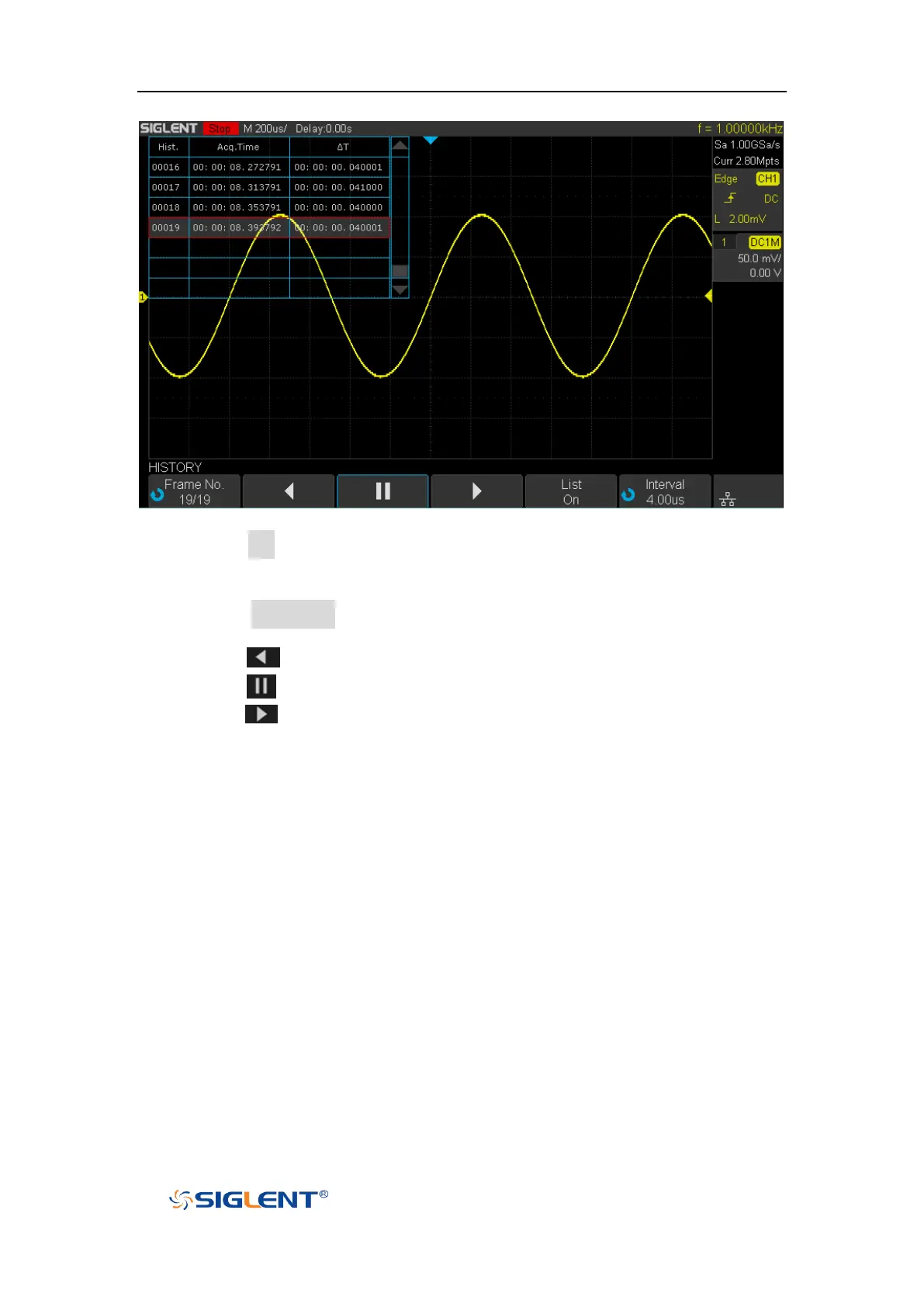
Figure 27 HISTORY Function Menu
2. Press the List softkey to turn on the list display. The list records the acquisition
time of every frame and shows the frame number that displaying on the
screen.
3. Press the Frame No. softkey; and then turn the Universal Knob to select the
frame to display.
4. Press the softkey to replay the waveform from the current frame to 1.
5. Press the softkey to stop replay.
6. Press the softkey to replay the waveform from the current frame to the
last frame.










 To Next Page