SIGLENT
SSA3000X User Manual 21
current reference level automatic adjustment.
Open the preamplifier; maximum input attenuation can be set to 51dB. When setting
parameters do not meet the above formula, can adjust the reference level.
Table 2-7 Attenuator
2.1.3.3 RF Preamp
Turn on or off the preamplifier located at the front of the RF signal path. When signal under
measurement is small, turning on the preamplifier can reduce the displayed noise level; there for,
you can distinguish small signals from the noise.
The corresponding icon “PA” will appear at the left side of the screen when the preamplifier is
turned on.
2.1.3.4 Units
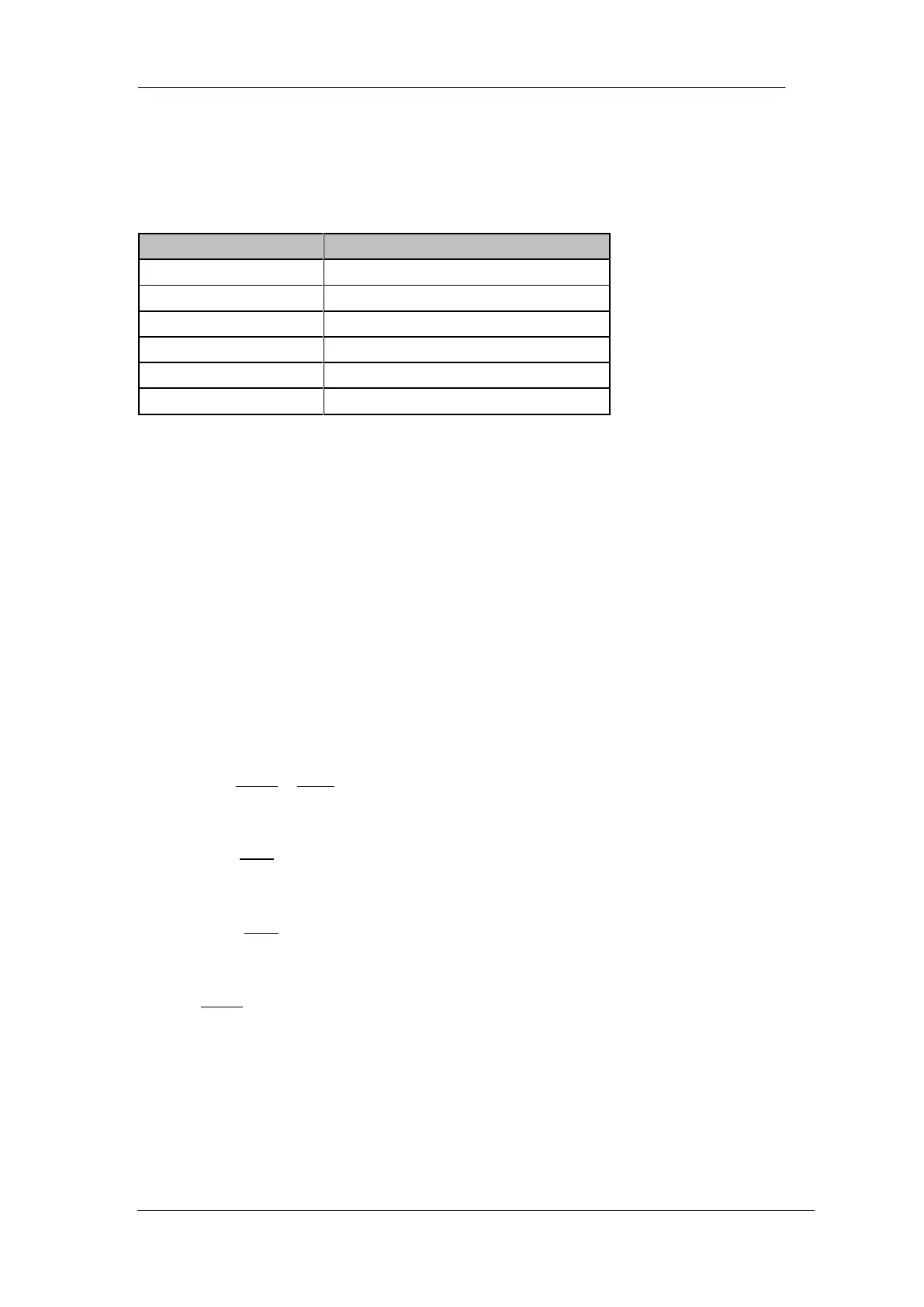
Set the unit of the Y-axis to dBm, dBmV, dBuV, Volts (RMS) and Watts. The default is dBm。
The conversion relationships between units are as follows.
Wherein, R denotes the reference resistance. Default value is 50Ω, setting by “Correction -> RF
input”. The “75 Ω” resistance is just a numeric value, not a real resistance.
2.1.3.5 Scale
Set the logarithmic units per vertical grid division on the display. This function is only available


 To Next Page
 Loading...