Laboratory Centrifuge Sigma 6-16S
Version 07/2012, Rev. 1.22 of 08/05/2020 • sb
Translation of the original operating manual, part no. 0702002
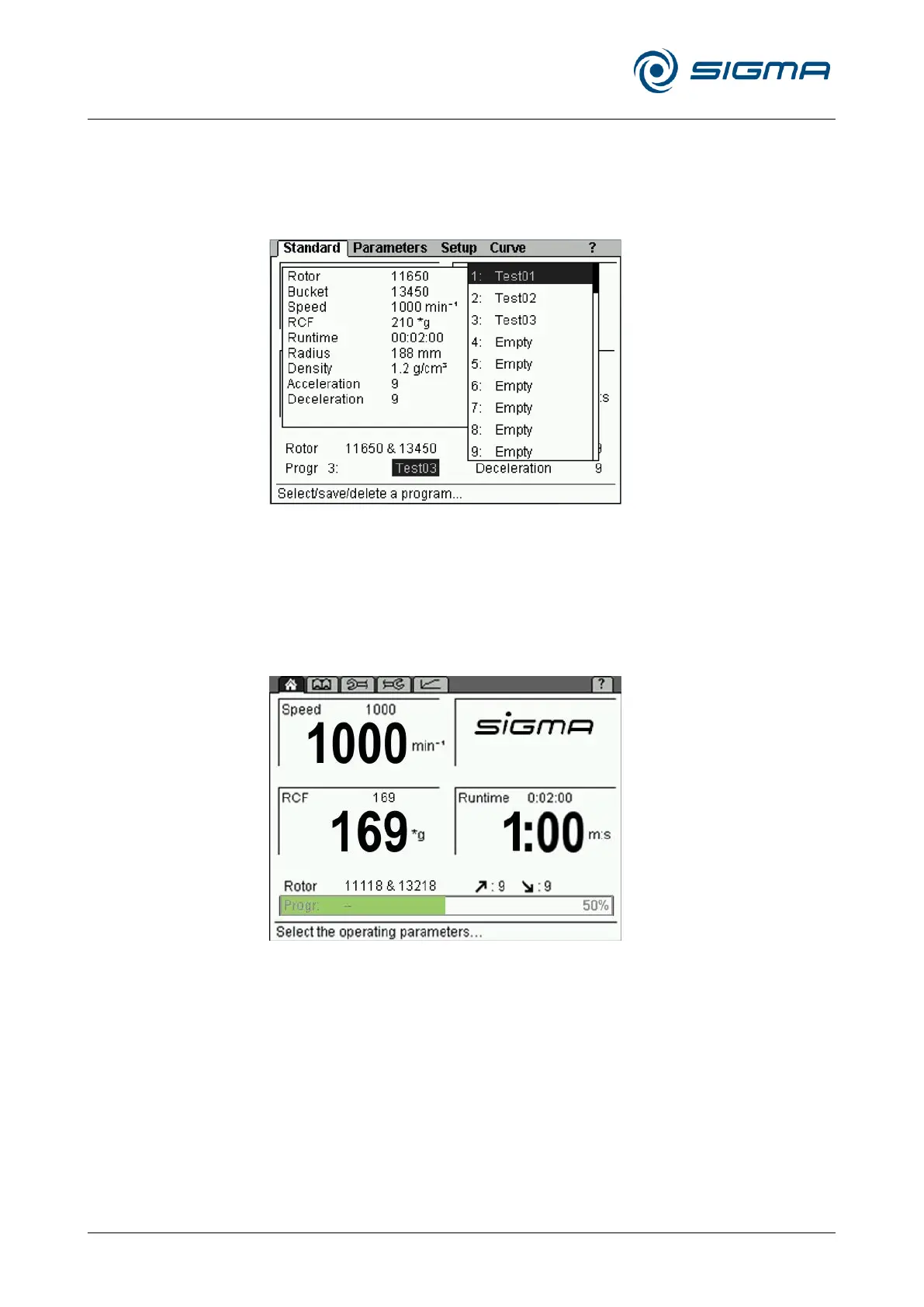
Progr.: program list
This field in the "Standard" menu shows the program that is currently
loaded. When the field is selected, the program list is displayed (for
information on how to work with the programs, please see chapter 6.3.3 -
"Program mode").
Fig. 16: Program list
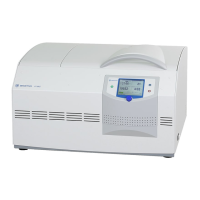
Progress indicator
The progress indicator provides a quick overview of the remaining runtime
of the running centrifugation run. For this purpose, a green progress bar
and percentage value are displayed in the program field.
Fig. 17: Progress indicator during a centrifugation run
After the completion of the centrifugation run, the progress indicator
remains at 100% until
• the lid is opened,
• a parameter is changed,
• a program is loaded, saved, or deleted, or
• a new centrifugation run is started.



 To Next Page