20
LOADING THE BATTERY
1
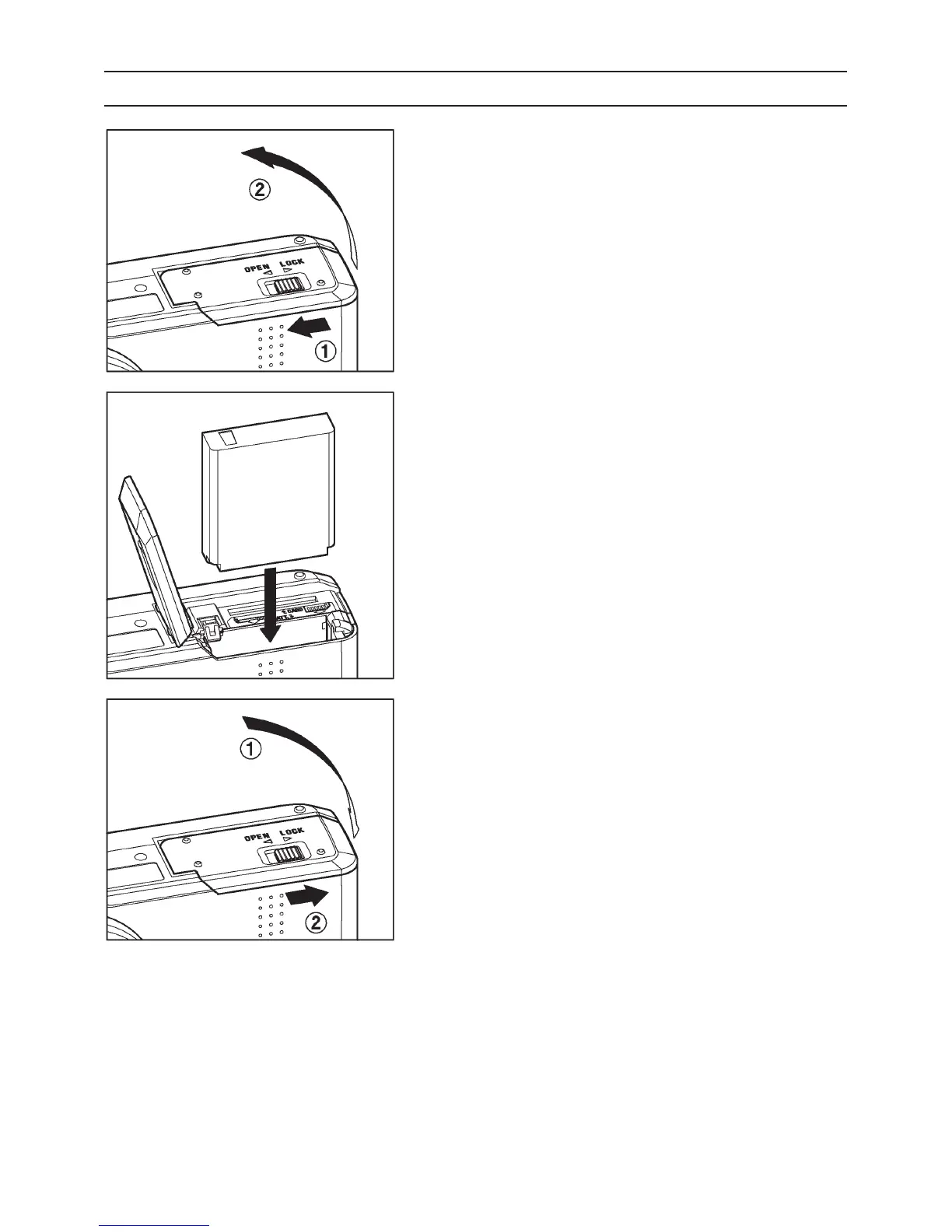
Slide the Release lever to the OPEN
position, and open the Battery / Card
Cover as shown in the illustration.
2
Insert the battery into the chamber in
accordance with the diagram.
Ɣ Insert the battery until it locks into
place.
3
Close the Battery / Card Cover and Slide
the Release lever to the LOCK position
as shown in the illustration.



 To Next Page
 Loading...










