93
OTHER REVIEWING
FEATURES
This section explains how to use Slideshow, Lock, Mark,
Rotate and so on.
LOCKING FILES
Locking protects files from being
accidentally deleted. Locked files must
be unlocked before they can be deleted
by the Delete Menu functions.
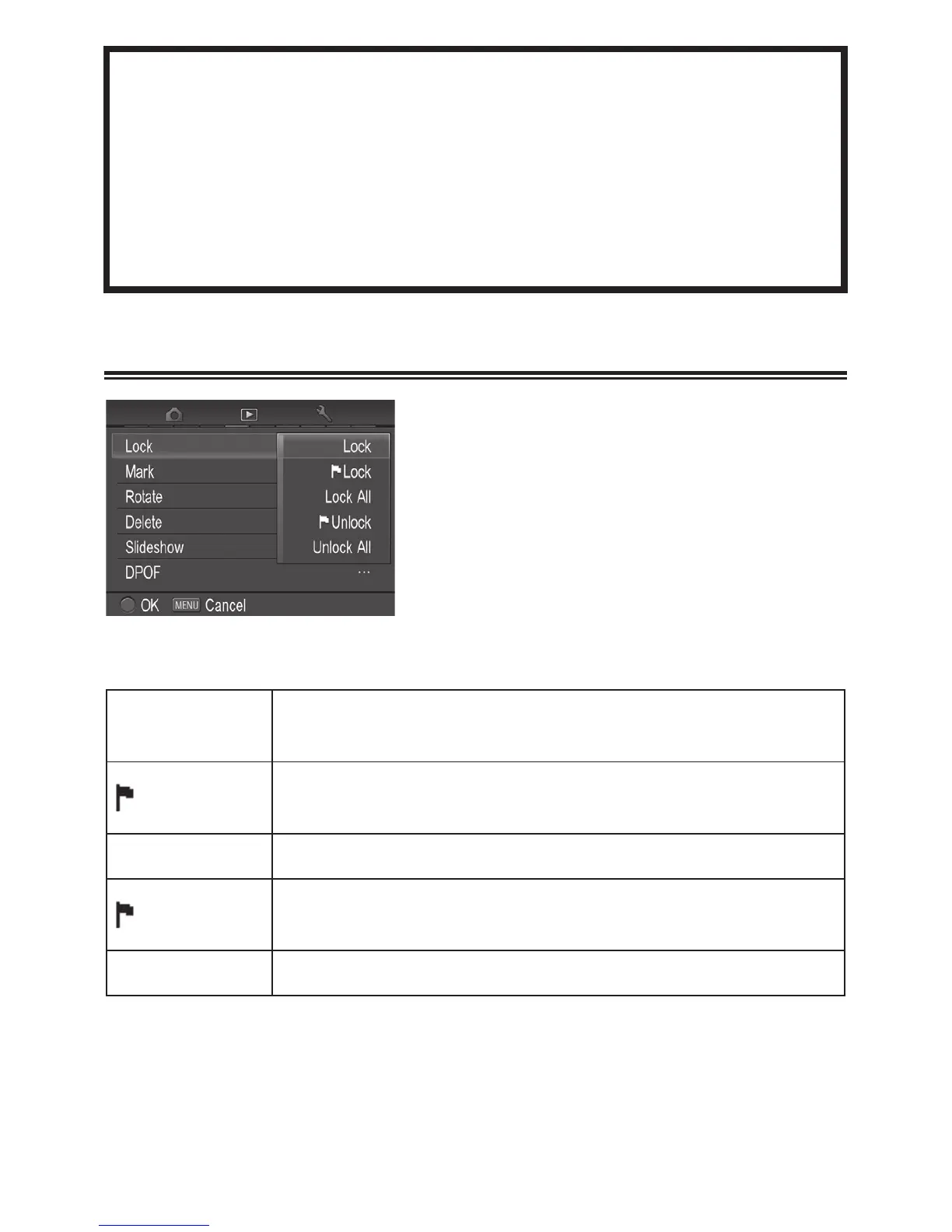
LOCK MENU
Lock/Unlock
Lock the currently selected file only. If the file is
already locked, the menu item changes to “Unlock”.
Lock
Lock all marked images on the card.
(See P.96-98 for information on marking images.)
Lock
ll Lock all files on the card.
Unlock
Unlock all marked images on the card.
(See P.96-98 for information on marking images.)
Unlock
ll Unlock all locked files on the card.



 To Next Page
 Loading...










