38
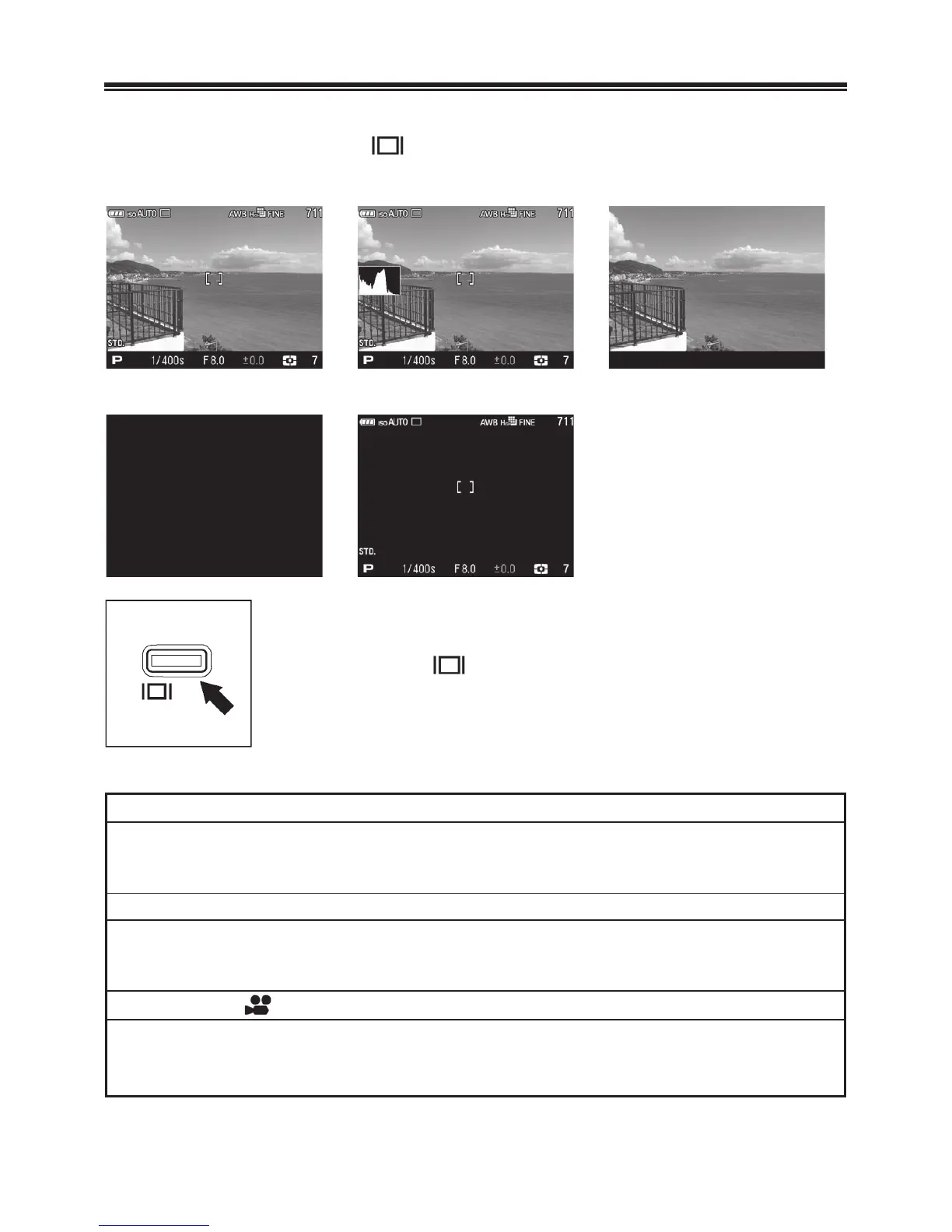
CHANGING THE COLOR LCD MONITOR DISPLAY
It is possible to display/hide icons on the color LCD monitor as
follows by pressing the
button.
Display Icons
Display Icons with the histogram
Hide Icons
ă ă
LCD Monitor OFF
View Finder Mode
ă ă
• • •
Each time the button is pressed, the color LCD
monitor display will change as follows.
OPERATION
Still Image Mode (
P
,
A
,
S
)
Display Icons ă Display Icons with the histogram ă Hide Icons ă
LCD Monitor OFF ă View Finder Mode ă • • •
Still Image Mode (
M
)
Display Icons ă Hide Icons ă LCD Monitor OFF ă
View Finder Mode ă • • •
Movie Mode
Display Iconsă Display Icons with the histogram ă Hide Icons ă
• • •



 To Next Page
 Loading...










