84
VIEWING ONE IMAGE AT A TIME
Press the
button on the back of the camera to see the recorded
images in Single-Image View.
WHILE IN SINGLE-IMAGE VIEW:
z Press the button to see the next image.
z Press the button to see the previous image.
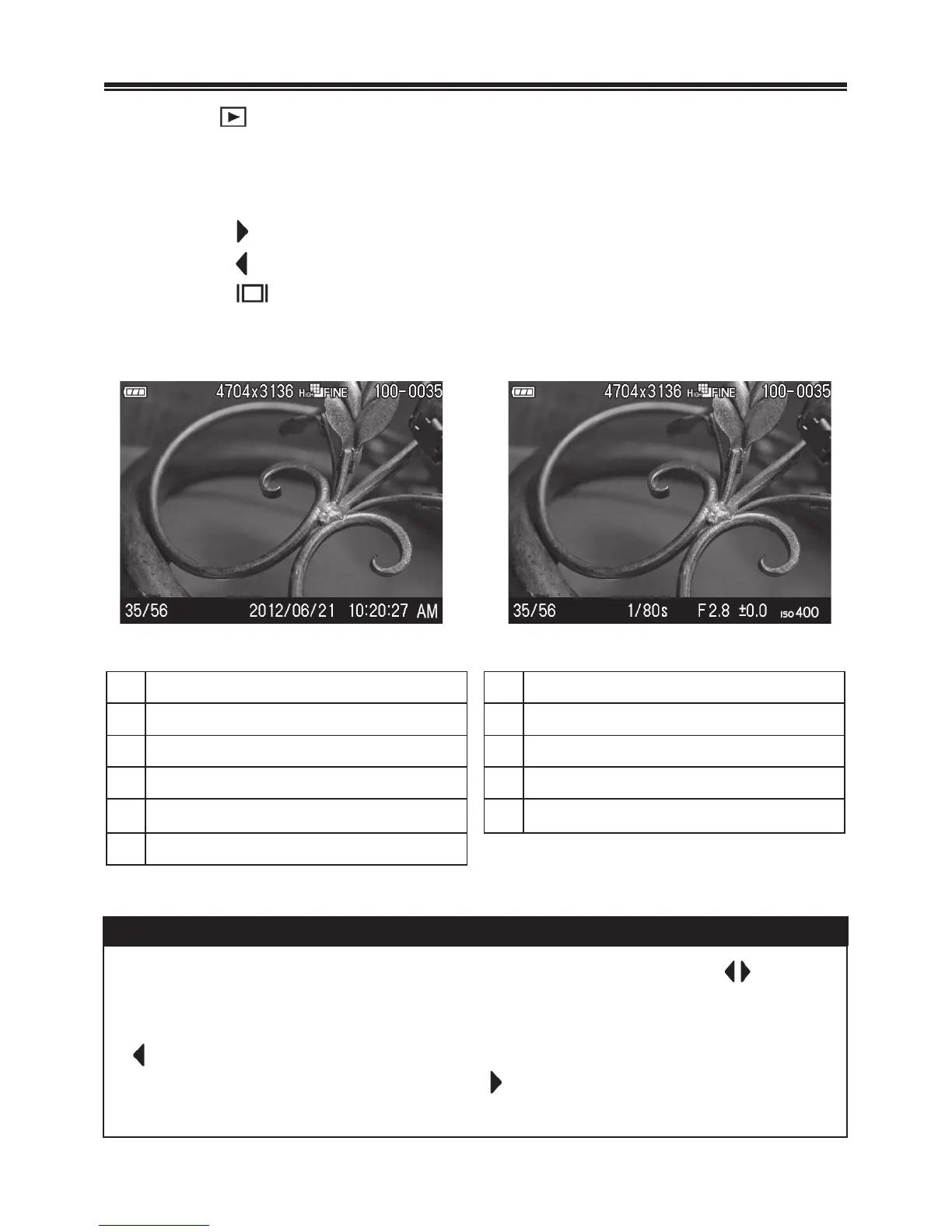
z Press the button to switch the information as follows (P. 3 9 ).
Display Date and Time
Display Image Info
1 2 3 4 1 2 3 4
5 6 7 5 8 9 10 11
1
Battery Level Indicator
7
Time
2
Image Size
8
Shutter Speed
3
Image Quality
9
F Number
4
Folder numbering - File numbering
10
Exposure Compensation Value*
5
file numbertotal files recorded
11
ISO Sensitivity
6
Date
TIP
x To scroll through images more quickly, press and hold the buttons.
Images will advance automatically until the button is released.
x The first and last recorded images on the card are linked. Pressing the
button while the first image is displayed brings up the last recorded
image on the card. Pressing the button while the last image is
displayed brings up the first recorded image on the card.



 To Next Page
 Loading...










