23
USING A HOME POWER SUPPLY
(Sold Separately)
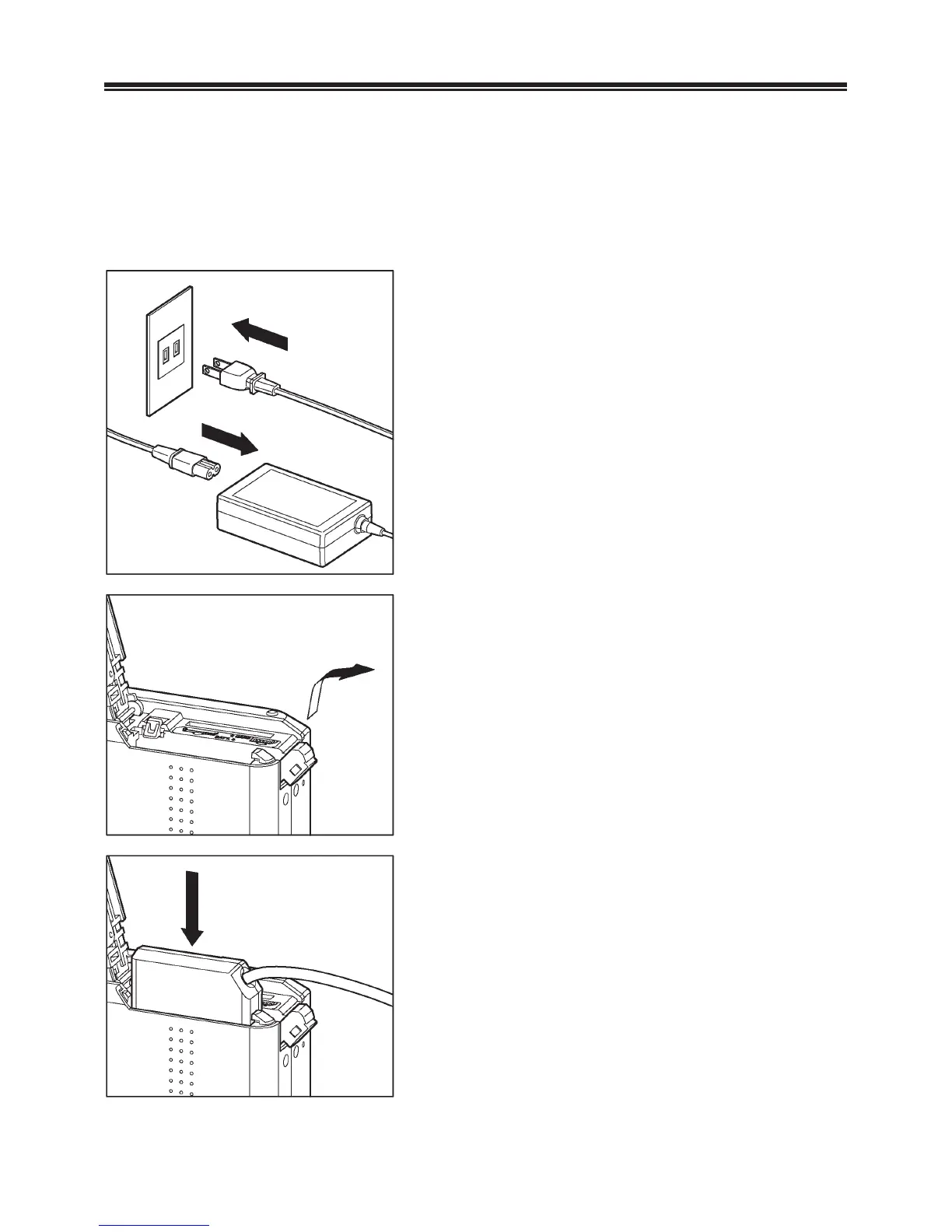
You can power the camera from a wall outlet using the provided AC
Adapter SAC-5 and DC Connector CN-11. When using your camera
for an extended period of time, reviewing the pictures or connecting
the camera to a computer, we recommend that you operate the
camera from a household power outlet.
1
Connect the AC cable to the AC adapter.
2
Open the Battery / Card Cover, and open
the DC connector cover as shown in the
illustration.
z Do not pull too hard on the DC
connector cover as it may come away
from camera body.
3
Insert the DC connector as shown in the
illustration until it is locks into place.



 To Next Page
 Loading...










