ü Replacement RouterNode or replacement LockNode already installed
at the final operating location.
ü Replacement RouterNode can already be resolved via valid IP address/
host names (determine/set IP address see
Determining and setting the
IP address [}49]
)
1. For reprogramming, use the IP address/chip ID of the replacement unit
instead of the same IP address/chip ID.
2. Proceed in the same way as when reprogramming a WaveNet configur-
ation on a device (see
RouterNodes [}155]
und
LockNodes [}157]
).
9 Device replaced.
5.5.3.1 RouterNodes
ü WaveNet Manager opened via LSM (see
Best Practice: From the LSM
software [}37]
)
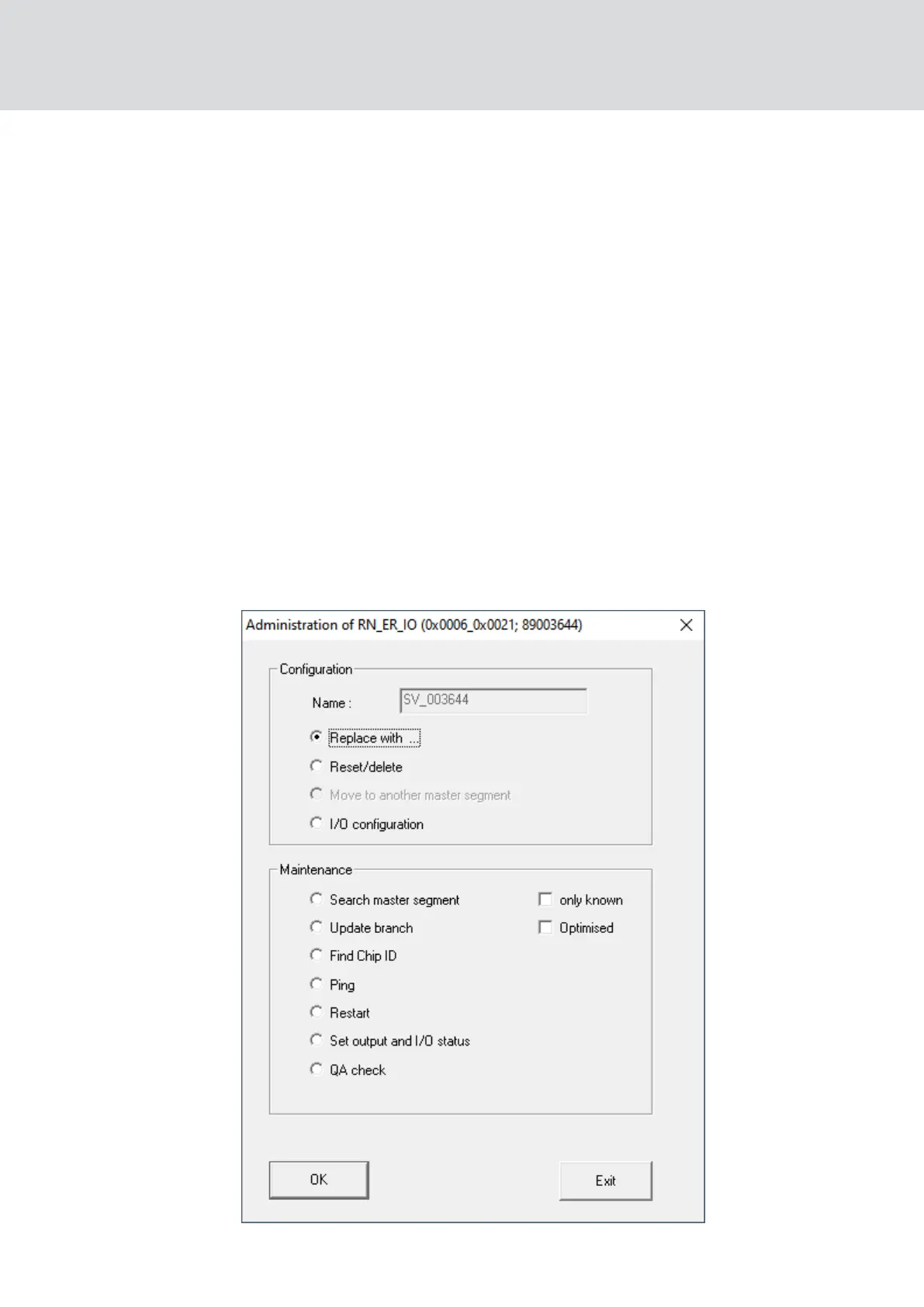
1. Right-click on the entry for the RouterNode you wish to replace.
9 The window "Administration" opens.
WaveNet (Manual)
5. WaveNet Manager
155 / 210



 To Next Page