5.4.3.5 LSM import
You must import the created WaveNet topology into the LSM so that you
can use the WaveNet topology there.
ü WaveNet Manager opened via LSM (see
Best Practice: From the LSM
software [}37]
)
ü Free communication node available in the LSM (or local connection for
operation without communication node).
ü WaveNet topology created and saved (see
Add RouterNode to
WaveNet [}53]
and
Adding Lock Nodes to WaveNet [}59]
).
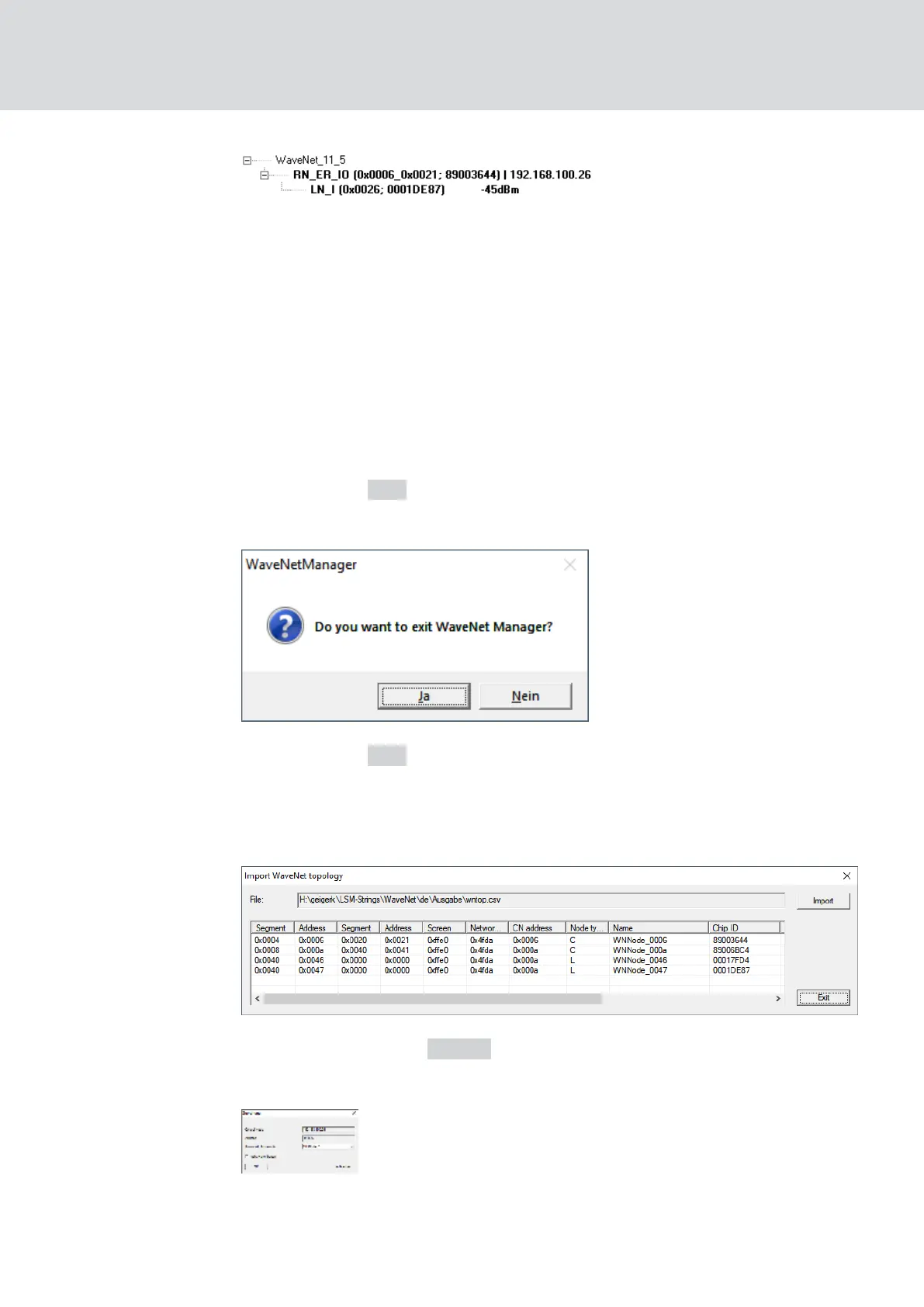
1. Click on the Exit button.
9 The window "WaveNetManager" opens.
2. Click on the Yes button.
9 The "WaveNetManager" window closes.
9 The window "Import WaveNet topology" opens. You see a list of the
devices to be imported.
3. Click on the button Import .
9 The window "Assignment" opens.
WaveNet (Manual)
5. WaveNet Manager
64 / 210



 To Next Page