DL100 Series Universal Low-Power Inverter
Chapter4 Operating Panel
4.1 Panel instructions
Display the current operating status parameters and setting parameters of the
frequency inverter.
Display the measurement unit corresponding to the main digital display data.
The forward running indicator light indicates that the inverter is running
forward and the output terminals U, V, W have output voltage.
Reverse running indicator light indicates that the inverter is running
reversely and output terminals U, V, W have output voltage.
Fault status indicator, indicating that the inverter is in fault status.
Data modification key. It is used to modify functional code or parameters.
At the status monitoring mode, if the frequency command channel is at
the digital setting mode ([F0.00]=0), press this key to directly modify the
frequency set value.
Back key. At the normal monitoring mode, press this key to enter the
non-normal monitoring mode/monitoring parameter inquiry mode to see the
operating status parameters of the inverter. At any other operating status,
separately press this key to back to the previous status.
Set key. Confirm the current status or parameter (parameters are stored in
the internal memorizer) and enter the next function menu.
RUN/STOP command key.
When the command channel selects control panel ([F0.06] =###0), this key
is effective. The key is a trigger key. When the inverter is at the stop status,
press this key to input stop command to stop running. At the inverter fault
status, this key is also used as the fault reset key.
Shift key. When modifying data with any data modification key, press this
key to select the data digit to be modified, and the selected digit will flash.
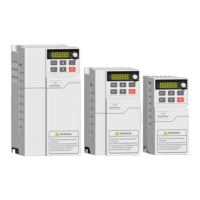
Figure 4-1 Operating Panel Sketch
运行、停止、
复位
位移
单位显示
数码显示
返回
设置
状态指示
下降
上升
面板电位器
Digital display data unit


 To Next Page
