EasyManua.ls Logo

Simrad RC25 - Adding a sin PCB to RFC35 N Compass; Inserting the PCB; Micro-Controller Chip

Simrad RC25
44 pages
Print Icon
To Next Page IconTo Next Page
To Previous Page IconTo Previous Page
Loading...
Instruction Manual
20220653 / Rev. C 15
J1
NMEA
J2
ROBNET
J3
EXT.COMP
VIN- (VSYST-)
ROBNET+ (BUS+)
VIN+ (VSYST+)
ROBNET- (BUS-)
VIN-
TX+
VIN+
TX-
RX+
RX-
G
N
D
V
R
E
F
(
2
.
5
V
)
S
I
N
C
O
S
65 43
2
1
11223
4
NMEA PCB
SIN PCB
Micro-controller
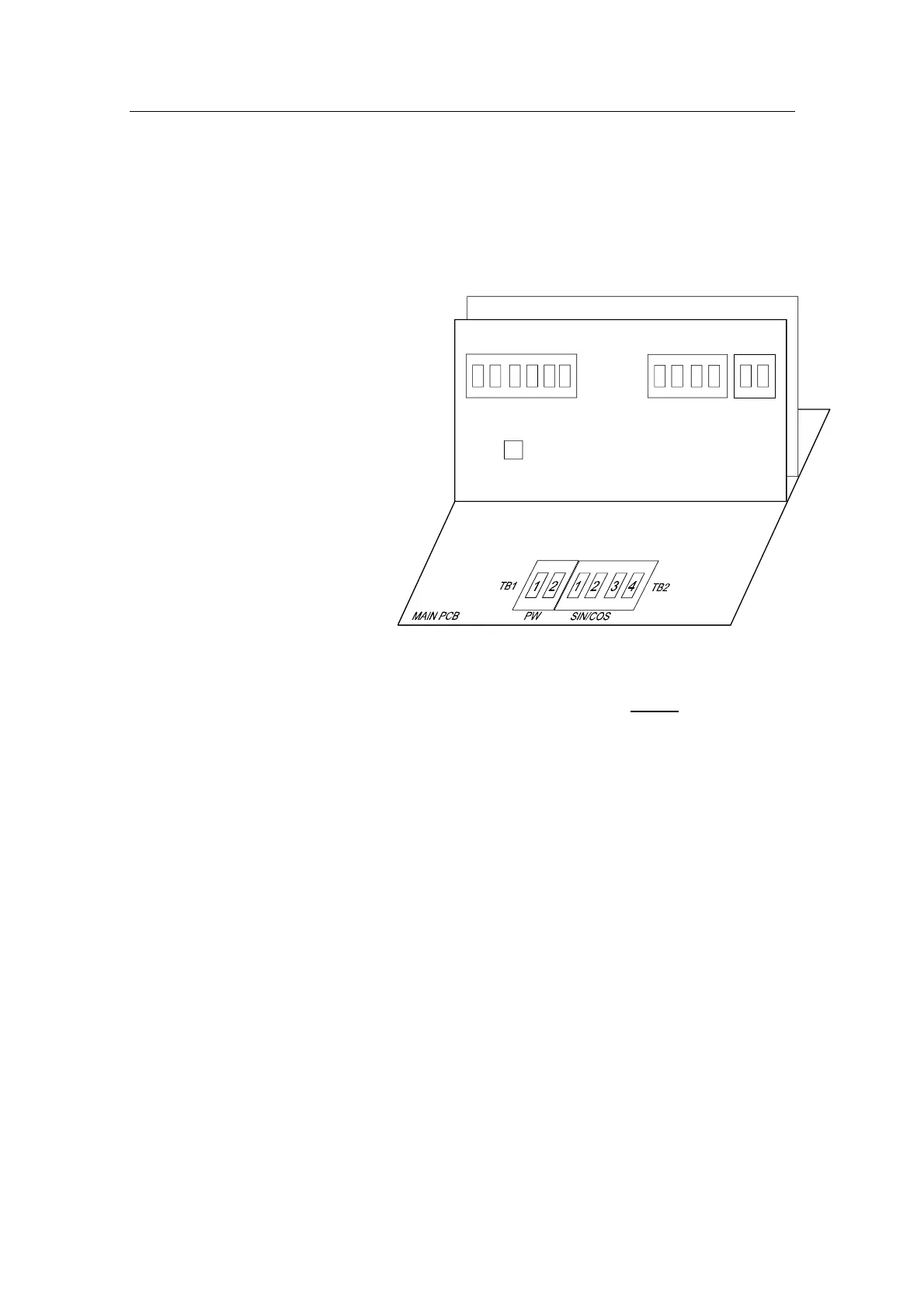
3.5 Adding a SIN PCB to RFC35N Compass
Inserting the PCB
Open the compass and insert the SIN PCB into the slots in the
housing.
Make sure the edge
connector on the SIN
PCB fits into the
matching connector
on the Main PCB. It
might be necessary
to loosen the Main
PCB screws in order
to align it in right
position. Then
fasten the screws
after the SIN
PCB has been
inserted.
Micro-controller chip
The NMEA PCB should have a chip marked V1R3 or higher in
order to work with the SIN PCB.
Latest software (per February 2005) is V2R4.

Table of Contents

Related product manuals