NANYTE BEAM Manual
NANYTE BEAM Manual BM-001-A3 / V1.1a Page 16 of 33
brightness is limited to 90%. Once the slider is moved, the appropriate exposure time is
automatically calculated.
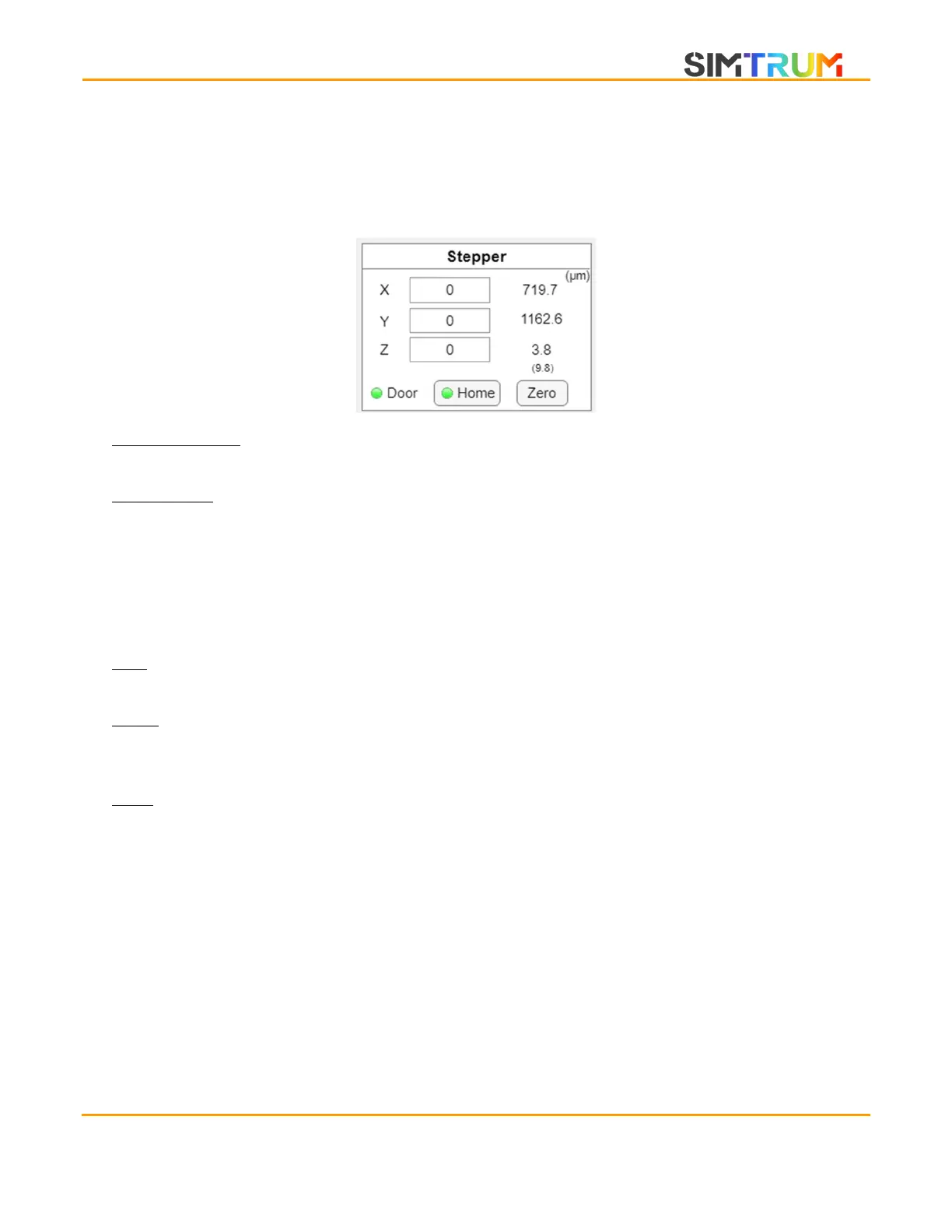
Stepper controls
XYZ input boxes: The text boxes allow the operator to key in any position to move the BEAM
ENGINE to. The users can also key in decimal values.
XYZ position: The numbers on the right represents the BEAM ENGINE’s current position. All
positions here are denominated in microns. An exposure will always start at the coordinates (X
= 0, Y = 0) while the Z-position will be automatically determined by the autofocus. The number
under the Z-position indicates the absolute Z-position; At 0, the microscope objectives will be
looking at the aluminum sample holder. This is useful when trying to manually focus the
system. When an Si wafer of known thickness is used, such as 400 um, the Z-position of focus
will be -400.
Zero: Sets the current position as zero. All loaded patterns have their base position set to X = 0,
Y = 0. Therefore, the button sets the current position as the bottom left of the loaded pattern.
Home: Homes the stage. When homed, the software limits for the stage will be enabled and the
user should in theory not be able to crash the stage. When not homed, the indicator will be
yellow, when homed, it will turn green. Pressing the button will initiate the homing procedure.
Door: The indicator shows whether the door is closed. This is a useful reminder for resists that
are more sensitive to stray light.
www.simtrum.com


 To Next Page