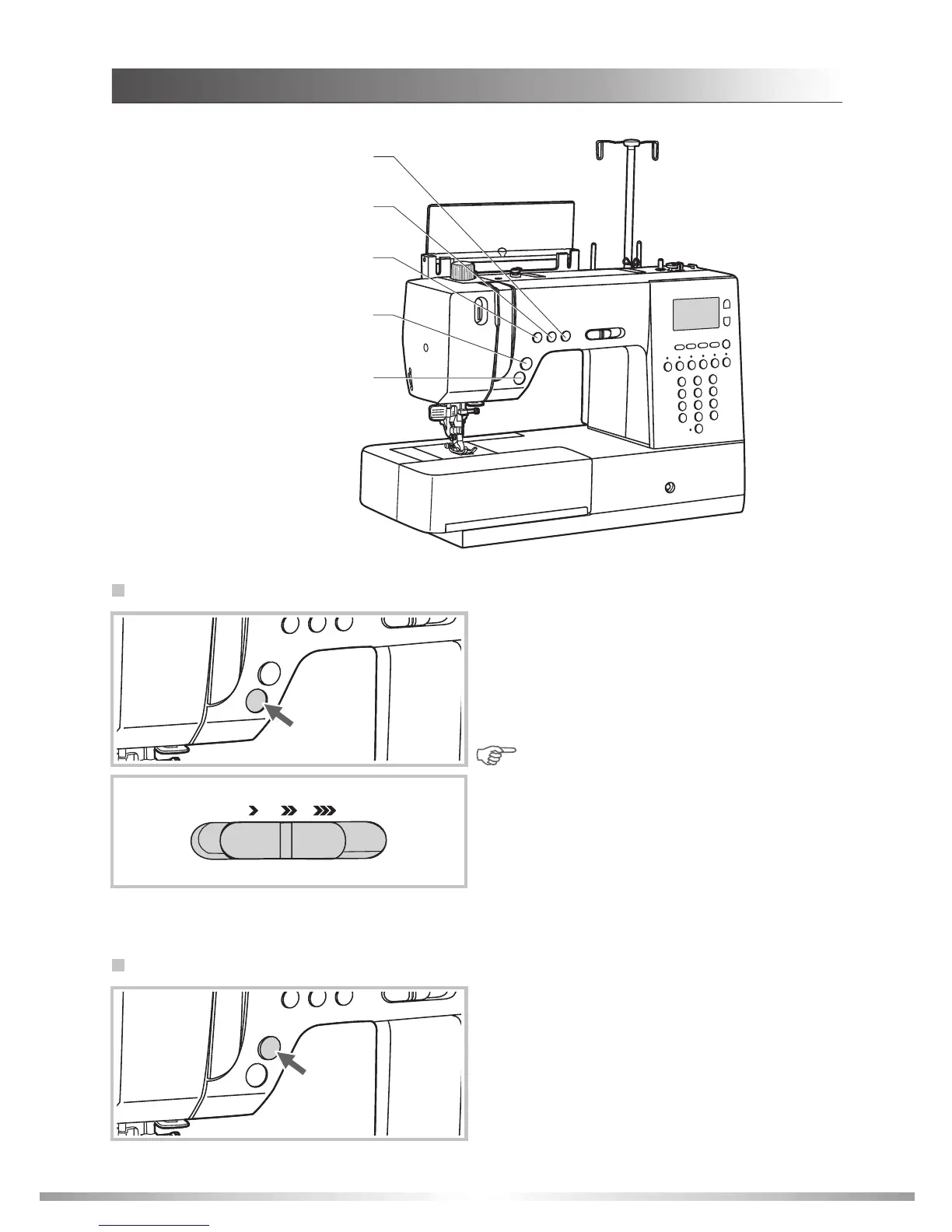
OPERATION BUTTONS
The machine will start running when the
START/STOP button is pressed and will stop
when pressed the second time. The machine will
stitch slowly at the beginning of the sewing.
The sewing speed can be controlled by the
sewing speed controller.
START/STOP button
Needle position button
Auto-lock button
Reverse button
START/STOP button
Use the sewing speed controller to adjust the
sewing speed.
To increase the speed, slide the lever to the
right; to decrease the sewing speed, slide the
lever to the left.
9
Press this button after finishing sewing and the
machine will trim the threads.
Thread cutter button
Thread cutter button
INSTRUCTIONS
Note: The Reverse button function will work
with the foot controller either connected or
disconnected. The START/STOP button
functions will also work with the foot
controller either connected or disconnected.








 To Next Page