BASIC STITCHING
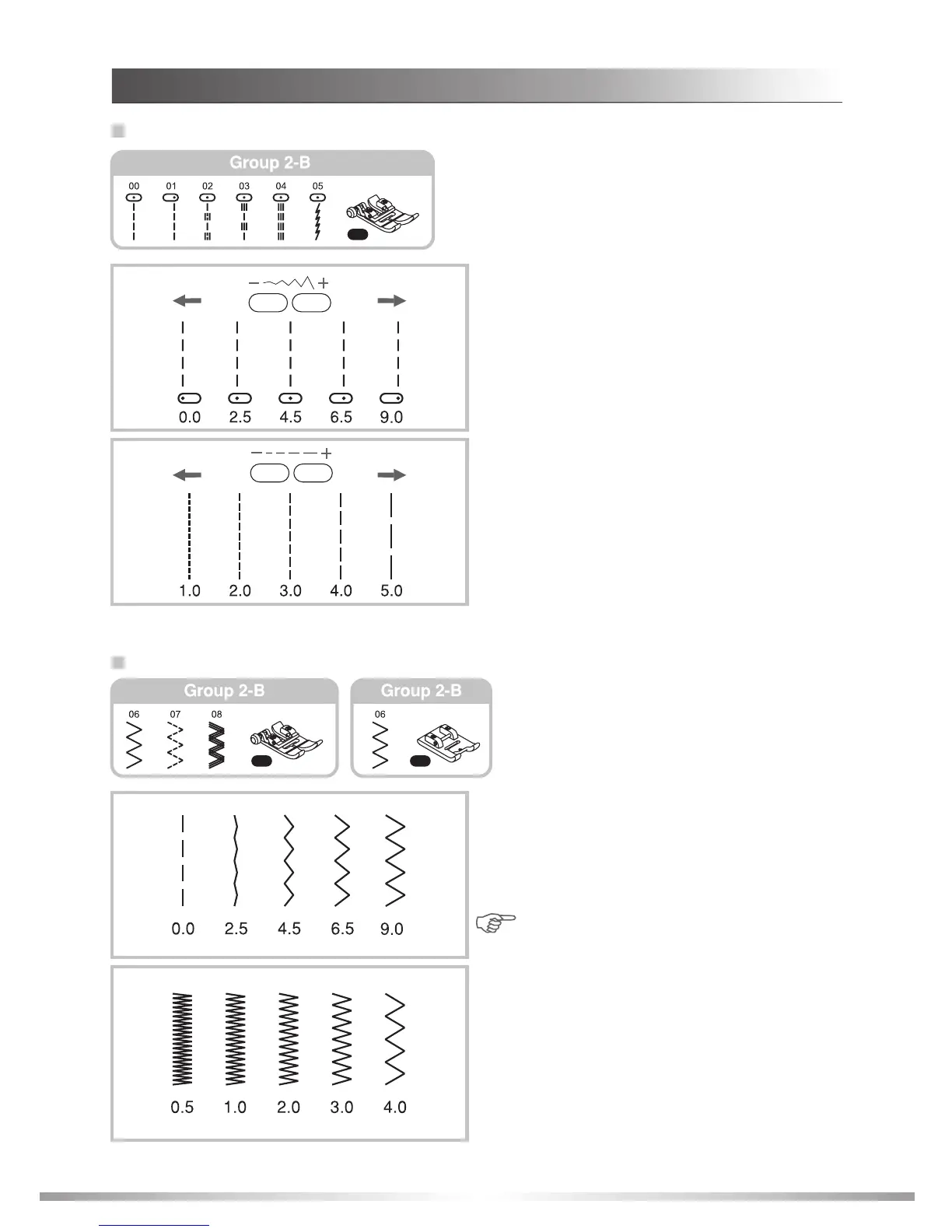
Straight stitches and needle position
Zigzag stitches
Changing the needle position
This setting can be applied only to patterns 1-4
from Group 1-A, Group 2-B Patterns 00-05, 27-29,
Group 3-C Patterns 00-02, 04, 18 and Group 4-D
Pattern 50.
The pre-set position is "4.5", center position.
When you press the " " stitch width adjustment
button, the needle position will move to the left.
When you press the "+" stitch width adjustment
button, the needle position will move to the right.
The LCD screen width illustration indicates the
position of needle and number for easy reference.
Changing the stitch length
To shorten the stitch length, press the " " stitch
length adjustment button. For a longer stitch length,
press the "+" stitch length adjustment button.
Generally speaking, the thicker the fabric, thread
and needle, the longer the stitch should be.
Adjusting the stitch width
The maximum zigzag stitch width for zigzag stitch-
ing is "9.0". However, the width can be reduced on
any patterns. The width increases as you press the
"+" stitch width adjustment button from "0.0-9.0".
Note: Some stitches have a limited stitch
width range.
Adjusting the stitch length
The density of zigzag stitches increase as the
setting of stitch length approaches "0.0". Neat
zigzag stitches are usually achieved at "1.0-2.5".
modate dense stitch formation.
Zigzag stitches with a short length (approximately
0.4) are referred to as a satin stitch. The cutout on
the underside of the RK satin stitch foot is designed
to accom
51
STITCHES
RK
RA
RA








 To Next Page