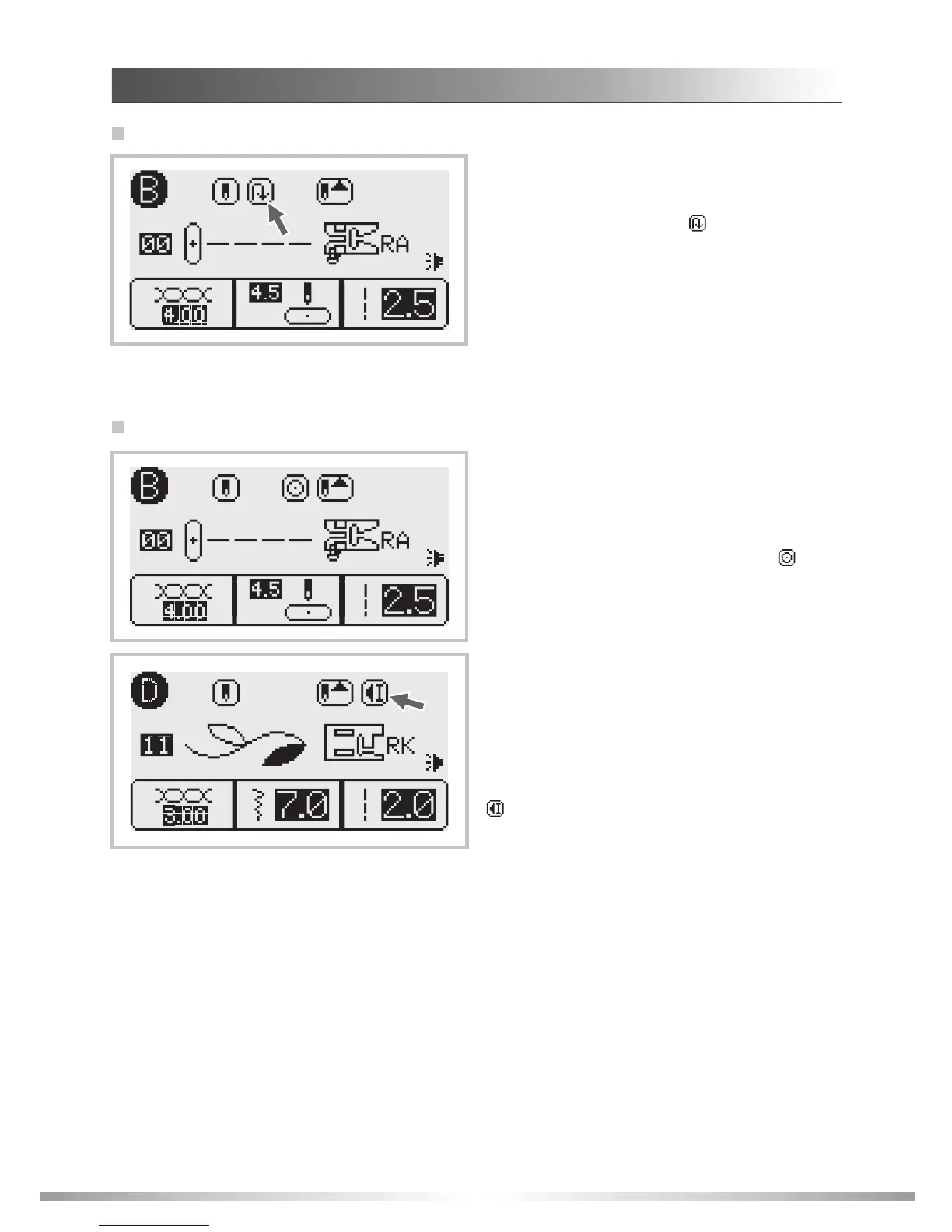
When the Group 2-B Patterns 00-05, 45 and
Group 3-C Patterns 01-02, 04, 18 are selected,
the machine will immediately sew 3 locking
stitches when the Auto-lock button is pressed,
then will automatically stop.
The LCD screen will display the figure " " until
the locking stitches stop.
Auto-lock button
To stop machine at the end of the current pattern or
to sew a single pattern (except Group 2-B Patterns
00-05, 27-49 and Group 3-C Patterns 00-02, 04, 18),
press the Auto-lock button, the machine will sew 3
locking stitches at the end of the current pattern and
automatically stop.
The LCD screen will display the Auto-stop figure
" " until the feature is cancelled.
The function will be cancelled if you press the
button once again or select another pattern.
10
Reverse button
The following stitches can be sewn in reverse:
Group 2-B Patterns 00-06, 27-29; Group 3-C
Patterns 00-01, 04. After selecting the stitch, press
the reverse button. An arrow " " will display on the
LCD screen while stitching in reverse. The machine
will sew forward after the button is released.
The reverse button can be used to sew a
reinforcement stitch for the following stitches: Group
2-B Patterns 07-26, 50-92; Group 3-C Patterns 03,
05-24; Group 4-D Patterns 00-78. After selecting the
stitch, press the reverse button. A reinforcement
stitch sews at a low speed and the machine will
automatically stop.
OPERATION BUTTONS
INSTRUCTIONS








 To Next Page