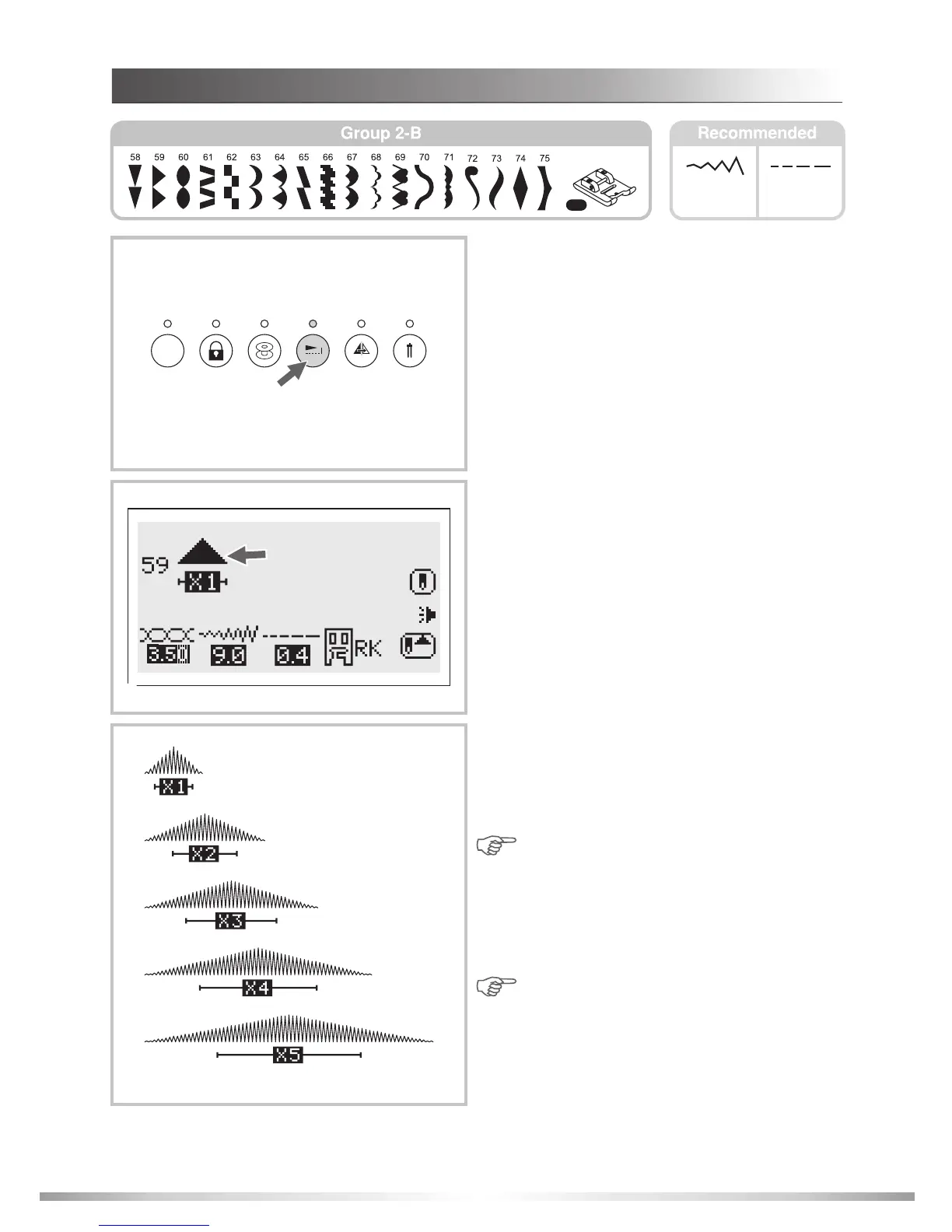
ELONGATION
3.0~9.0
0.0~1.0
1. The stitch can be elongated up to five times
its normal length by pressing the elongation
button.
1
3
2. The elongation icon appears on the LCD screen
with the elongated image of the selected pattern.
3. Press the elongation button to lengthen the
pattern up to 5 times its original size.
Changing the width or length adds to the variety
of patterns.
Note:
Note:
Original stitch density remains the
same after the pattern is elongated.
Stitch length on the LCD screen indicates
the length of actual stitch; however the
elongation icon represents the pattern
length.
Satin stitch patterns 58-75 can be
elongated and mirrored simultaneously.
82
FUNC
DECORATIVE PATTERNS
RK
2








 To Next Page