1
2
4
3
5
6
7 8 9
10
11
12
13
14
16
15
17
18
192021
32 – Sewing
SEWING
Sewing Mode – Overview
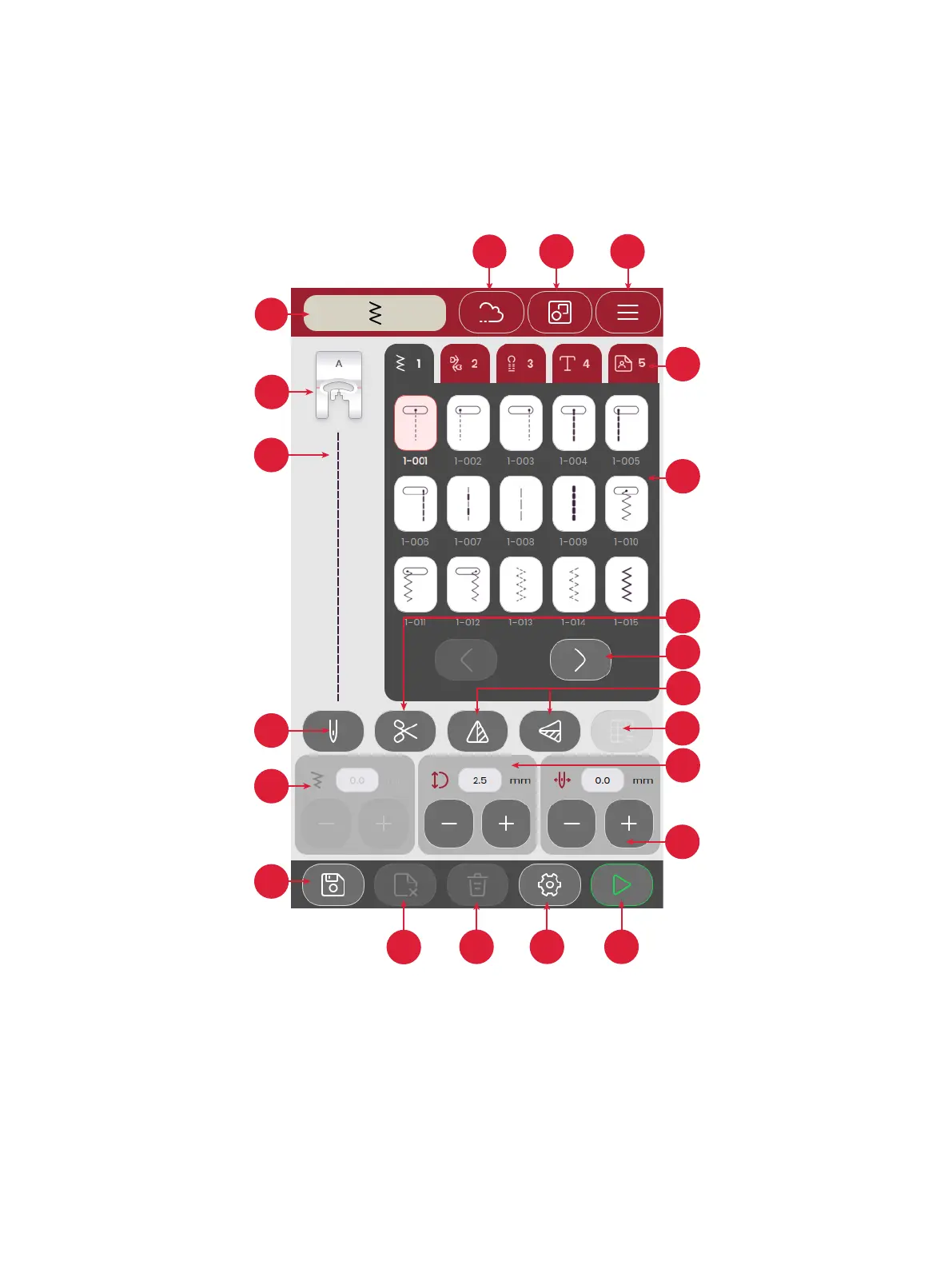
In sewing mode you can select stitches, adjust and sew them. Your selected stitch will be shown in actual size in the stitch eld.
1. Sewing mode indicator
2. Presser foot recommendation
3. Selected stitch
4. Single or twin needle
5. Stitch width
6. Save stitch sequence
7. Delete le
8. Delete stitch
9. Sewing settings
10. Start / Stop
11. Needle position / Stitch positioning
12. Stitch length
13. Balance stitch
14. Mirror end to end / side to side
15. Step through / between stitch menus
16. Thread cutter
17. Stitches
18. Stitch menus
19. Machine settings
20. Multi-select
21. mySewnet (only for SE9180 and
SE9185)
22. Tie o








 To Next Page