2
1
3
4
5 6
7
8 9
10
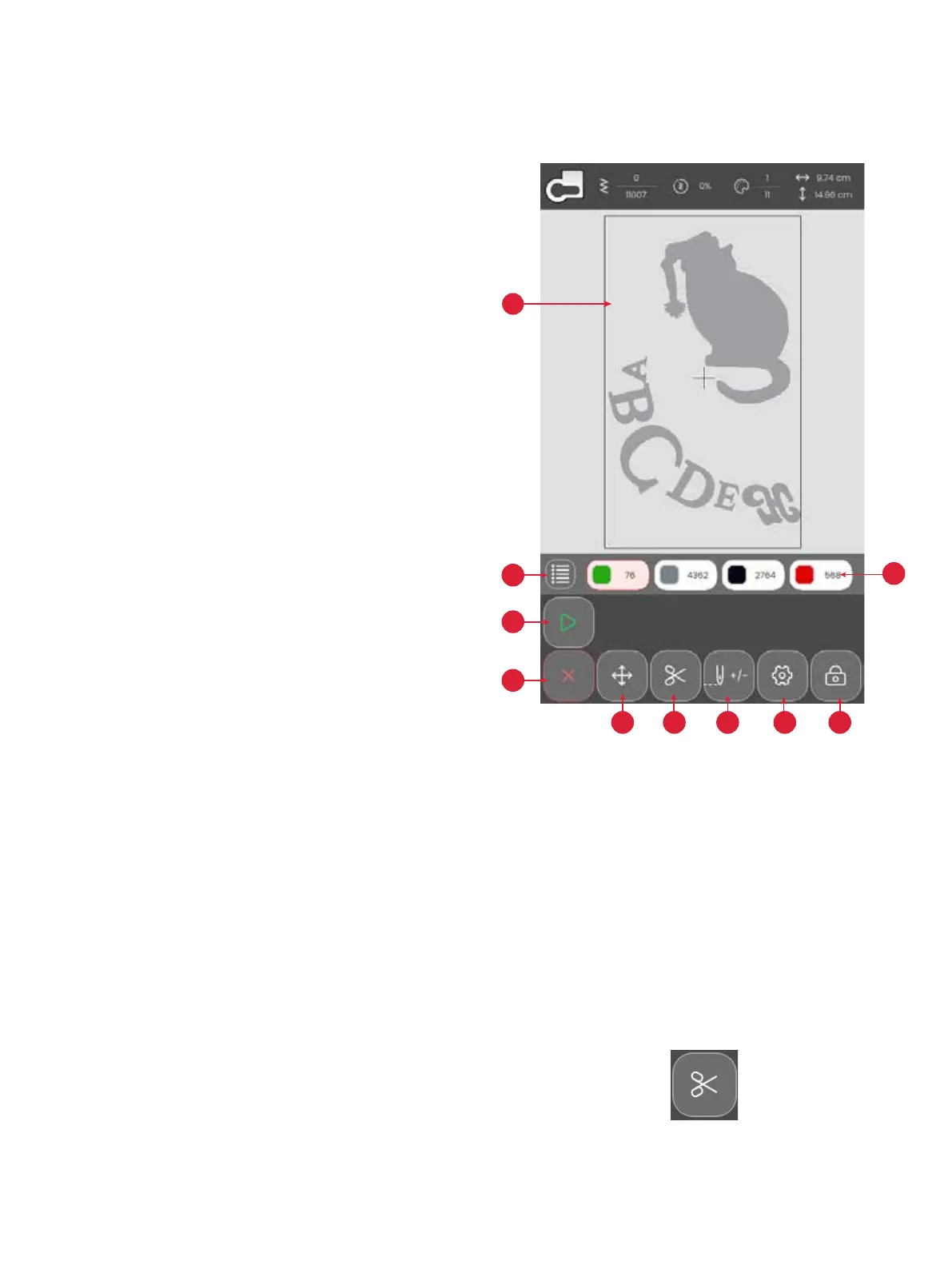
52 – Embroidery Stitch Out
EMBROIDERY STITCH OUT
To proceed to embroidery stitch out, touch the conrm button in the embroidery edit overview.
Embroidery Stitch Out – Overview
1. Embroidery area
2. Thread Color Information
3. Start / Pause Embroidery Stitch Out
4. Return To Embroidery Edit
5. Design Placement
6. Thread cut
7. Step Stitch-by-Stitch/Go to Stitch
8. Embroidery Settings
9. Lock Screen
10. Number of Stitches in Current Color Block
Start/Pause
Thread Cut
Touch the thread cut and the machine cuts the upper and bob-
bin threads.
Touch the Start/Pause icons to start and stop the machine
sewing or embroidering without using the foot control or the
button. Touch Start/Pause to begin and touch again to stop.








 To Next Page