M300 Plus GNSS Receiver User Guide
25
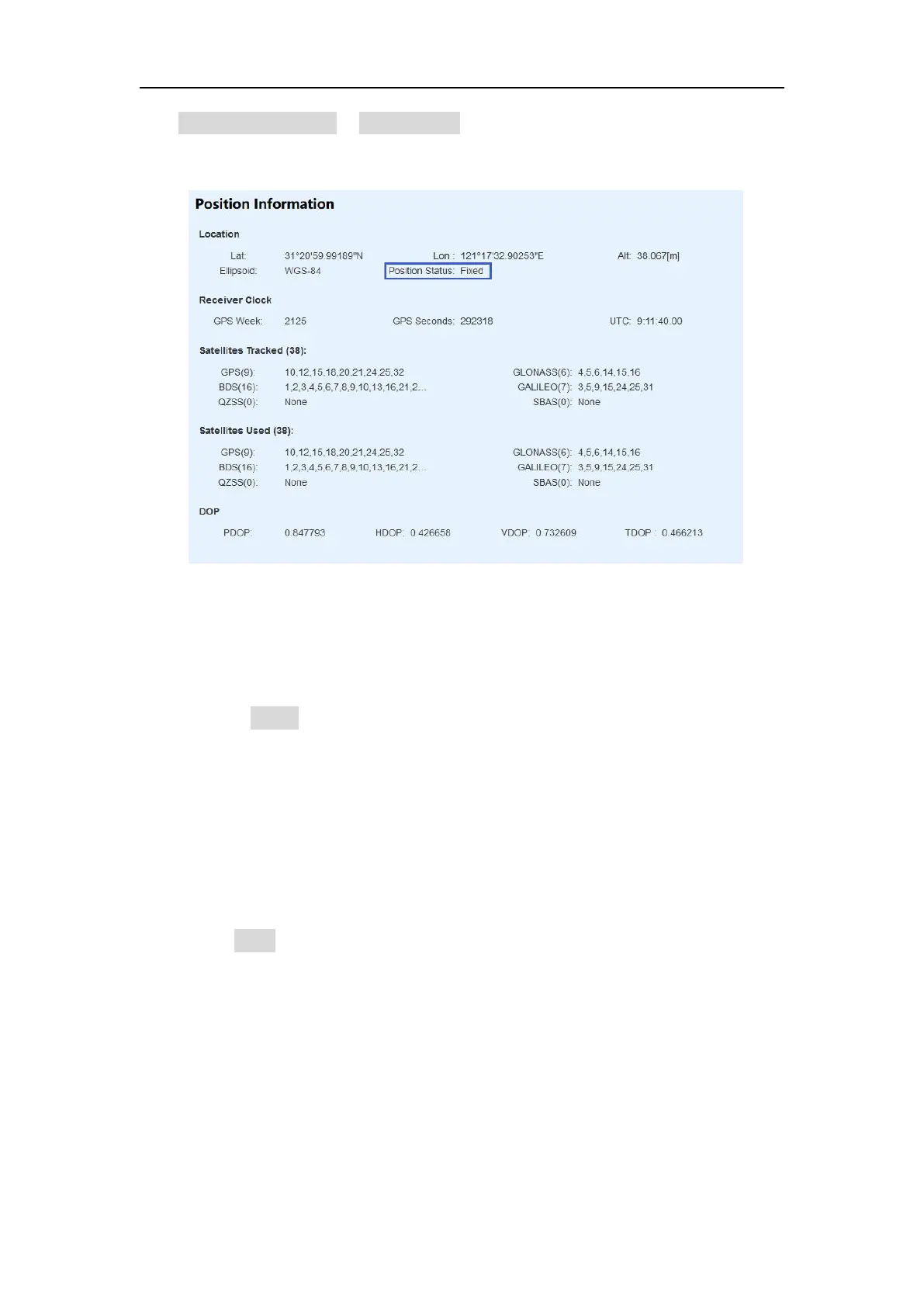
Click position information in Status menu to check the rover’s status, and position
status should be Fixed.
2. Ntrip Server
Before setting the Ntrip Server, you should configure the receiver as Base mode, also
select correction data format as RTCM3.0 or RTCM3.2 (recommended). Then start
Ntrip Server configuration:
Enable Active button
Enter the server IP address as Ntrip Caster address and Ntrip Caster port. As
the example showed above, our company’s server is under running:
211.144.120.104: 8888
Set custom username and password (Username and password of our server
can be anything you choose).
Mount point: Ntrip caster mount point
Correction: Choose the format and the corresponding message
Click Enter button, you will transmit the correction data to server.


 To Next Page