61 23 488 D 3474
D 3474.208.01.06.02 04.2010
13
Sirona Dental Systems GmbH Workspaces
Operator's Manual GALAXIS Explanation
båÖäáëÜ
6 Workspaces
Explanation Optimized workspaces are provided for different tasks.
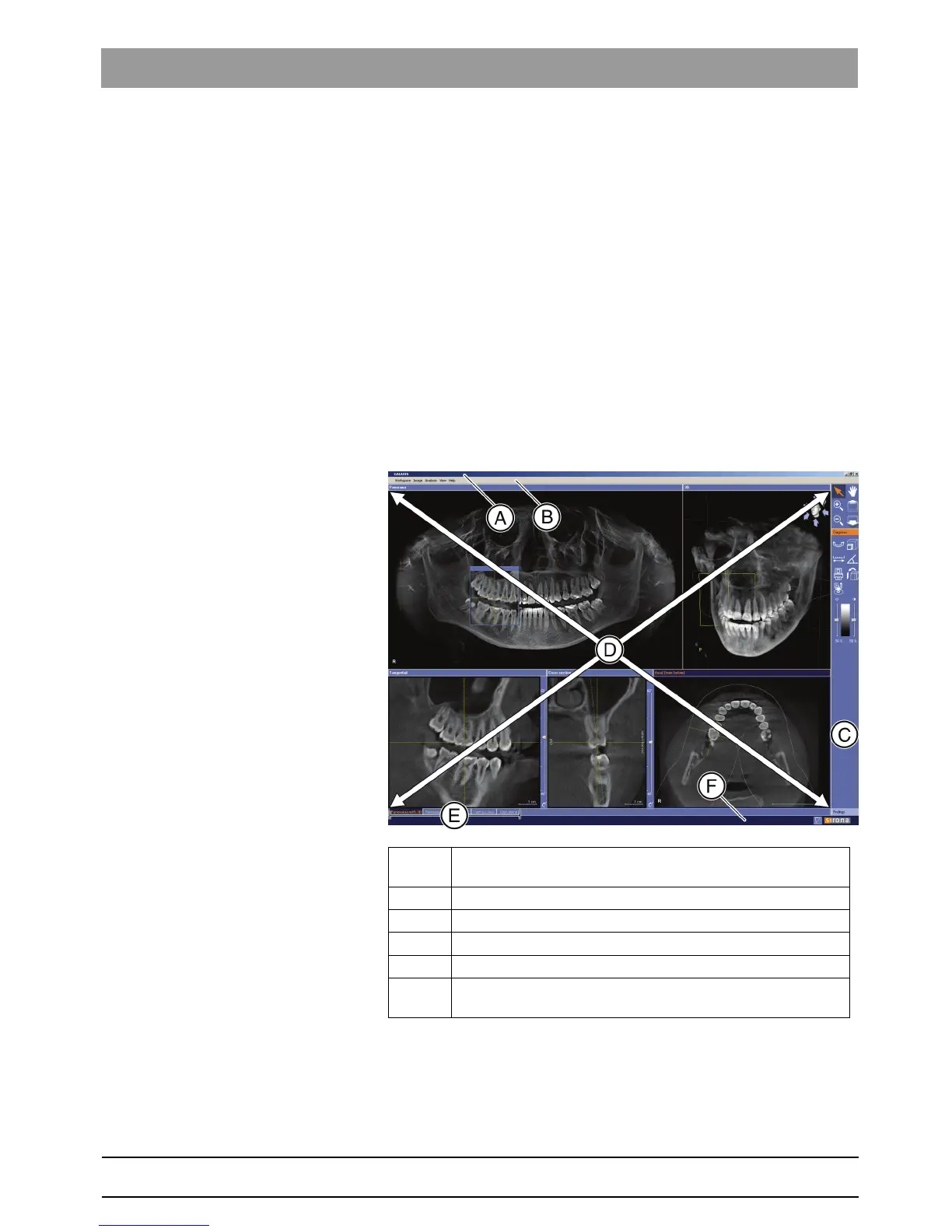
A workspace shows several different views of various slices through the vo-
lume.
These views are interconnected via the examination window.
6.1 Explanation
Optimized workspaces are provided for different tasks.
A workspace shows several different views of various slices through the vo-
lume.
These views are interconnected via the examination window.
6.2 Structure
6.2.1 Toolbar
Explanation The toolbar consists of buttons which contain graphic symbols (icons).
A function can be initiated by clicking one of these icons.
A Title bar (display of the patient's name and date of birth and the
date of image acquisition)
B Menu bar
C Toolbar [ ➙ 13]
D Views [ ➙ 15] (Example:
"Panorama with 3D"
)
E Tab [ ➙ 15]
F Options bar (see the section "Showing and hiding orientation li-
nes and findings" [ ➙ 44])















 To Next Page