61 23 488 D 3474
D 3474.208.01.06.02 04.2010
15
Sirona Dental Systems GmbH Workspaces
Operator's Manual GALAXIS Structure
båÖäáëÜ
Evaluation tools
6.2.2 Views
Explanation Several different views are displayed in a single workspace.
● The currently active view, which can be recognized by its orange colored
frame and letters, can be processed directly.
● The slice displayed in the active view is marked by a crosshair in all other
views.
Selecting a view ➢ Click the desired view.
ª The color of the view's title bar then changes to indicate that the view is
active.
6.2.3 Tab
Explanation You can select different workspaces by clicking the corresponding tabs.
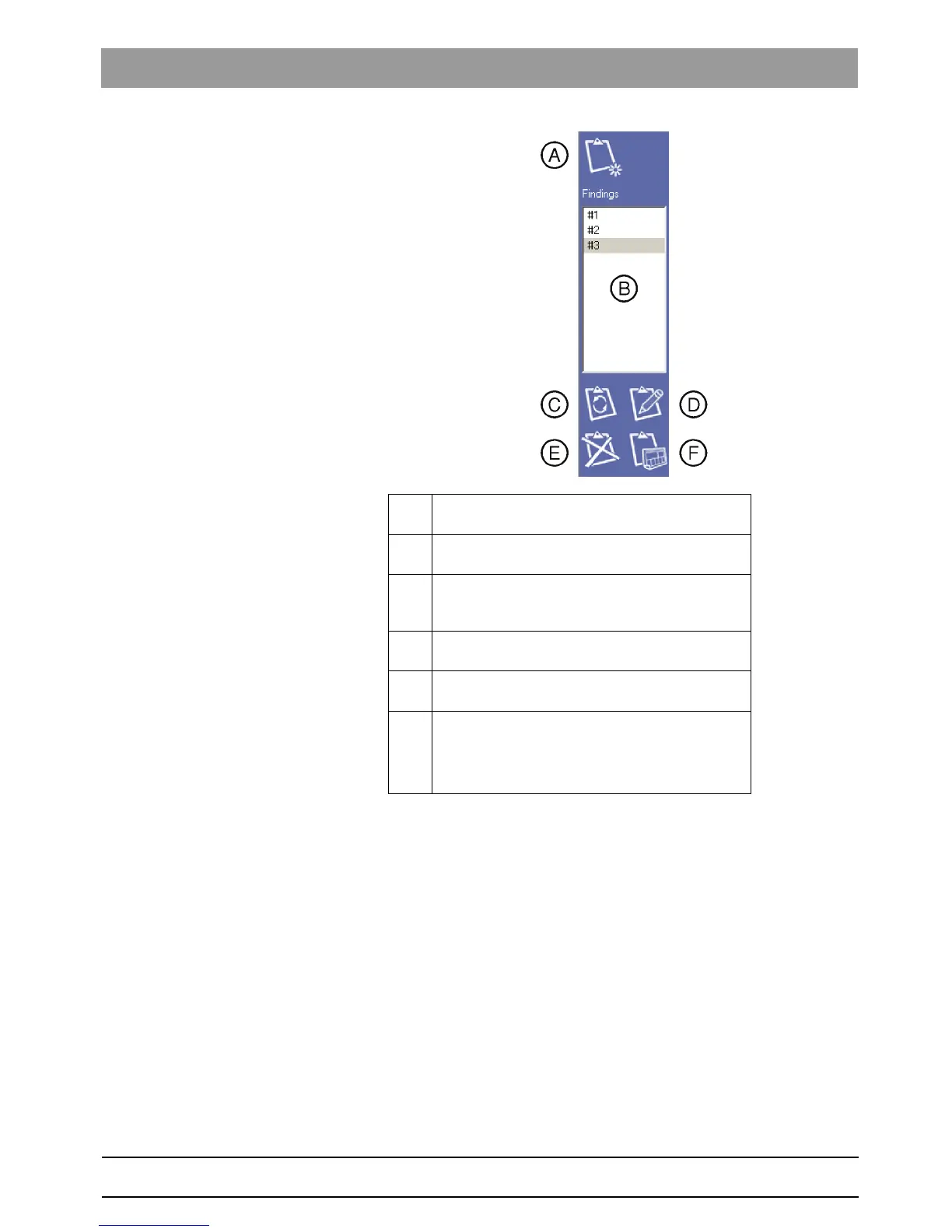
A Create new finding
(see section "Creating a new finding" [ ➙ 38])
B List of findings (list of created findings)
(see section "Selecting a finding" [ ➙ 39])
C Copy current view for finding
(see section "Changing the position of a finding" [➙
39])
D Properties of finding
(see section "Editing a finding" [ ➙ 39])
E Delete finding
(see section "Deleting a finding" [ ➙ 39])
F Create report
(see section "Creating a report" [ ➙ 39])
NOTE: This function is only available with a current
version of the REPORTER software.















 To Next Page