61 23 488 D 3474
D 3474.208.01.06.02 04.2010
27
Sirona Dental Systems GmbH Views
Operator's Manual GALAXIS Axial plane
båÖäáëÜ
The position of the examination window [ ➙ 22] then changes along the man-
dibular arch.
1. Place the mouse pointer inside a transversal view.
2. Press and hold down the left mouse button.
3. Move the mouse up and down as desired.
● Upward movements of the mouse display the slices toward the right side
of the head.
● Downward movements of the mouse display the slices toward the left
side of the head.
● This method is used in all 2D slice views in GALAXIS.
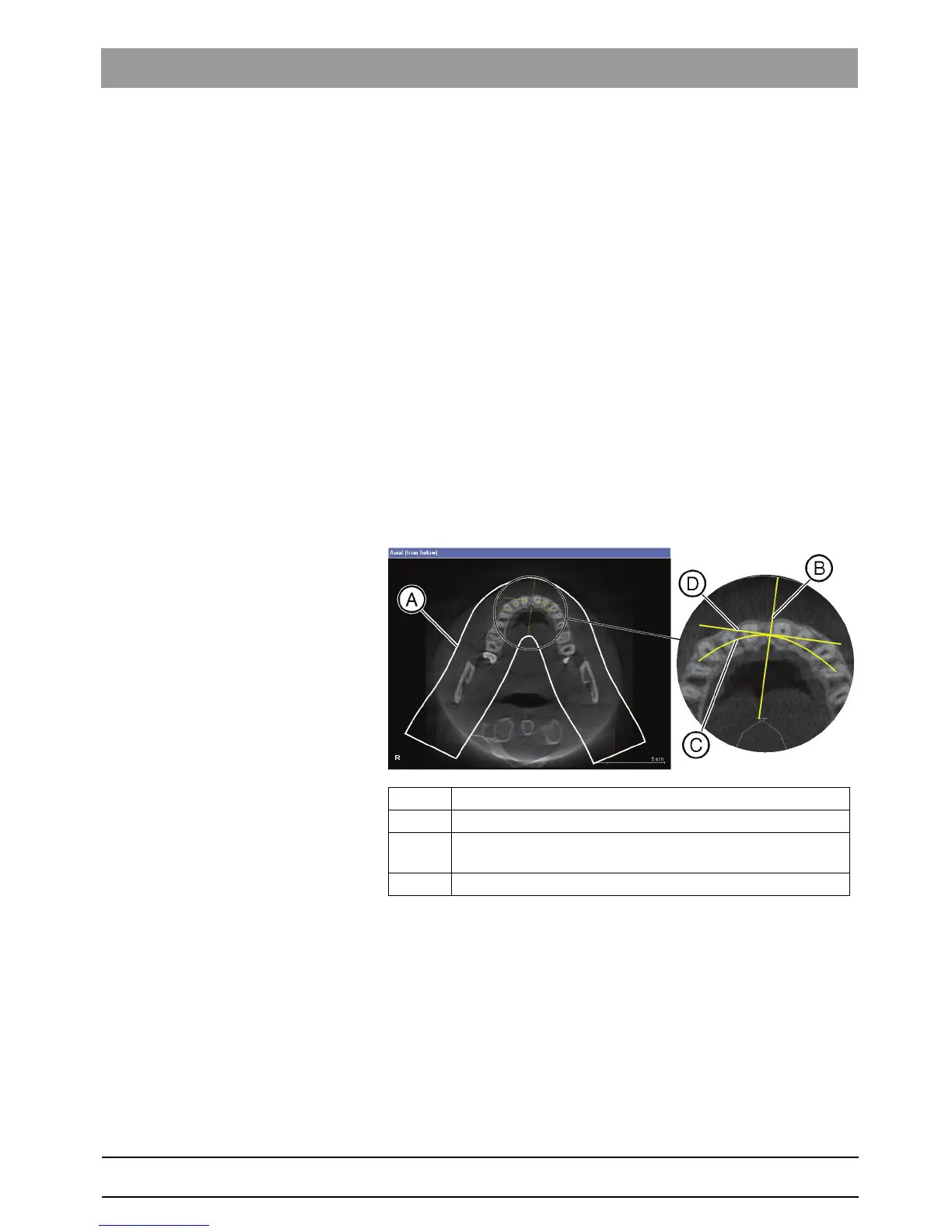
7.5 Axial plane
Explanation The axial plane displays the horizontally positioned slices of the volume at the
same height as the horizontal lines shown in the other views.
It is part of the Radiology, Panoramic view with 3D and Panoramic view work-
spaces.
Setup in the panoramic view The position of the mandibular arch and of the examination window is shown
in the displayed slice.
Navigating through axial slices You can freely navigate through the axial slices of the displayed region in the
axial plane view.
1. Place the mouse pointer inside the axial plane view.
2. Press and hold down the left mouse button.
3. Move the mouse up and down as desired.
● Upward movements of the mouse display the slice positions located
further inferior.
● Downward movements of the mouse display the slices located further su-
perior.
A Mandibular arch
B Position of the transversal view [ ➙ 25]
C Slice displayed in the examination window [ ➙ 22] (parallel to
mandibular arch)
D Longitudinal view [ ➙ 24]















 To Next Page