61 23 488 D 3474
26 D 3474.208.01.06.02 04.2010
Views Sirona Dental Systems GmbH
Transversal view Operator's Manual GALAXIS
Configuration GALAXIS shows a transversal view underneath the PAN view.
● The middle view corresponds to the transversal view of the vertical line
running through the center of the examination window.
● A transversal view displaced by 5 millimeters from the center line is dis-
played in the left and right views.
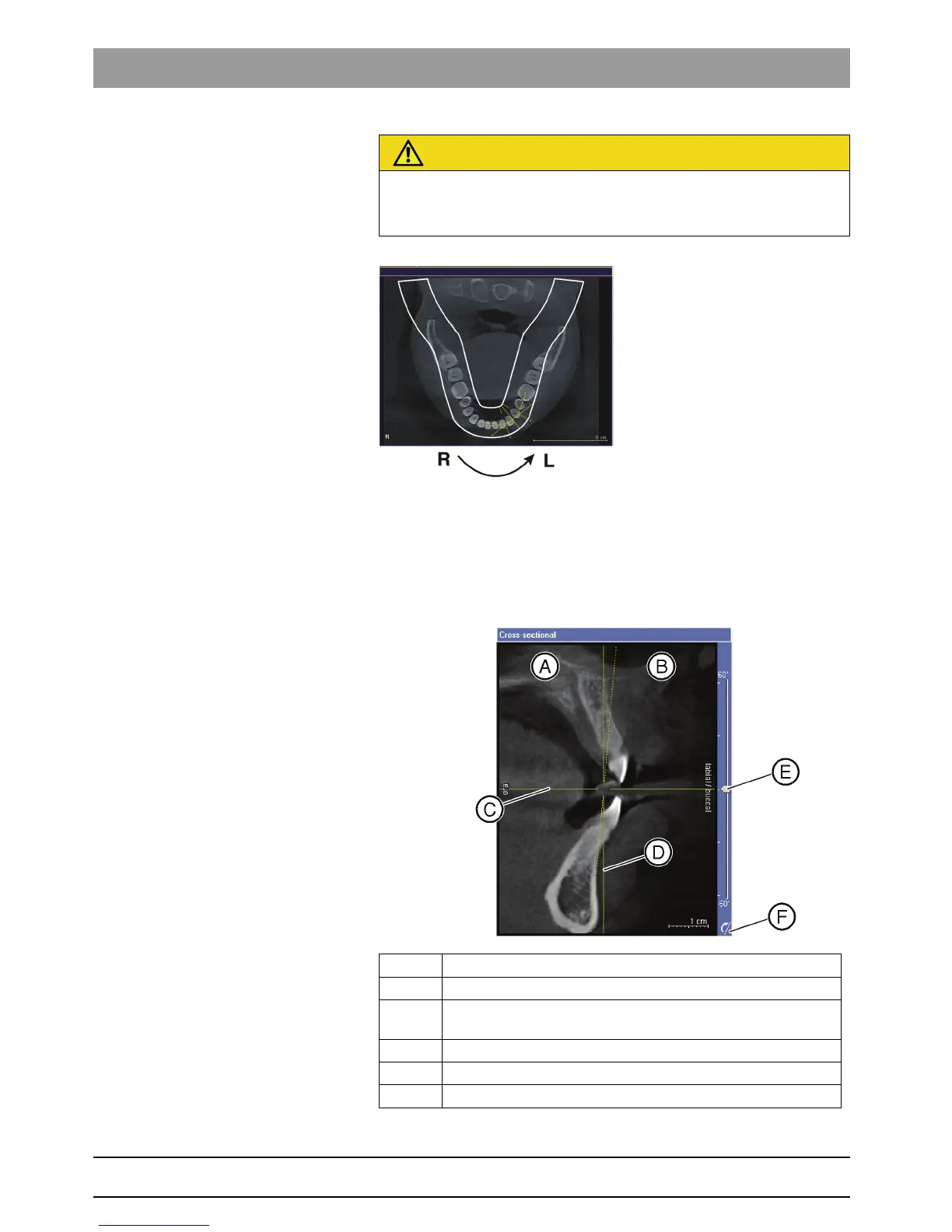
Navigating through slices You can navigate through the transversal views of the displayed region.
CAUTION
Risk of confusing slices
In GALAXIS the transversal views are always displayed in the direction of
view toward the left temporormandibular joint.
A Oral/lingual side
B Labial/buccal side
C Axial position of the examination window [ ➙ 22] (axial plane [ ➙
27])
D Vertical position of the examination window [ ➙ 22]
E Slider
"tilt"
F Reset button
"Reset tilt"















 To Next Page