63 22 726 D3561
150 D3561.201.01.03.02 05.2012
4 Operation Sirona Dental Systems GmbH
4.11 SIVISION digital video system Operating Instructions SINIUS / SINIUS CS
4.11.2.4.3
Using the camera with SI Video
Using the camera with SI Video
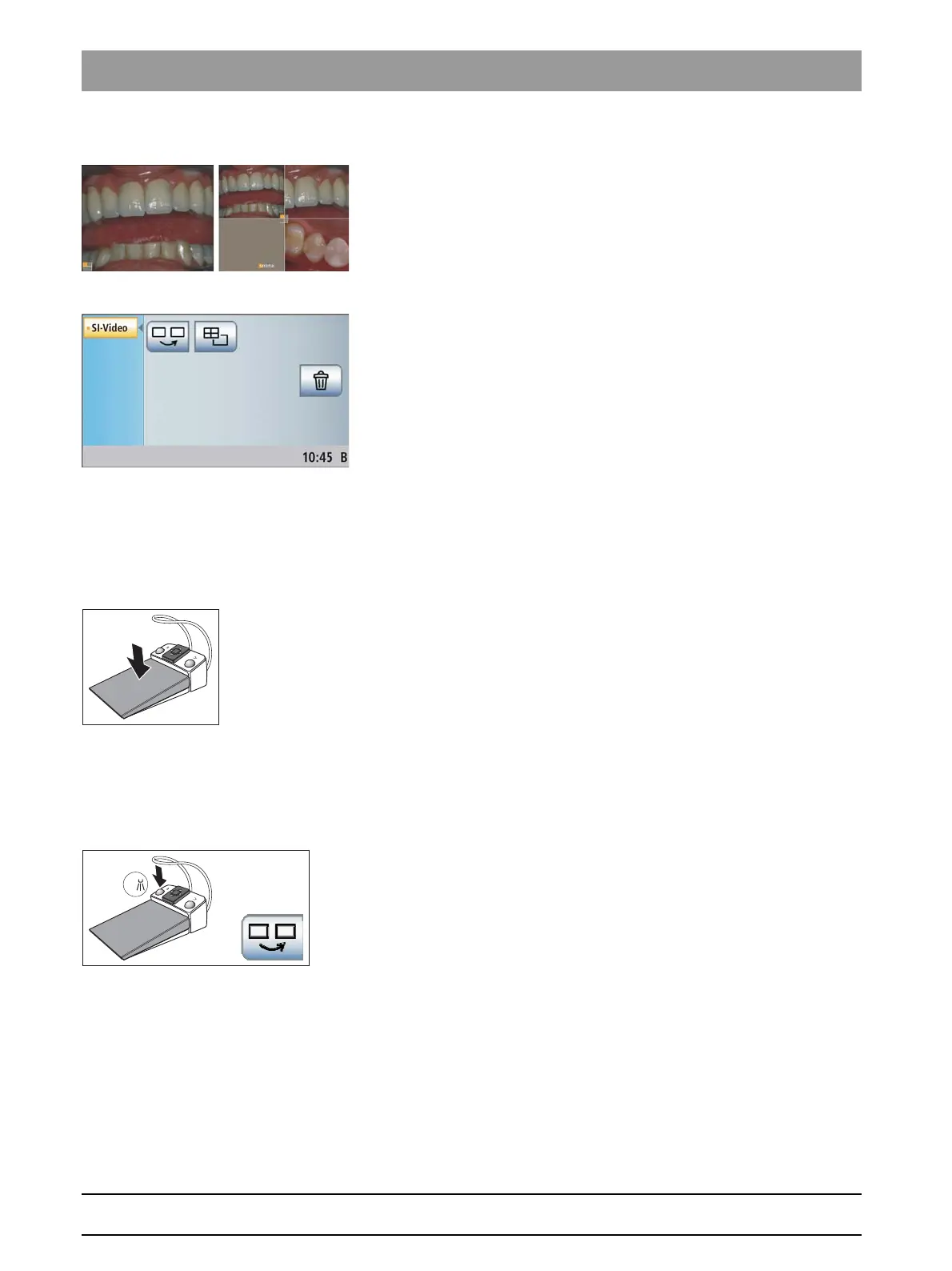
Using SI video, up to four still images with the SiroCam AF intraoral
camera can be generated. These can be displayed on the SIVISION
monitor either as a sequence of single images or simultaneously as a
quad image. The active quadrant is marked with an orange square. The
quadrants are run through in a clockwise direction.
The generated still images remain intact until the treatment center is
disconnected from the power supply.
Instruments placed in a horizontal position
➢ Pull out the intraoral camera.
The live image is displayed on the SIVISION monitor as a single
image. The
SIVISION program
is displayed on the touchscreen.
When the intraoral camera is deposited, the live image disappears from
the monitor. The generated still images remain displayed.
Operation of SI video with the camera removed
With the camera removed, SI video is controlled via the foot control and
the SIVISION program buttons.
Toggling between live and still image
✔ The intraoral camera is removed.
1. Step on the foot control.
The display switches from live to still image.
2. Step on the foot control again.
The live image is displayed again.
Selecting the next quadrant
In order to produce another still image, another quadrant must be
selected. If a still image is already contained in the desired quadrant, it
can be replaced by a new image.
✔ The intraoral camera must be removed to allow for operation via foot
control.
➢ Press the left button of the foot control.
or
➢ Touch the
Select next quadrant
key on the touchscreen.
The orange square highlights the selected quadrant. When the
intraoral camera is removed, the live image is displayed.
Toggling between quad image and single image
When you change from quad to single image, the previously marked quad
image is displayed as a single image. Conversely, the displayed single
image is marked in the quad image.















 To Next Page