63 22 726 D3561
66 D3561.201.01.03.02 05.2012
4 Operation Sirona Dental Systems GmbH
4.4 Patient chair Operating Instructions SINIUS / SINIUS CS
4.4.6 Adjusting the double-jointed headrest
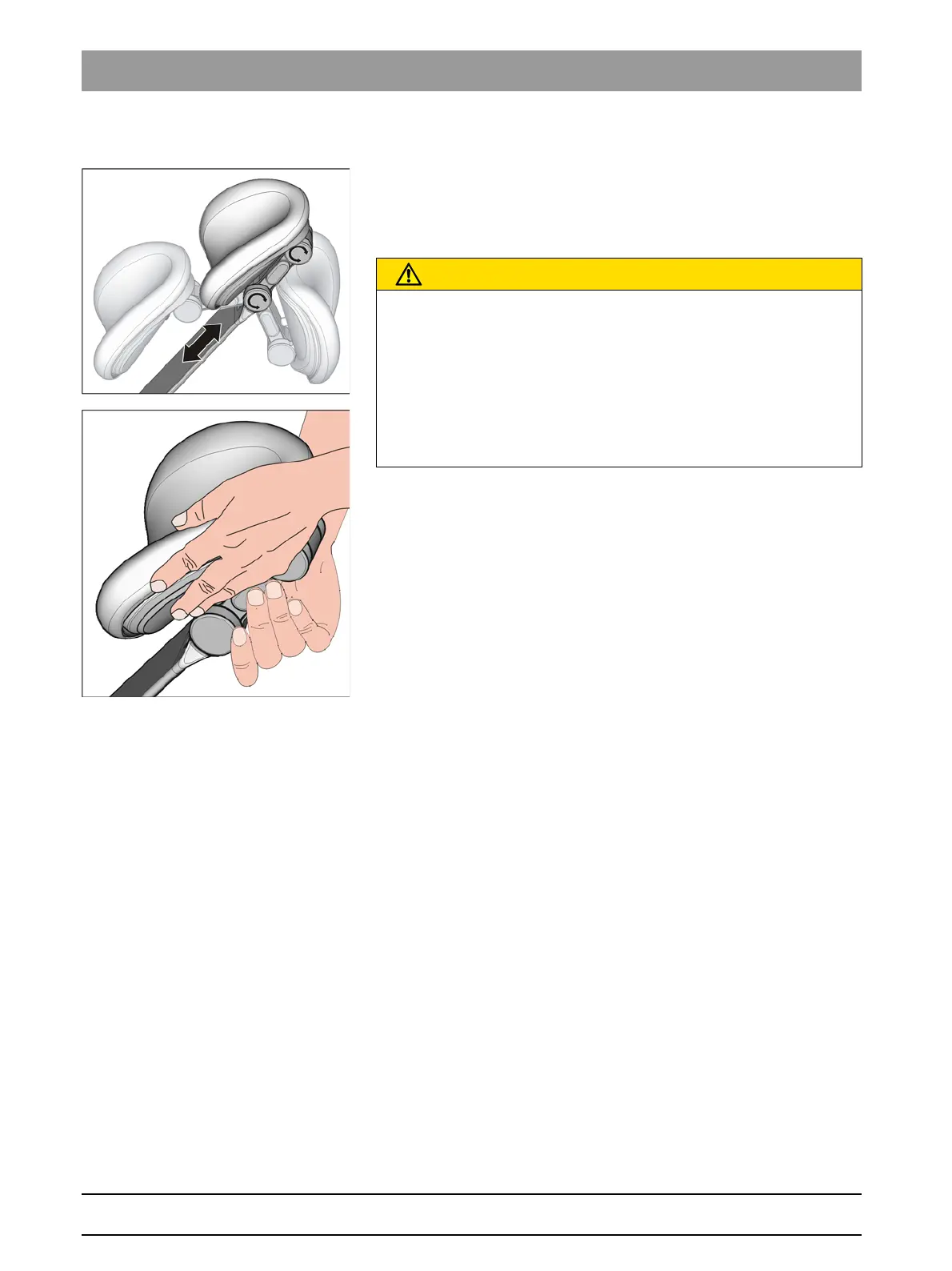
Adjusting the double-jointed headrest
The double-jointed headrest is equipped with two rotary joints. They
facilitate manual adjustment of head inclination for maxillary/mandibular
treatments. The headrest extension can be manually pulled in or out to
suit the height of the patient.
Head support, double-joint force, holding force
1. Place one hand under the headrest to support the patient’s head.
2. Use the other hand to press the release button.
Both rotary joints are now fully flexible.
3. Adjust the headrest to the desired treatment position. Then let go of
the release button.
Both rotary joints lock into place. Ensure that the joints are
securely positioned! The headrest is secure again.
CAUTION
Releasing the lock on the double-jointed headrest neutralizes the
holding force of both rotary joints.
If the headrest is not supported when the lock is released, the patient’s
head might suddenly fall backward.
➢ Always support the headrest and, in doing so, the patient’s head
prior to releasing the lock on the double-jointed headrest!
➢ Before releasing the headrest, always ensure that both joints are
securely locked.















 To Next Page