63 22 726 D3561
94 D3561.201.01.03.02 05.2012
4 Operation Sirona Dental Systems GmbH
4.5 Dentist element Operating Instructions SINIUS / SINIUS CS
4.5.9 ApexLocator
ApexLocator
The ApexLocator can be used to measure the working length of the root
canal file in endodontic treatments using electrical impedance.
The ApexLocator can be used as follows:
SINIUS reference
● For manual measurement using a file clamp [ → 98]
● For measurement during treatment with the motor, without electronic
torque limitation [ → 104]
● For measurement during treatment using the "Endodontic Treatment"
option with electronic torque limitation [ → 116]
ApexLocat or, electro magnetic fields
If the ApexLocator detects a defect, the distance display and Apex
function keys are not shown on the touchscreen and an error message
appears in the footer, see "Error Messages" [ → 219].
For more information about the distance display, see "Distance
display" [ → 96].
4.5.9.1
Preparing to use the ApexLocator
Preparing to use the ApexLocator
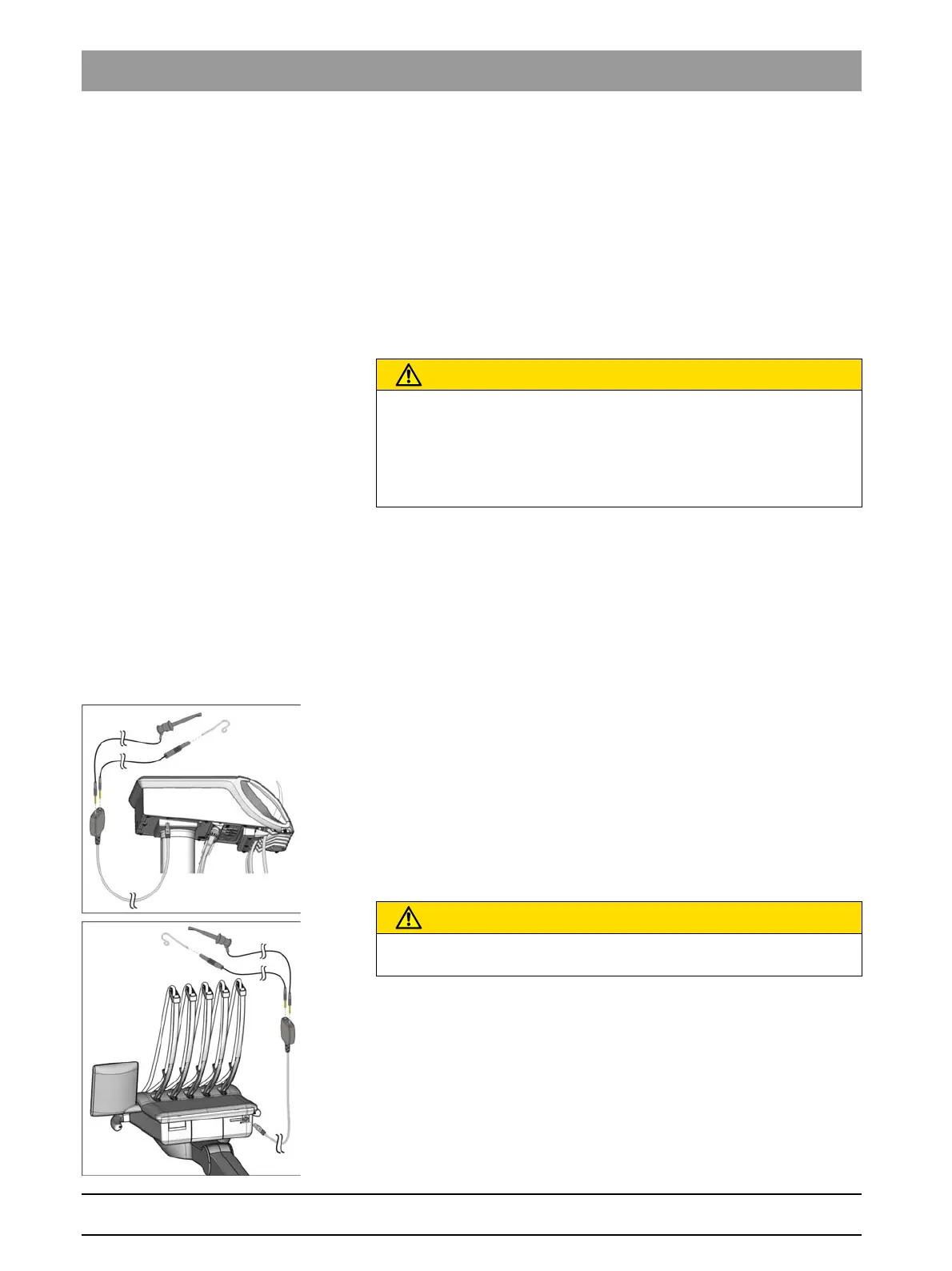
Apex adapter, mucosal electrode and file clamp
The mucosal electrode and the file clamp are connected to the socket of
the dentist element using the Apex adapter. The socket on the SINIUS
dentist element is located under the dentist element; on the SINIUS CS it
is located at the back.
1. Connect the Apex adapter to the dentist element.
2. Insert the connector of the mucosal electrode into the large socket of
the Apex adapter.
3. For manual measurement: Insert the connector of the file clamp into
the small socket of the Apex adapter.
Removing the ApexLocator and adapter
Care and cleaning of the ApexLocator components is described in the
chapter "Care and cleaning instructions for the practice team", see
"Cleaning and disinfecting/sterilizing the components of the
ApexLocator" [ → 187].
CAUTION
The ApexLocator can be influenced by electromagnetic fields.
This may lead to measurement errors. Strong interference is indicated
by a flashing red bar in the distance display. A warning signal sounds.
➢ Ensure that there are no sources of electromagnetic interference
close to the treatment center.
CAUTION
Following treatment with the ApexLocator, the Apex adapter must be
disconnected from the dentist element.















 To Next Page