63 22 726 D3561
162 D3561.201.01.03.02 05.2012
4 Operation Sirona Dental Systems GmbH
4.13 Configuration of the treatment center (setup) Operating Instructions SINIUS / SINIUS CS
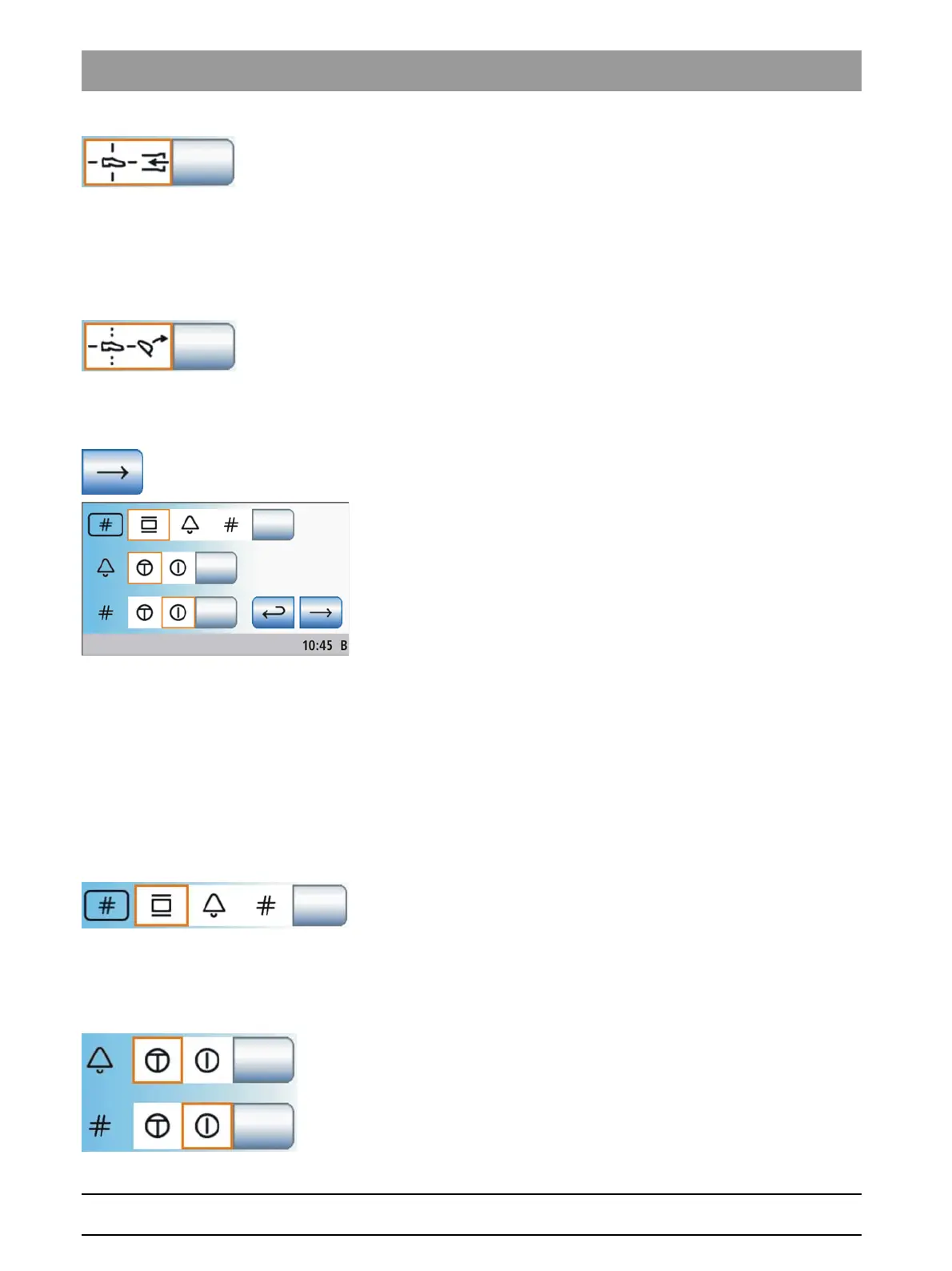
➢ Touch the
Spray aspirator
key.
If the key is highlighted orange, the removed spray aspirator can
be switched on/off with the 4-way foot switch.
4.13.4.7
Linking the headrest tilt to the 4-way foot switch
Linking the headrest tilt to the 4-way foot switch
If a motor-driven headrest is used, control of the tilt patient couch function
using the 4-way foot switch can be replaced by control of the headrest tilt
function.
➢ Touch the
headrest tilt
key.
If the key ishighlighted orange, the tilt of the motor-driven
headrest can be adjusted to the left and right by actuating the 4-
way foot switch.
Changing setup program page
Changing setup program page
➢ Change to the next setup program page.
4.13.4.8
Setting the hash key function on the assistant element
Setting the ha sh key function on the assistant element
The
Hash key
on the assistant element can be assigned the X-ray viewer
function or, if the X-ray viewer function is set to the white screen on the
SIVISION monitor, it can be assigned the white screen function. See "Key
for showing/hiding white screen on SIVISION monitor" [ → 161].
Alternatively, the
Hash key
on the assistant element can also be used to
activate the bell or hash key, e.g. if neither an X-ray viewer or a SIVISION
monitor is available.
➢ Press the
X-ray viewer
,
bell
, or
hash
key.
The selected field is highlighted orange.
4.13.4.9
Setting the bell/hash fixed key as a pushbutton or as a switch
Setting the be ll/hash fixed key as a pushbutton or as a switch
The relay assigned to the bell and hash keys can be actuated as a push
button or a switch.
● Field 1: Push button
● Field 2: Switch
➢ Touch the
Bell
and/or
Hash
key.
The selected field is highlighted orange.















 To Next Page