63 22 726 D3561
D3561.201.01.03.02 05.2012
47
Sirona Dental Systems GmbH 4 Operation
Operating Instructions SINIUS / SINIUS CS 4.1 Starting up the treatment center
båÖäáëÜ
Once the user profile has been selected, the corresponding
configurations and settings become available once again.
If any of the user profiles are not required, their number can be limited,
see "Preselecting the number of user profiles" [ → 160].
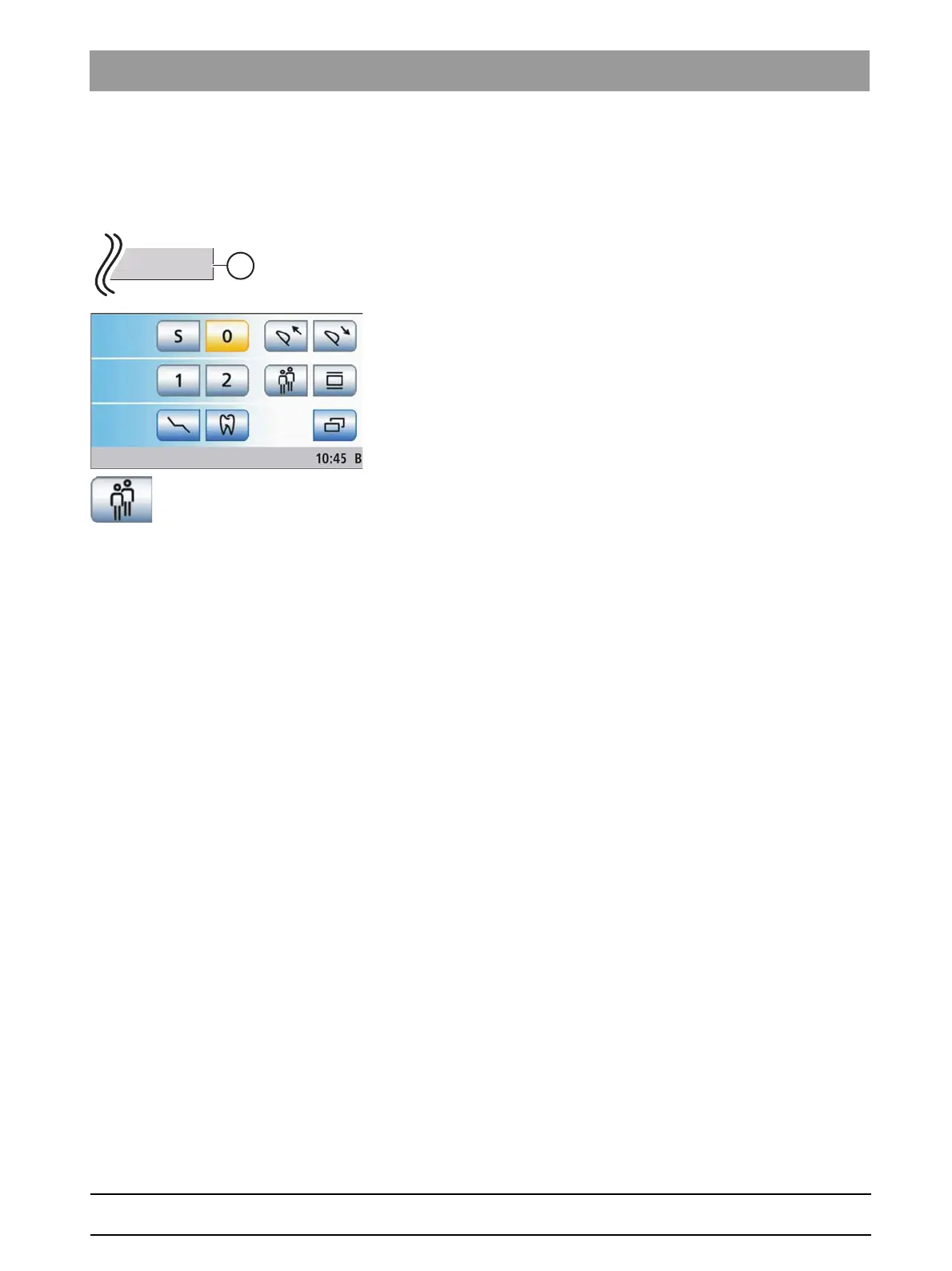
The user profiles (A) are distinguished with the letters A to F. The active
user profile, here B, is displayed in the footer of the touchscreen. If only
one user profile is pre-selected, no display is shown. The user profile
used last is automatically used when the treatment center is switched on.
✔ The
Start program
is displayed on the touchscreen.
➢ Select the desired user profile. Touch the
User profile
key as often as
necessary.
The user profile displayed in the footer is active.
Tip: The individual user settings can be read out and transferred to other
SINIUS / SINIUS CS treatment centers by a service engineer. The user
profiles in this case have to be set only once.















 To Next Page