Introduction to Components
3-6
3.2.3 Operation Panel
3.2.3.1 Features of Operation Panel
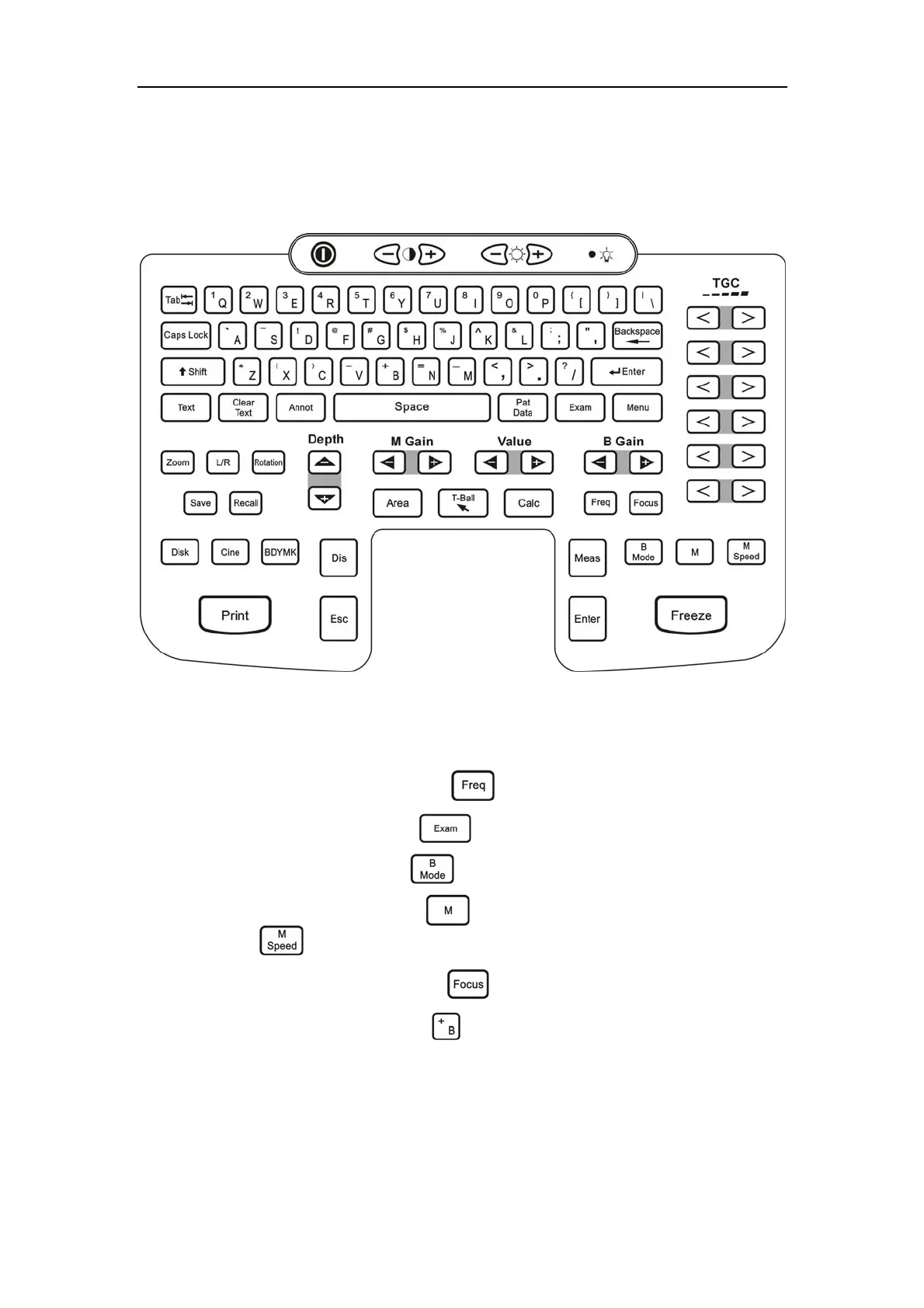
The arrangement of the operation panel is shown in Fig. 3-5, and the functions of each
key are described as follows.
Fig. 3-5 Operation Panel
3.2.3.2 Brief Introduction of Keys
a) Probe frequency switch key:
Freq ( ).
b) Exam type select key:
Exam ( ).
c) B-mode select key:
B Mode( ).
d) M
or B/M mode select key: M ( ) and M mode sweep speed select key: M
Speed (
).
e) Focal point select hotkey:
Focus ( ).
f) Biopsy guideline display key
B ( ): It is used to toggle between on and off for
displaying the biopsy guidelines. Press
B key, and a couple of parallel dotted lines
from top to bottom are displayed on the screen as the biopsy guidelines. The
distance between the two lines is 1cm, and the needle is located at the center of
the two parallel lines. The biopsy guideline start position and the angle are subject
to the probes. The start position can be adjusted by pressing
Q and W, and the



 To Next Page