Cineloop, Image Storage and Print
9-2
will be stored permanently in the hard disk. Please refer to Section 9.3.4 for the detailed
setup. After the image is successfully stored, the system screen will prompt “Saved
Successfully”.
9.2.2 Quickly Recall an Image
After the image is frozen, press
Recall key to enable recall and review of the stored
images. Rotate
Value knob to switch to the previous image or the next image.
While recalling or reviewing, the operation mode cannot be changed, and
Save key is
disabled. But measurement and calculation, as well as annotation can be made on the
image the same as that for a normal displayed image (but all the relevant information will
be cleared after finishing recall and review).
Press
Esc, Freeze or Recall key to exit the recall state.
9.3 File Storage
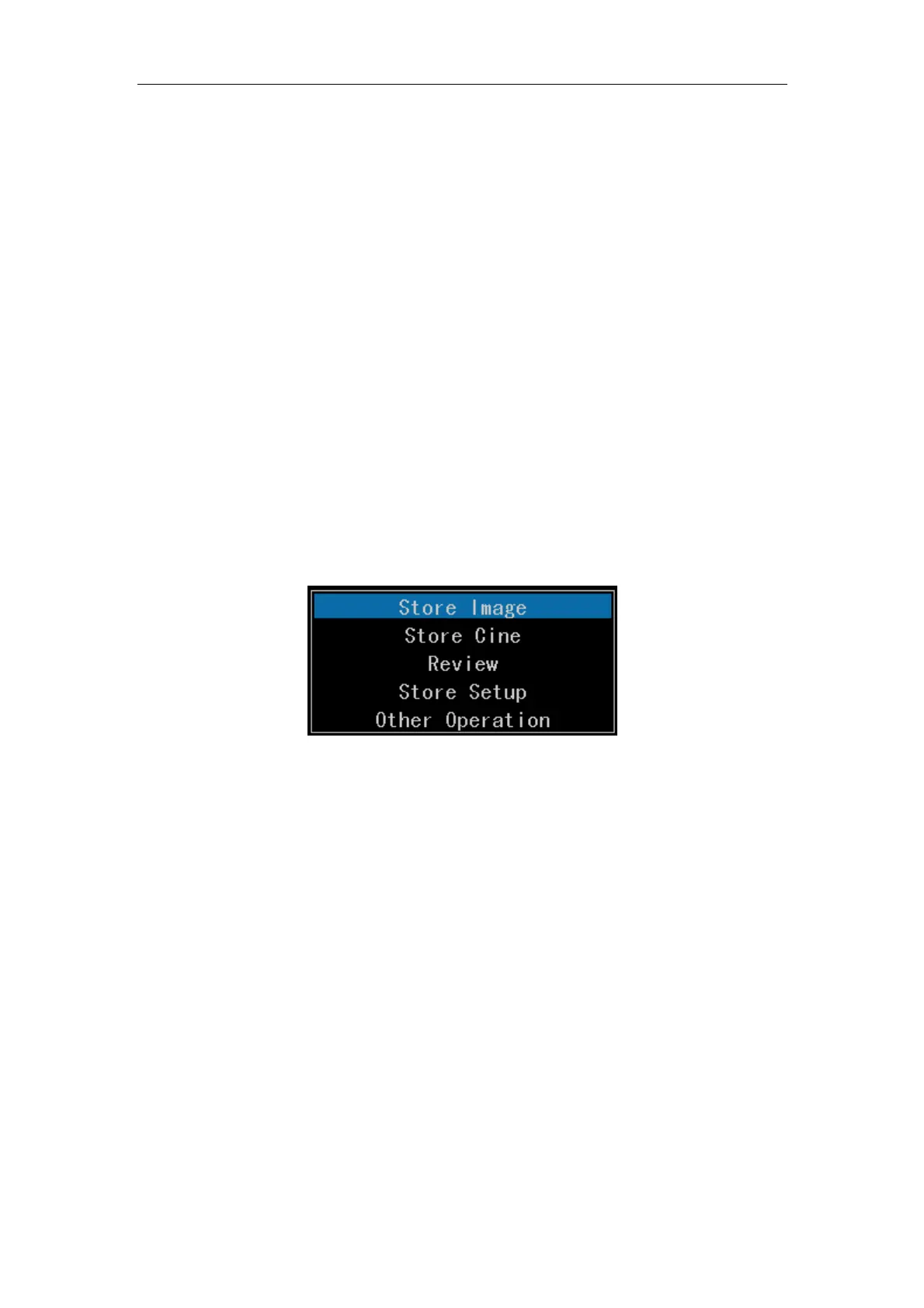
In B, 2B, 4B, B/M, M mode or the report screen, press Disk key, and the following window
will be shown:
Fig. 9-1
9.3.1 Store an Image
To store images to the disk. (The default store location is under the folder named after the
current date and file name is the current time. The default store location and file name can
be set up in Store Settings.) After the image is successfully stored, the system screen will
prompt “Saved Successfully”.
9.3.2 Store a Cine
To store cines to the disk. (The default store location is under the folder named after the
current date and file name is the current time. The default store location and file name can
be set up in Store Settings.)
9.3.3 Review
To review the images and cines stored in the disk.



 To Next Page