Annotation of Image Information
7-1
Chapter 7
Annotation of Image Information
7.1 Inputting Patient Information
7.1.1 Description of Functions
The information such as patient’s NAME, ID, AGE, SEX, HEIGHT, WEIGHT, LMP, PSA,
etc, can be inputted into the system and saved in the database (ID is a must).
7.1.2 Operation Method
a) New: Press
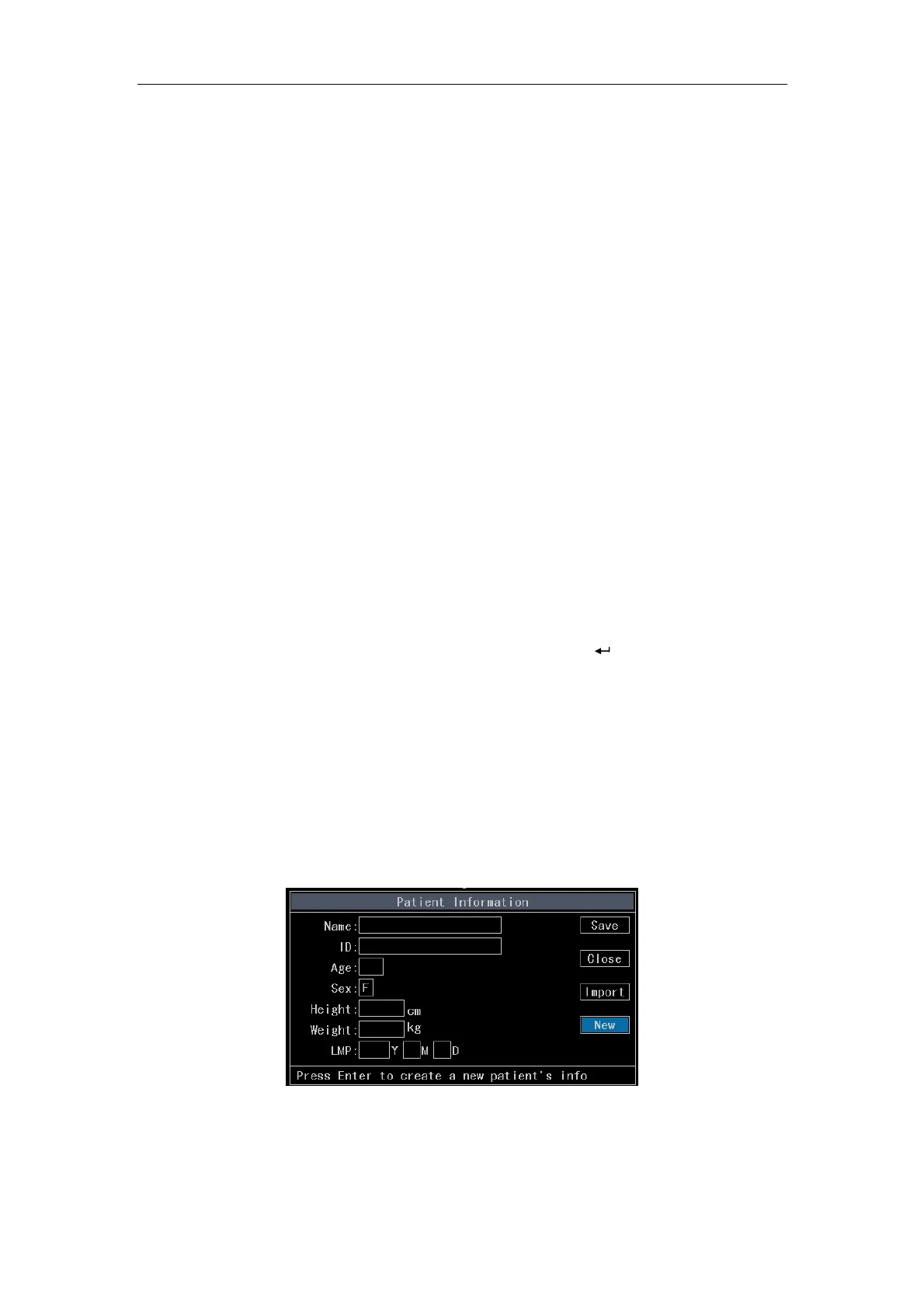
Pat Data key to pop up the Patient Information Interface shown in
(Fig. 7-1). Move the cursor over New and press
Enter. Then the cursor is
automatically located on the patient’s information inputting area. Use the touchpad
to move the cursor among the inputting area or press
Enter key to tab to the
next inputting box. There is help information displayed on lower part of the
inputting area indicating help information for the corresponding location of the
cursor. Having inputted information, move the cursor over Set and press
Enter to
store the patient’s information into database and close Patient Information window
and clear the previous patient’s measurement & calculation results and
annotations.
【Note】: If SEX is M, the item LMP will be hidden.
Fig. 7-1 Edit Interface of Patient Information
b) Modify: Press
Pat Data to open the Patient Information interface. If there is



 To Next Page