Use and Operation
6-11
Menu No. Menu Menu Function
factory
defaults
2 is high voltage generator mode.
0
P41
distribution
network
Valid when P40 is 0, and the wireless
connection configuration operation in
this mode.
N/A
P42
Mode
Password
Valid when P40 is 2.
The default is
87654321
6.2 Power On/Off
6.2.1 How to power on the portable X-ray unit
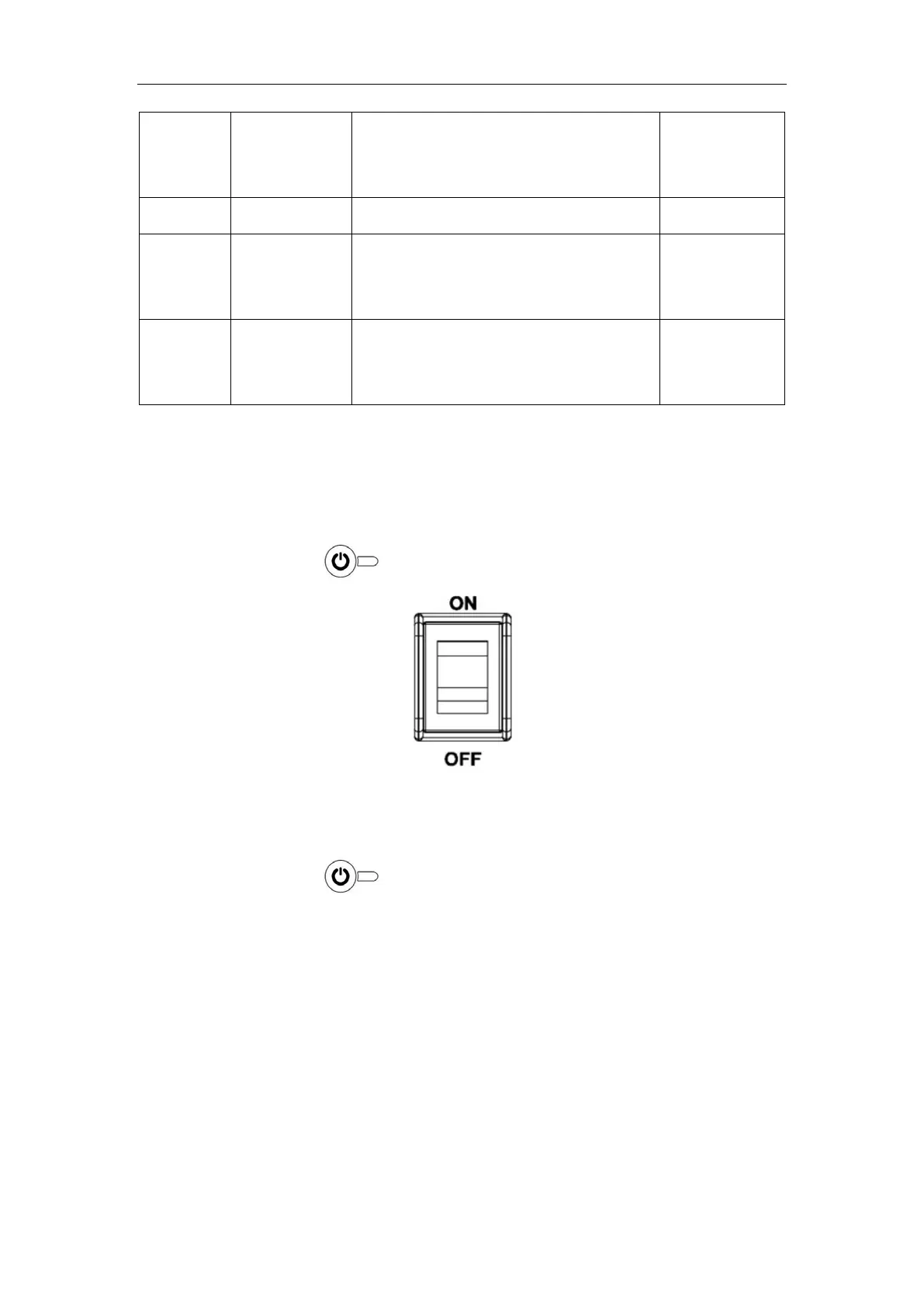
a) As shown in Fig. 6-2, toggle the rocker switch at device back to “ON”.
b) Press the panel
button, and the device is in the power-on state.
Fig. 6-2
6.2.2 How to power off the portable X-ray unit
a) Press the panel
button, and all the digital tube display goes off.
b) Toggle the rocker switch at device back to “OFF”.
6.3 How to Use Exposure Hand Switch
The hand switch is for the operator to achieve the exposure control of the device. The
default exposure mode is the 2-level exposure mode.
The hand switch has two levels, as shown in Fig. 6-3. Press Level 1, and the device is
getting prepared for exposure. When the READY indicator on the control panel turns on,
press Level 2 of the hand switch, and the device starts to output X-ray, The READY



 To Next Page