Tethys D60 - Tethys T60 - Tethys T45
The items accessible from the SETUP menu are shown in the table below. To move on from one item to the next,
press the “Drying” button.
Appliance parameter setup - detailed explanation provided below in “Set” Parameters
Date and time - detailed explanation provided below in “Cloc” Parameters
Drying filter counter.
Press the Start/Stop button to display the number of absolute filter hours left before the
maintenance message appears. The initial default setting is 500. The value is in units.
(Display only parameter, cannot be modified).
Appliance operating hour counter for maintenance. Press the Start/Stop button to display
the number of cycles left before the maintenance message appears. The initial default
setting is 900. The value is in units. (Display only parameter, cannot be modified).
Appliance total operation counter (display only parameter, cannot be modified)
[The parameter is displayed on two consecutive display screens from firmware version
1.11.0.32. The value in thousands is indicated by the suffix "t", in units with the suffix "u"]
Setting which allows display and selection only of the washing programs actually of
interest.
6.2 ACCESS AND PARAMETER MODIFICATION
The options referred to above - Set, Cloc, PrEn – are used for accessing and modifying:
1. Appliance parameters, Set.
2. Date and Time parameters, Cloc.
3. setting to allow display and use of a subset of programs only, PrEn (PrEn: “Program Enable”).
The following basic procedure applies to both options.
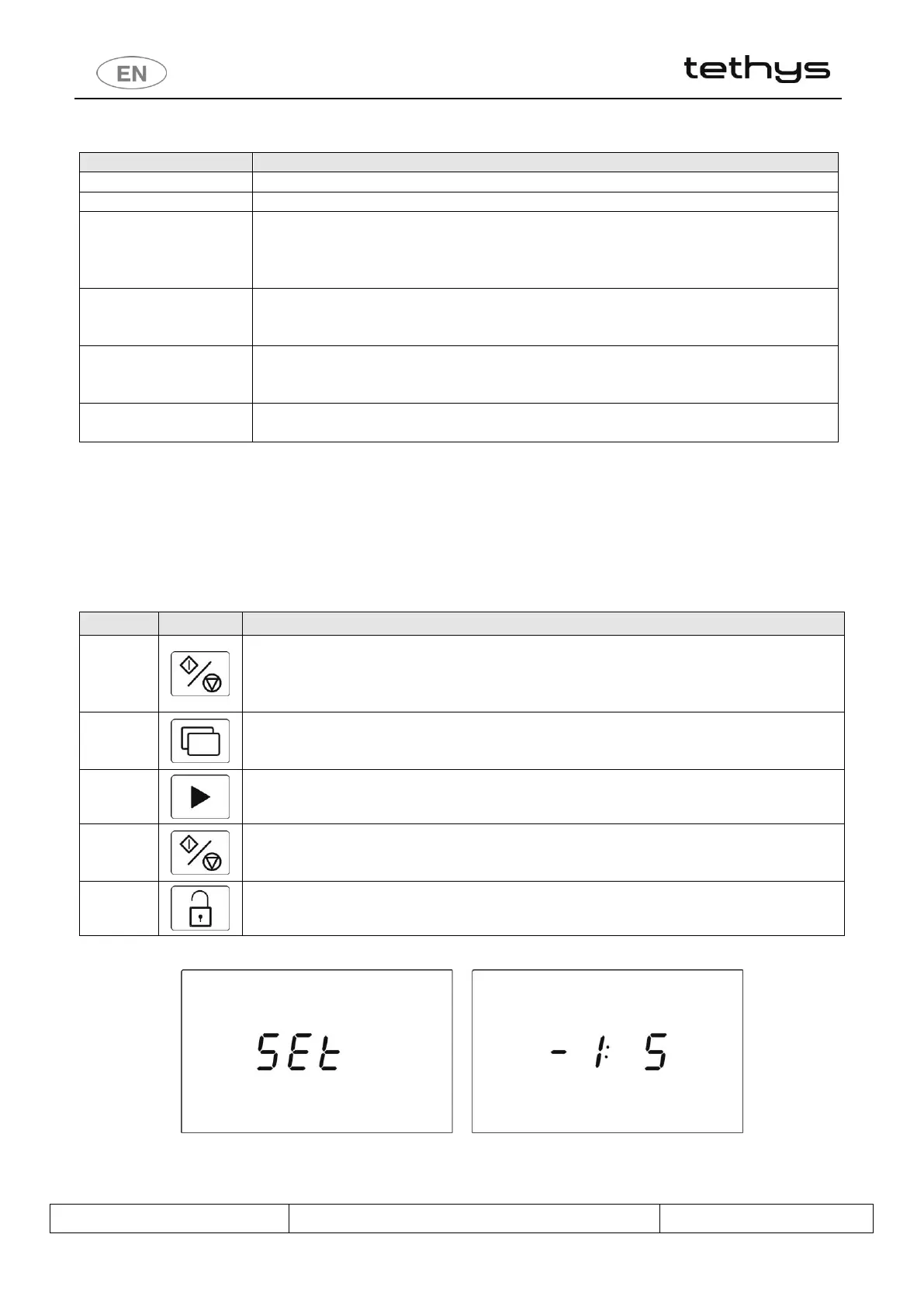
Start/Stop – hold down to access the option required.
To access the Set parameters, hold down until the “Set” option appears on the display.
To access the Cloc (date and time setting) parameters, hold down until the “Cloc” option
appears on the display. Similarly, for the “PrEn” option
Functions - Selection of the parameter required (see detail of the parameters in the points
which follow). Note on Tethys D60: a short press on the button Drying + has the same
meaning of the short press on button Functions.
Selection buttons - Modification of the selected parameter
During modification, the parameter concerned flashes on the display.
Start/Stop – hold down to confirm the modification.
Once the modification has been confirmed the parameter stops flashing and appears on the
display with steady light.
Door opening – hold down to quit the screen for display/modification of the current
parameter.
fig. 24 – Set parameters. Hold down the Start/Stop button to access the parameters. Parameter -1 sets to the dose dispensed by peristaltic pump P1.
Use the Selection buttons to modify the parameter. Use the Functions button to move to another parameter. Confirm changes using the Start/Stop
button.


 To Next Page