5.12.1 PRINTING THE CYCLE AND APPLIANCE PARAMETERS
If the Optional printer accessory has been installed, it is possible to force printing of the data relating:
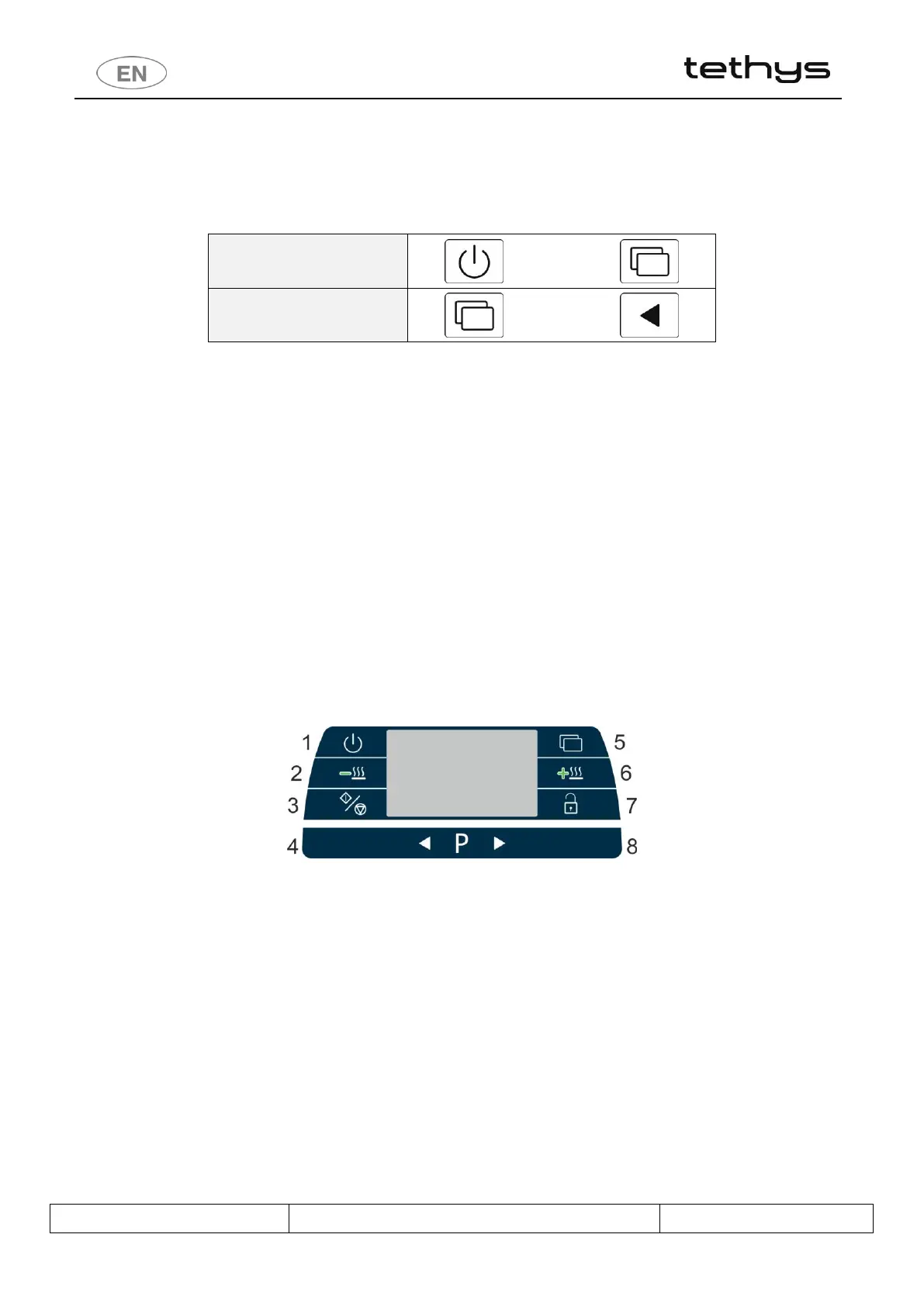
1. To the last cycle performed: by pressing the 1 On/Off and 2 Functions keys simultaneously.
2. To the setup parameters, by pressing the 3 Functions and 4 LH Selection keys simultaneously.
Commands are only accepted if the door of the device is closed.
6 SETUP MODE - “FUNCTIONS”
The appliance has setup procedures for modifying its operating parameters.
The setup mode is accessed by pressing the “Functions” button and requires a password.
For reasons of security and responsibility, 4 levels of password are available for access to more and more complex
functions:
1. USER Level (1111)
2. SUPERUSER Level (provided by the installation engineer)
3. ENGINEER Level
4. FACTORY Level
6.1 ACCESSING THE SETUP MODE / ENTERING THE PASSWORD
a. Hold the Functions button (5) down for 5 seconds. 4 dashes appear on the display.
b. Use the Selection buttons (4-8) to modify the individual characters of the password.
c. Short press the Functions button (5) to move on to the next character
d. Once the 4 characters of the password have been entered, confirm by holding down the Start/Stop button (3).
I. If the password entered is correct, the system accesses the first menu item
II. If the password is not correct, two beeps signal the error.
III. 5 seconds after the last button is pressed, the system automatically quits the Setup menu.
e. Once the Setup mode has been accessed, the various items available can be scrolled using the Functions button
(5).
f. Note on Tethys D60: a short press on the button Drying + (6) has the same meaning of the short press on button
Functions (5) in the following cases:
I. When entering password, to switch from one character to the next.
II. Going into the setup mode, to scroll through the various items available.


 To Next Page