Weekly tests
Every week during normal working hours the fire detection and alarm system should be tested. It is important to
inform the alarm receiving centre of the fire test.
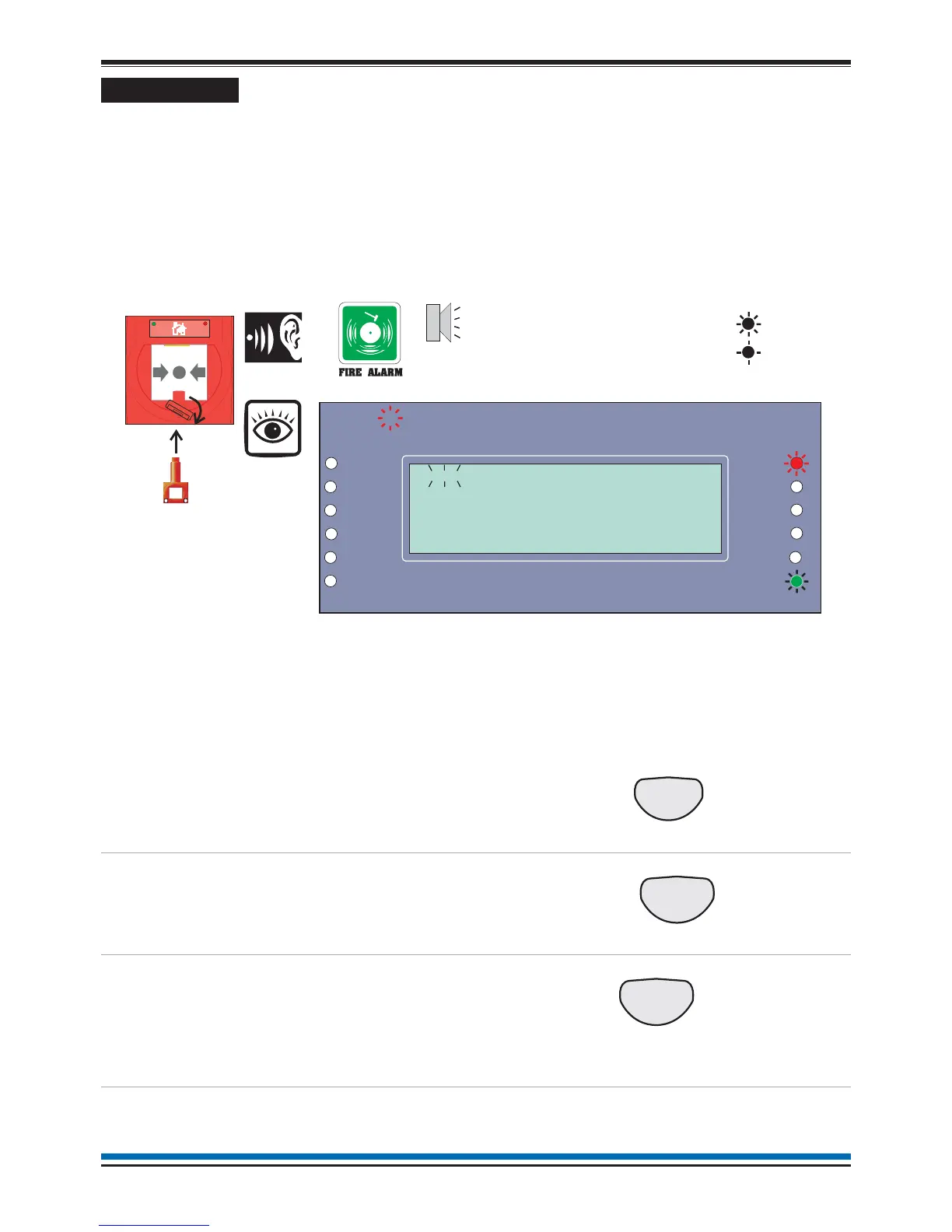
The weekly fire test can be carried out at a manual call point without breaking the call point glass.
¨
Insert the test key into the keyhole located on the bottom-centre front face of the call point and
turn the key one quarter of a turn clockwise.
¨
Where an older manual call point is to be tested, insert a test key into the hole located on the
underside of the call point and push the key into the call point to operate the cam mechanism.
This will activate the call point.
At this point the test key is retained in the call point.
¨
Check the alarms are sounding in the building and an indication is given of the fire event.
¨
Turn the key anticlockwise one quarter of a turn and remove it from the call point. For an older
manual call point remove the test key from the call point.
¨
You will need to open the panel door to silence the alarms and reset the system.
To cancel buzzer
You can stop the panel buzzer
from sounding.
Press:
Display reads: 'Buzzer cancelled'
To silence alarms
When the test is complete, the
alarm sounders can be silenced.
Press:
Display reads: 'Alarms silenced'
To reset system
To return the system to normal
condition clear any residual
smoke or heat from sensors and
replace the glass in any manual
call points where the glass was
broken.
Press:
Display reads 'System being Reset -
please wait....'
Record the event
Make an entry in the log book of
the event for future reference.
10
Operating instructions
Panel
buzzer
On
Flashing
Previous Next
Zones
Fault
System Fault
Delay
Test
Fire
Power
Power Fault
Verify
CB253
CB254
Disablement
Sounder
First Fire occurred at:
Time: 08:43.10 Tue 17 March 2009
1stFIRE:MCP:Zone 1
15:45
1
Manual Call point
Test Key


 To Next Page