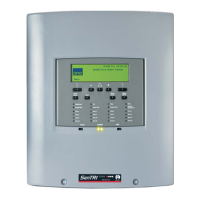
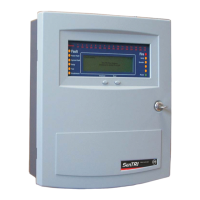
How to view a zone label
A zone is a subdivision of a building used for fire
detection. To view a zone label you will need to know
the zone number. You can find this information in the
site specific documentation, held by the person
responsible for the fire alarm system.
a. Press the MENU ON/OFF button.
b. Press the F3 button to select [Info].
"
Ignore step c. if an external
printer is not fitted or is switched off.
c. To display a Zone label: Press the F1 button to
select [Display]. Notice 'Display' appears on the
display.
To print a Zone label: Press the F2 button to
select [Print]. Notice 'Print' on the display, then
continue.
d. Press the F4 button to select <etc>.
e. Press the F2 button to select [Label]. Notice
'Label' appears on the display.
f. Press the F4 button once to select <etc>.
g. Press the F1 key to select [Zone]. Notice 'Zone'
followed by a flashing cursor appears on the
display. Use the keypad to input a Zone number
from a range 1-128.
h. Press the F2 key to select [Enter]. Notice the
selected label information is either displayed or
printed.
How to view the local panel label
When there is a network of control panels and nodes
connected together in a system and each panel/node
is usually given an identification label, also referred to
as the Local panel label.
a. Press the MENU ON/OFF button.
b. Press the F3 button to select [Info].
"
Ignore step c. if an external
printer is not fitted or is switched off.
c. To display the local panel label: Press the F1
button to select [Display]. Notice 'Display'
appears on the display.
To print the local panel label: Press the F2
button to select [Print]. Notice 'Print' appears on
the display, then continue.
d. Press the F4 button to select <etc>
e. Press the F2 button to select [Label]. Notice
'Label' appears on the display.
f. Press the F4 button once to select <etc>.
g. Press the F2 key to select [Local]. Notice
'Local' appears on the display.
h. Press the F2 key to select [Enter]. Notice the
selected label information is either displayed or
printed.
26
Operating instructions


 To Next Page