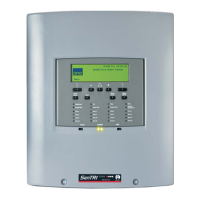
How to edit a local panel label
A label is normally given to the control panel to identify
its location in a network. A previously entered label
can be modified.
a. Press the MENU ON/OFF button.
b. Press the F2 button to select [Set Up].
c. Press the F4 button to select [UserCode].
Notice a message on the display 'Enter access
code', followed by a flashing cursor. Use the
keypad to input the PIN and then press Enter
button.
d. Press the F4 button once to select <etc>.
e. Press the F1 button to select [Modify]. Notice
'Modify' appears on the display.
f. Press the F1 button to select [Label]. Notice
'Label' appears on the display.
g. Press the F4 button once to select <etc>.
h. Press the F2 button to select [Local]. Notice
'local' appears on the display.
i. Press the F2 button to select [Enter]. Notice the
previous label appears on the display with a
flashing first character to prompt the
modification, if there is no label the line is blank.
j. Using the keypad to enter a label of up to
40 characters in length and then press the
Enter button.
How to edit custom label
A custom message or label is displayed beneath the
Designed to EN54 Pt2&4line on the panel. The
message or label can be up to 40 characters in length
and it can be contact information of the person
responsible for the fire alarm system or it can have
contact phone number of the servicing organisation.
Example: "For service call: phone number".
A previously entered label can be modified.
a. Press the MENU ON/OFF button.
b. Press the F2 button to select [Set Up].
c. Press the F4 button to select [UserCode].
Notice a message on the display 'Enter access
code', followed by a flashing cursor. Use the
keypad to input the PIN and then press Enter
button.
d. Press the F4 button once to select <etc>.
e. Press the F1 button to select [Modify]. Notice
'Modify' appears on the display.
f. Press the F1 button to select [Label]. Notice
'Label' appears on the display.
g. Press the F4 button once to select <etc>.
h. Press the F3 button to select [Custom]. Notice
'Custom' appears on the display.
i. Press the F2 button to select [Enter]. Notice the
previous label appears on the display with a
flashing first character to prompt the
modification, if there is no label the line is blank.
j. Using the keypad enter a label of up to
40 characters in length and press the Enter
button.
29
fire system


 To Next Page