Menu controls
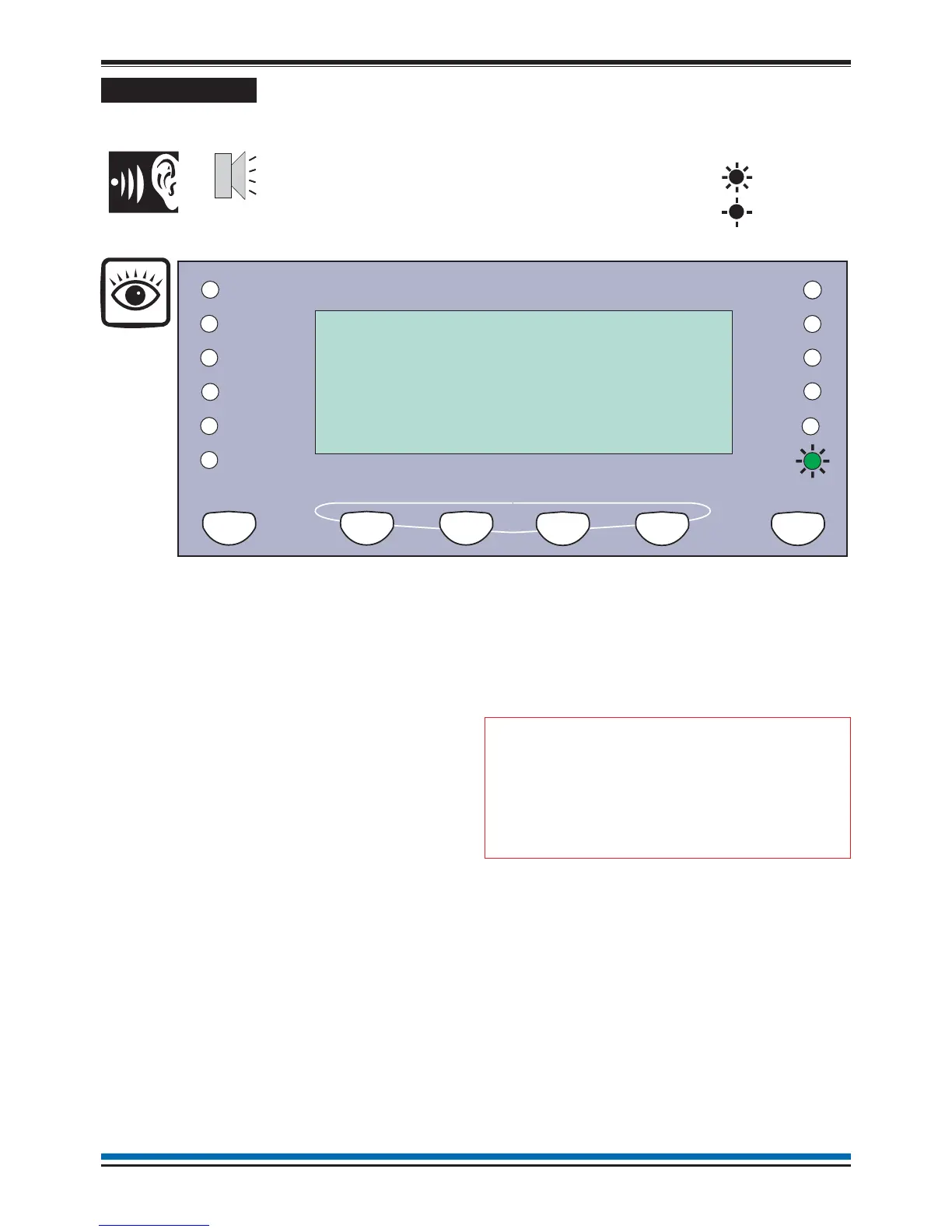
The MENU ON/OFF button facilitates the operation of
the function keys F1 to F4. The menu prompts appear
above the function keys on the display to prompt the
user to make a selection.
At any level in a menu, single press of the MENU
ON/OFF key aborts an operation. However as an
alternative the [Quit] option can be selected to exit the
function mode.
If the time taken between key presses exceeds five
minutes, then the control panel will automatically
remove the option display and give the system status
indications.
The [Params] option is a Help function to provide
information to the user regarding the type of input data
required.
Most of the functions in the [Control], [Setup] and
[TestEng] menu options are protected with password
entry. The password is programmed during the
commissioning of the system and is passed on to the
site person responsible for the fire alarm system.
"
An open access to controls
under User code is undesirable, so it is
recommended that a customer password
is setup.
When a password code is not set up, there is an
open entry to operate the controls under [User Code].
Where this is true the instructions for entering the
access code, password (or PIN) in the following
instructions should be ignored.
18
Operating instructions
Previous Next
SenTRI Fire System
Designed to EN54 pt2&4
Cancel Buzzer
Menu On/Off
F1 F2
F3 F4
15:45
[Control] [ Set Up ] [ Info ] [ Test/Eng]
Panel beeps
on button press
On
Flashing
Fault
System Fault
Delay
Test
Power Fault
Disablement
Fire
Power
Verify
CB253
CB254
Sounder


 To Next Page