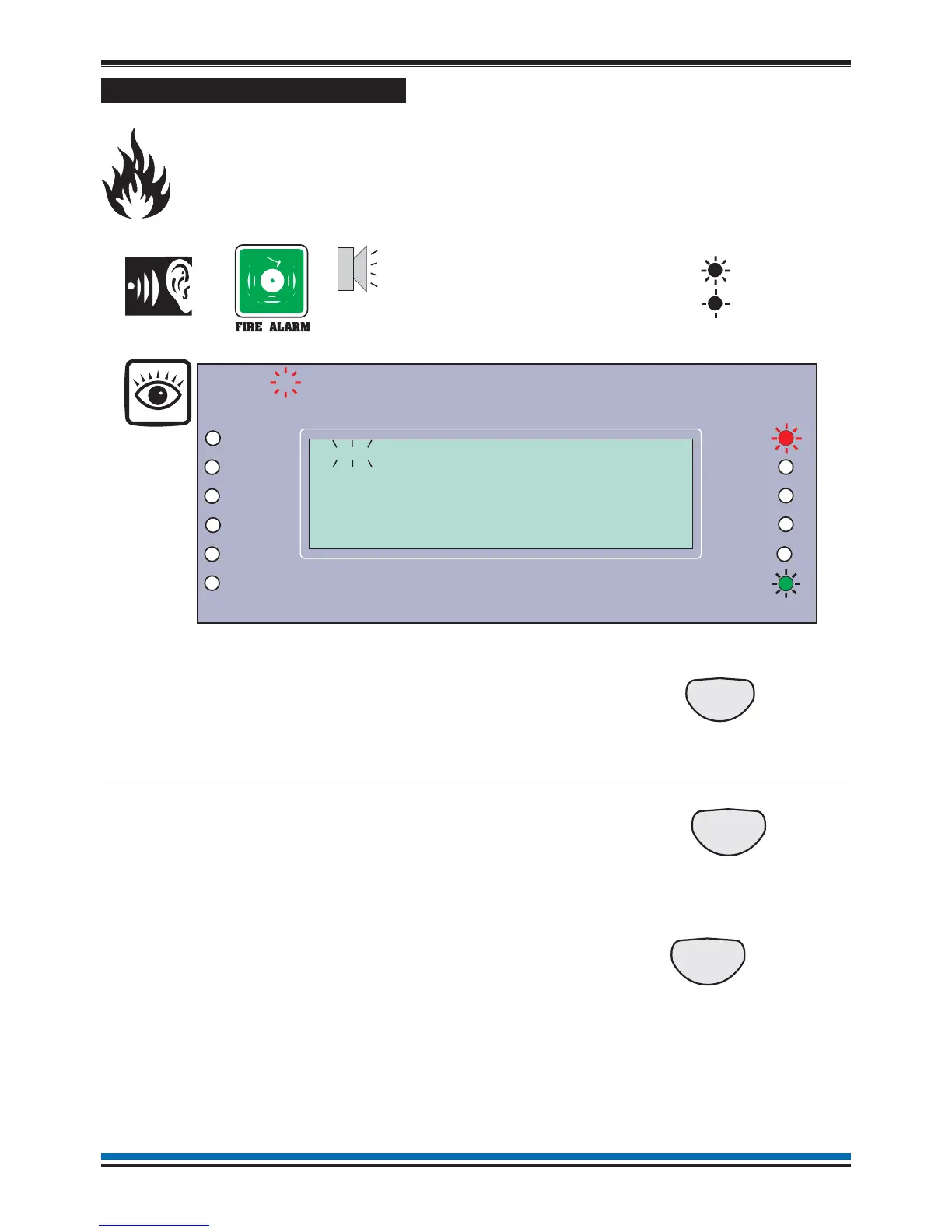
Automatic detection of FIRE
A fire in your protected premises is automatically sensed at any one of the fire detection devices
installed in the building, such as a sensor or a fire input from an interface. The control panel
actions the alarm sounders in the system and at the same time gives the details of the fire event.
The event indication is repeated at all repeat indicator panels in the system.
To cancel panel buzzer
You can stop the panel buzzer
from sounding.
Press:
Display reads:
'Buzzer cancelled'
To silence alarms
When the emergency is over
the alarm sounders can be
silenced.
Press:
Display reads:
'Alarms silenced'
To reset system
To return the system to normal
condition clear any residual
smoke or heat from devices
and reset any fire inputs.
Ensure the fire system is
checked by your servicing
organisation if there has been
fire damage in the protected
area.
Press:
Display reads: 'System being
Reset - please wait....'
12
Operating instructions
Panel
buzzer
On
Flashing
Previous Next
1
Zones
Fault
System Fault
Delay
Test
Fire
Power
Power Fault
Verify
CB253
CB254
Disablement
Sounder
First Fire occurred at:
Time: 08:43.10 Tue 17 September 2009
1stFIRE:MCP:Zone 1
15:45


 To Next Page