100 -101
3D Printing
L LR R
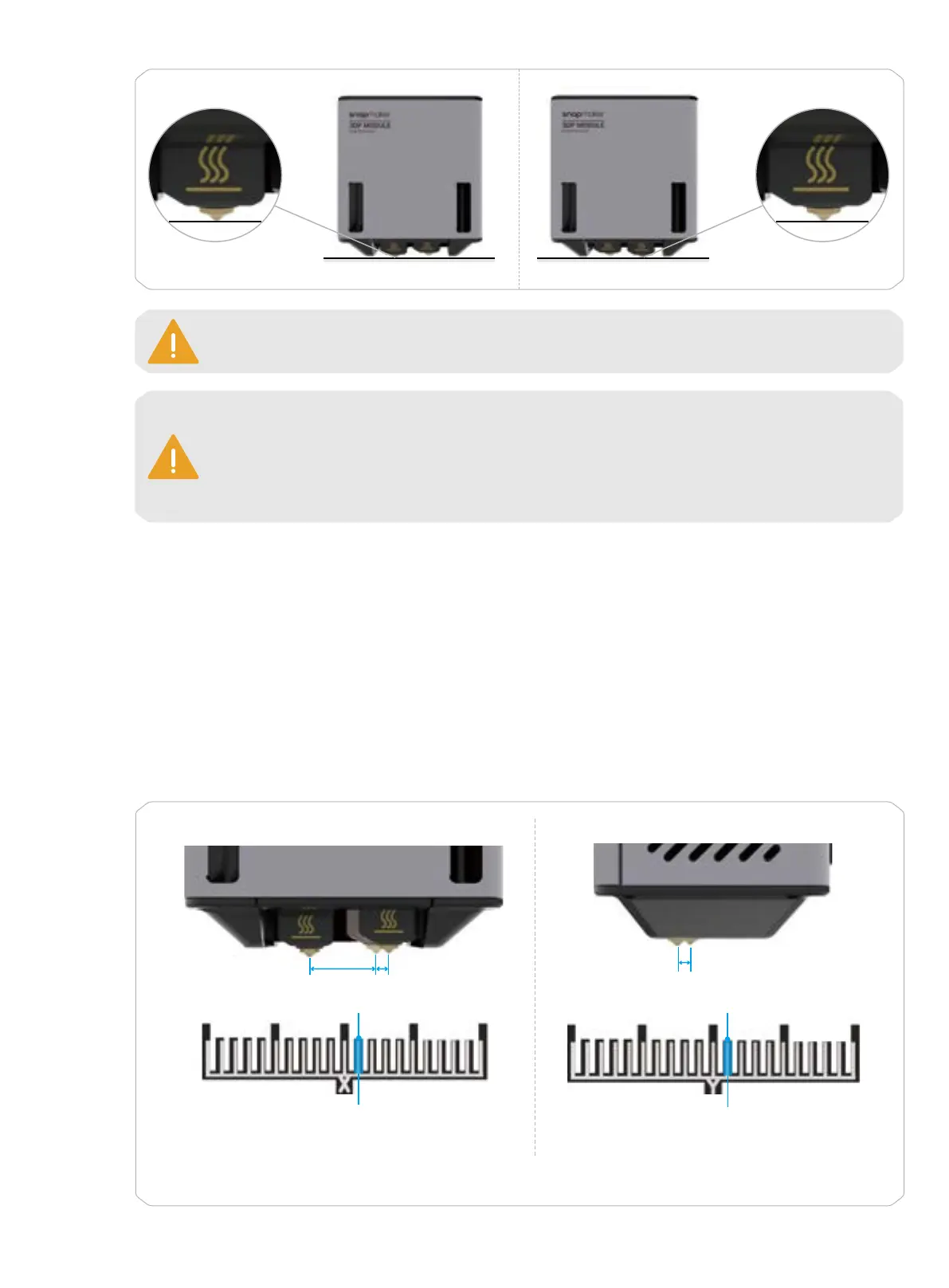
When Nozzle L Works When Nozzle R Works
Before doing the Z Offset Calibration and the Heated Bed Leveling, ensure that the surface of
both nozzles is clean.
Every time after you have reassembled the module or machine, redo the Z Offset Calibration
and Heated Bed Leveling: tap Calibration on the Home Screen > Z Offset Calibration or Heated
Bed Leveling.
Every time after you have replaced the hot end, you only need to redo the Z Offset Calibration.
3. XY Offset Calibration
Brief Introduction
Calibrating the offsets of the two nozzles in the X and Y orientations can achieve the optimal print quality of
both nozzles in the horizontal direction and avoid crossovers between different colors and materials.
How It Works
The machine will print a calibration model in the X and Y orientations, respectively. After you have selected the
best pair of lines (where the top line is most horizontally centered on the bottom line) in the two models, the
machine will automatically calibrate the X and Y offsets of the two nozzles accordingly by making real-time
compensation.
* The XY offsets and the best pair of lines in the graphics above are just examples for better illustration.
Y Offset =
△
(N × 0.08)
Side View
△
RL
X Offset = Default Offset +
△
(N × 0.08)
Front View
Default Offset
△
N
The Best Pair of Lines
-10
-5
50 10
The Best Pair of Lines
N
-5-10 50 10
L R



 To Next Page